



lidiya_127
Inspiring
March 24, 2021
Question

exporting issues adobe animate 2019

  • March 24, 2021
  • 1 reply
  • 838 views

some of the parts to a tween are coming out weird like the bangs have a weird line (image below)

theres like a line just coming out of the bangs
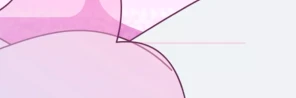
another issue i have it i made a symbol with frames in it, and set it to loop, and it shows up in the project, but when i export it it doesn't move at all. 

Same thing for another symbol which has frames in it and still doesn't move on the exported.

and those type of symbols usually don't show up on the exported video, please help I need to post this project very soon :[


This topic has been closed for replies.

1 reply

kglad
Community Expert
Community Expert
March 24, 2021

1. if you have a tween behaving unexpectedly, it's usually easier to recreate it than to fix it.


2. when you export a video, you must have enough frames on your main timeline to display nested animations (if you select entire movie) or use a time based span and set an adequate duration.


lidiya_127
Inspiring
March 25, 2021

Im not sure what you mean on the second one, also the tween when you play it in the project it comes out just how i want it, but it comes out weird some parts glitch (like the hair) and other things in the background arent appearing animated at all, they are just staying still, is there anything i can do to export it just as I see it in the project file when i play it?

kglad
Community Expert
Community Expert
March 25, 2021

1. the tween problem can't be determined via a forum. even downloading your fla and inspecting it is, in my experience, a waste of time because it may not be possible to determine where you went (or even if you did something) wrong. 


again, just redo the tween on a new layer.  that's the quickest way to resolve the problem.


2.  how long is your video (that fails to show the nested animations)?  ie, what's its duration?