
Fading out after a 3D Motion Preset?
This is why I've always found Animate so exceedingly difficult to understand.
So, I'm creating a movie, obviously, in ActionScript 3.0, and have a spot where social media icons bounce onto the stage in random intervals. I'm using the bounce-in-3D preset. That turns the social media icons into 3D objects. Apparently, you cannot change the alpha settings of a 3D object. So, I think to myself, well, I'll just use another 3D preset to fade them out. The problem is, whenever I try to add frames, keyframes, etc., to the timeline, it just extends the original 3D Motion Tween from the bounce-in-3D preset. If I try to add the fade out presets, it asks me if I want to replace the original preset. I don't. I just want the original preset to end and to be able to fade out the social media icons.
But, as I said, whenever I try to add frames or keyframes, such as to apply a new preset to fade the icons out, it just extends the original preset 3D Motion tween.
Here's a screenshot of my timeline.
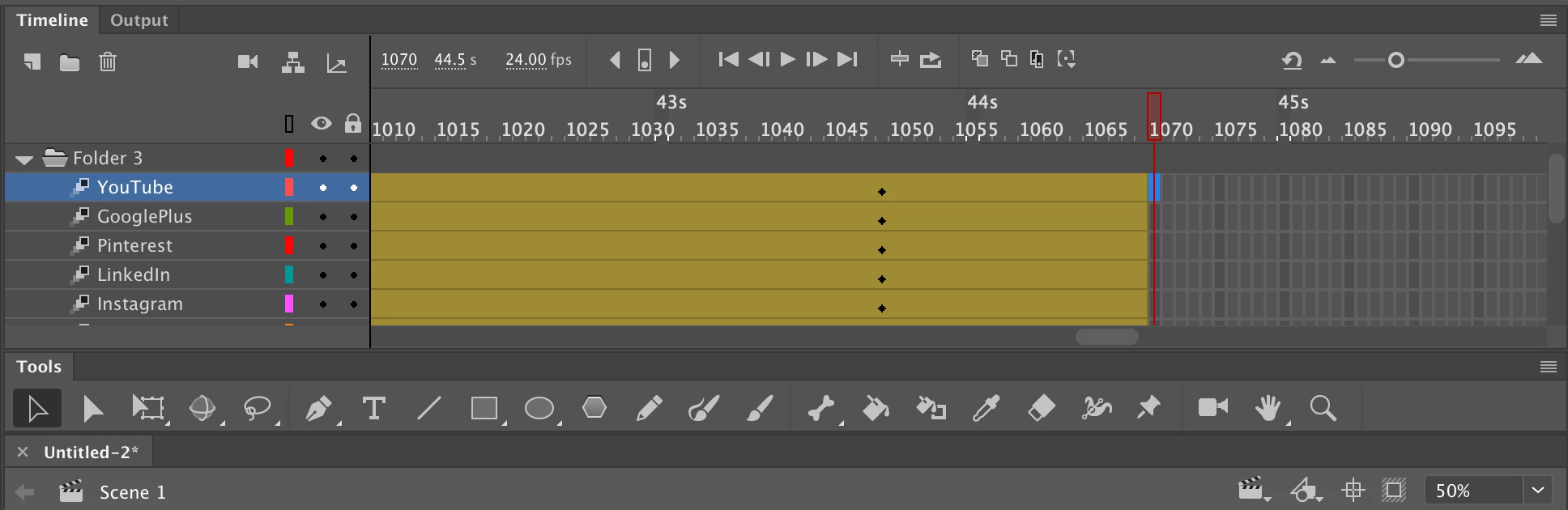
Also, what are the little square symbols before SOME keyframes and how do I add them?


 AdChoices