Answered
fill not working
The fill tool doesn't work, I chose large gaps, made sure I'm not in a drawing object and the drawing is in one layer. Can someone please help me?
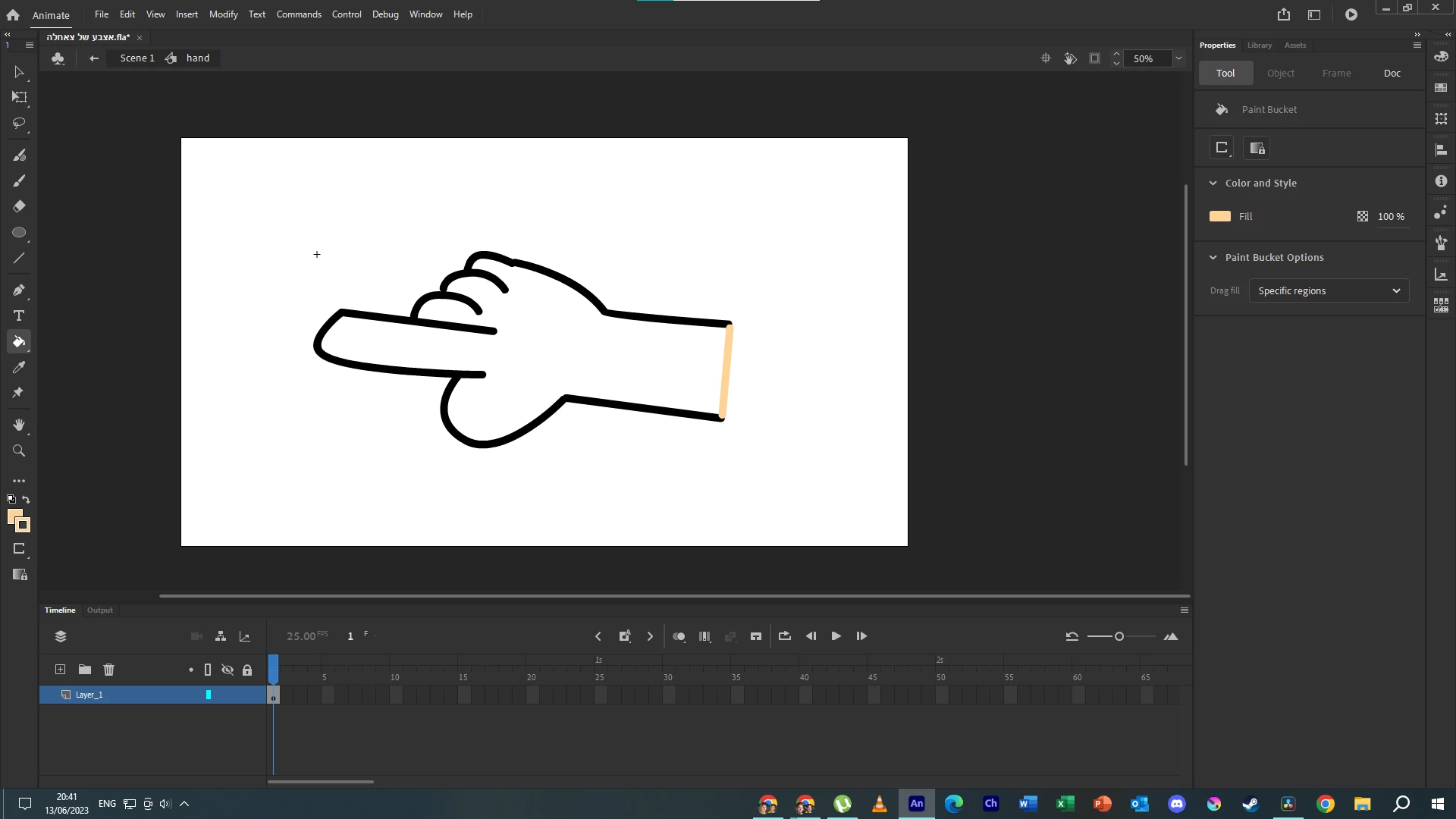

The fill tool doesn't work, I chose large gaps, made sure I'm not in a drawing object and the drawing is in one layer. Can someone please help me?
Thank you so much! here is the file https://drive.google.com/file/d/1nUsK_nT5mOeKYXK0SYE_uxWUnSe_8qoI/view?usp=sharing
Thanks for the file. Ok some of these gaps are way too large, even for the close gaps function. You can see the actual separation of the lines in outline view mode:
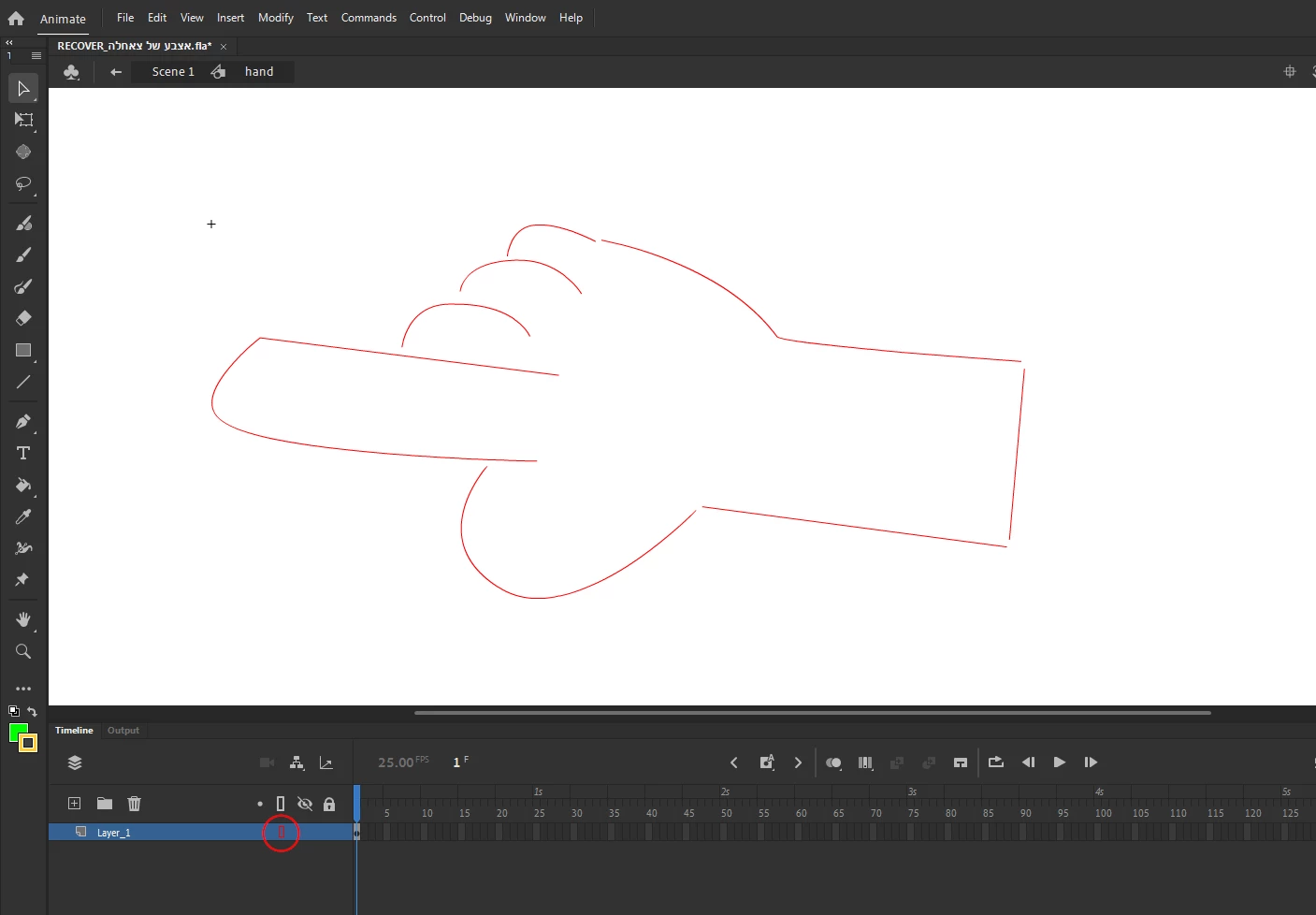
Before proceding to close them, enable 'Snap to Objects' from the properties panel, this will make lines snap to each other when trying to close them.
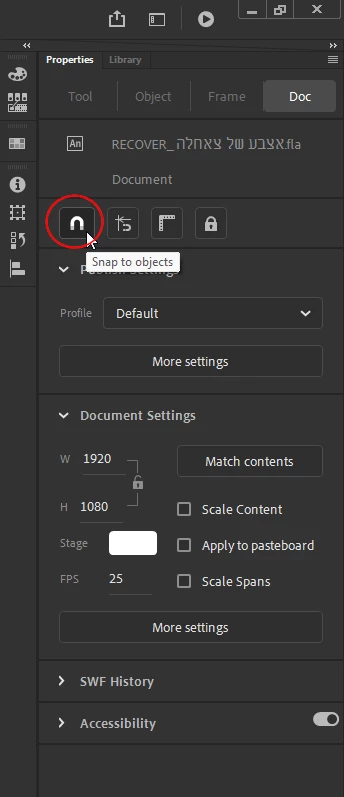
Close the lines by moving them with the Selection Tool (black arrow). Once the lines are closed, return to normal view mode and try the bucket tool again.
Voilà.
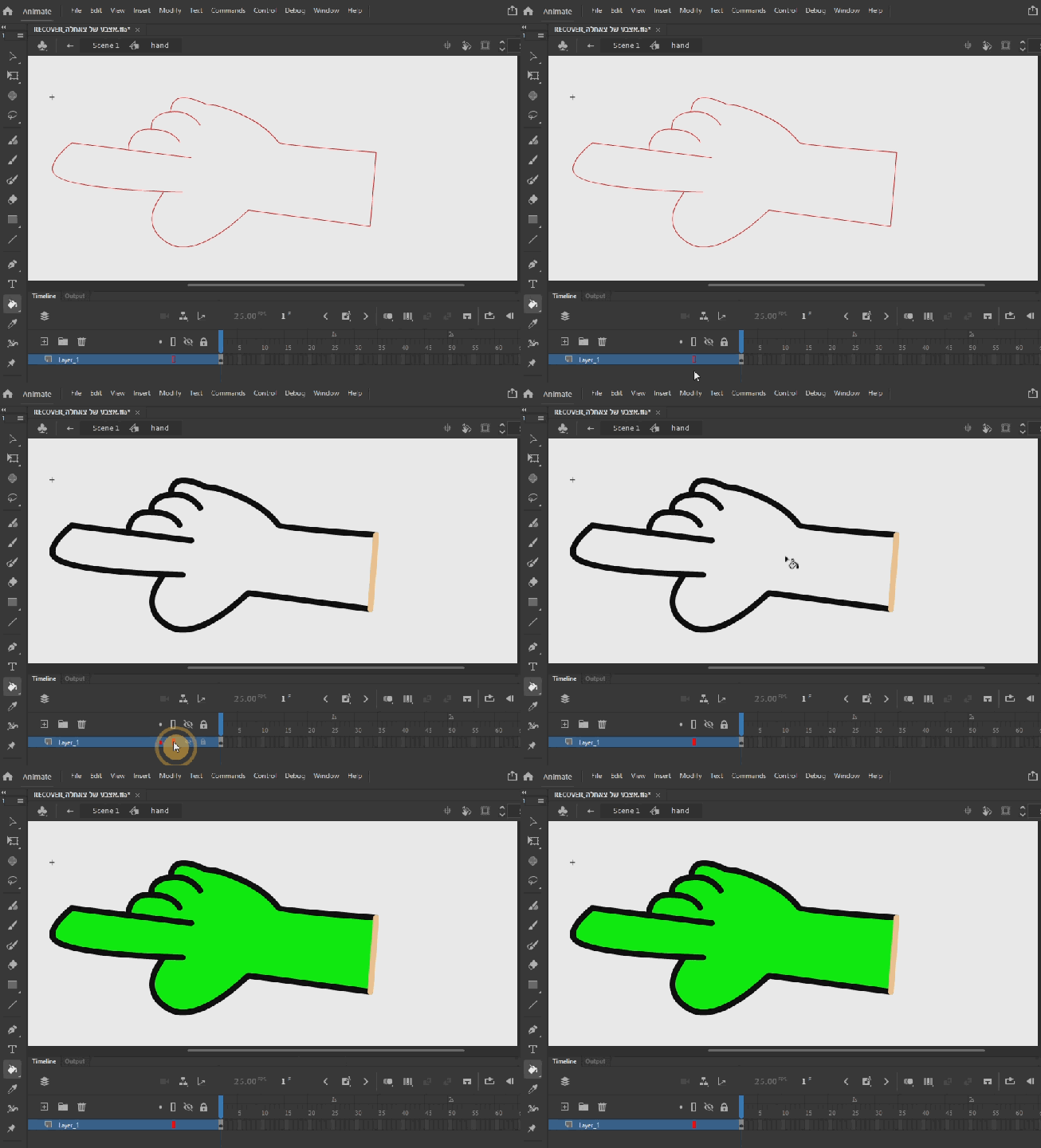
Already have an account? Login
Enter your E-mail address. We'll send you an e-mail with instructions to reset your password.


 AdChoices