
flipping Movie clip
I have found online a tutorial to flip am movie clip like a card. I'm playing around with it seeing if I can flip multiple movie clips (one after another), and then see/experiment with changing the content inside when it ha flipped to the other side.
Right now I'm having a bit of a problem with the multiple. I set up another Movieclip the same as the orig, and set up the script to flip and switch mc
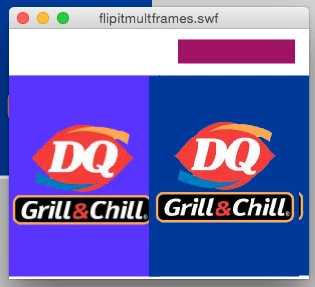
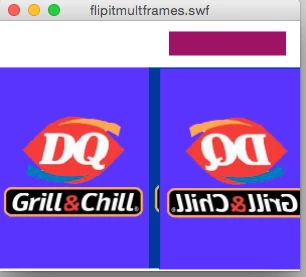
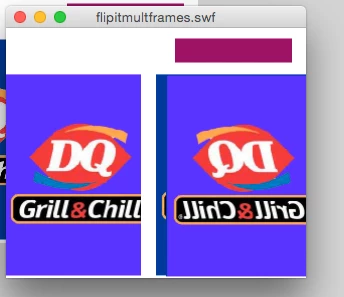
(using timer). The original mc works fine, the other tens to shift (off center), and the two mc in the container slightly separate. Im unsure is the problem lies in the code, or how I built the other MC. I can't see how to attach the flash file to see, heres the script and some images.
import fl.transitions.easing.*;
import fl.transitions.TweenEvent;
import flash.events.Event;
import fl.transitions.Tween;
stop();
//con.sidea.flip.addEventListener (MouseEvent.CLICK,onflip);
//con.sideb.flip.addEventListener (MouseEvent.CLICK,onflip);
addEventListener(Event.ENTER_FRAME, loop);
var isStill:Boolean = true;
var arraytween:Array = new Array();
var tweenside = con
var flipside:String = "righthandside"
function onflip (e:Event)
{
if (isStill)
{
arraytween.push(new Tween(con,'rotationY',Strong.easeOut,con.rotationY,con.rotationY+180,4, true));
arraytween[0].addEventListener(TweenEvent.MOTION_FINISH,reset);
}
}
function reset(e:Event)
{
isStill = true;
arraytween = [];
if (flipside == "righthandside")
{flipside = "lefthandside"; tweenside = con2}
else
{flipside = "righthandside"; tweenside = con}
//var myTimer:Timer = new Timer(5000,1);
//myTimer.addEventListener(TimerEvent.TIMER, nextframe);
//myTimer.start()
}
function loop(e:Event)
{
if (tweenside.rotationY>=90 && con.rotationY<=270)
{
tweenside.addChild(con.sideb)
tweenside.scaleX=-1
}
else
{
tweenside.addChild(con.sidea);
tweenside.scaleX=1
}
if(tweenside.rotationY>=360)
{
tweenside.rotationY=0;
}
}
var flipit:Timer = new Timer(5000,10);
flipit.addEventListener(TimerEvent.TIMER, theflip);
function theflip (e:TimerEvent):void
{
arraytween.push(new Tween(tweenside,'rotationY',Strong.easeOut,con.rotationY,con.rotationY+180,1, true));
arraytween[0].addEventListener(TweenEvent.MOTION_FINISH,reset);
}
flipit.start();
clickTAG_btn.addEventListener(MouseEvent.MOUSE_UP, function(event: MouseEvent): void {
var sURL: String;
if ((sURL = root.loaderInfo.parameters.clickTAG)) {
navigateToURL(new URLRequest(sURL), "_blank");
}
}
)


 AdChoices