
Fluid brush lines keep warping on their own
Been having this issue for at least a few days now and I haven't been able to find anyone with quite the same issue yet. I'm working on cleanup for a pretty large file, mostly using the fluid brush tool for linework. If I move something else on the same layer and frame as a drawing I've already made, there's a chance the lines for that drawing will warp. Its like animate has deleted the data for how that line should curve between the vertices, so it just becomes a bunch of jagged straight lines. I've had a couple times where it's kept the original line, but put the noncurved version on top of it.
I managed to get a decent before and after since I duplicated a drawing across frames. The first is how it should look, the second is after I moved some other elements on that frame. This one's been pretty subtle, but I've had some get really messed up.
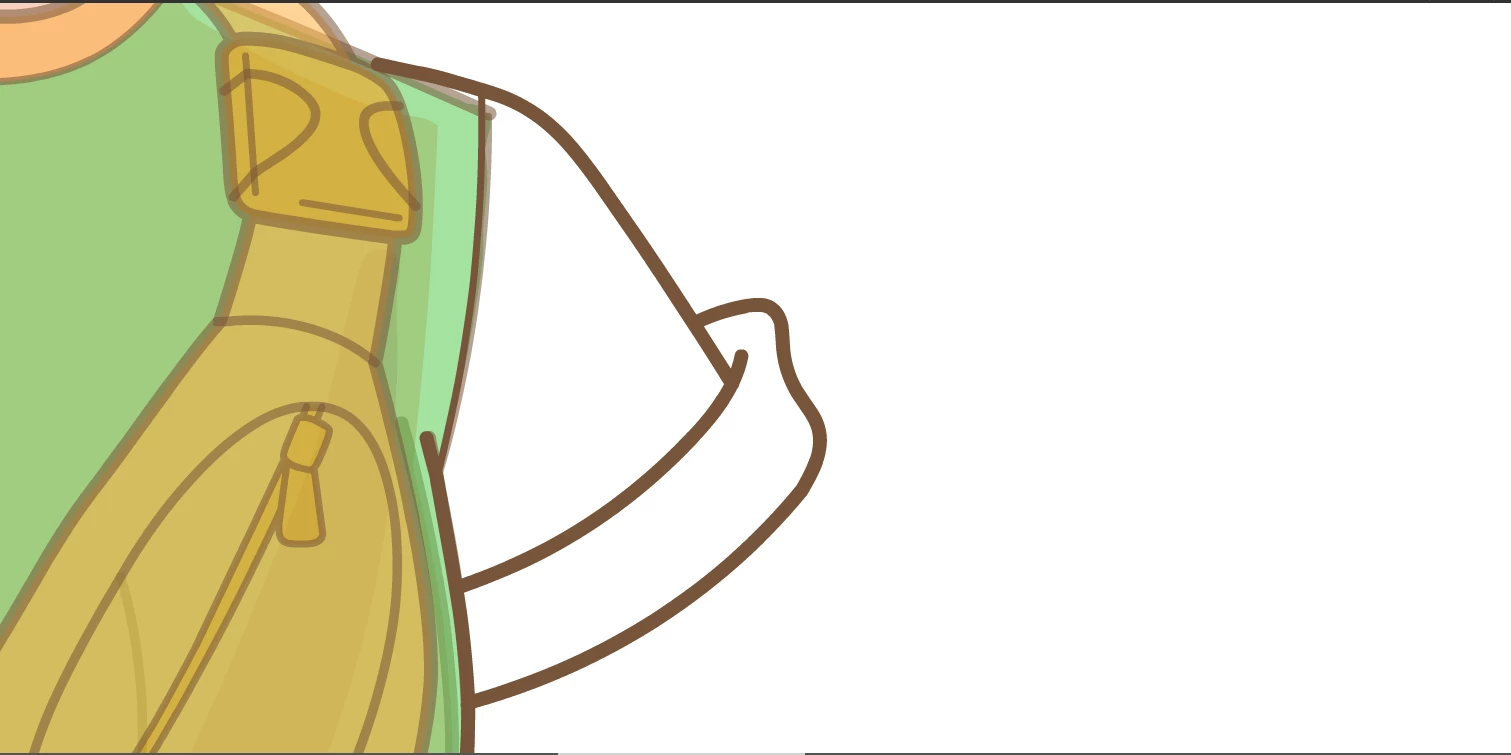
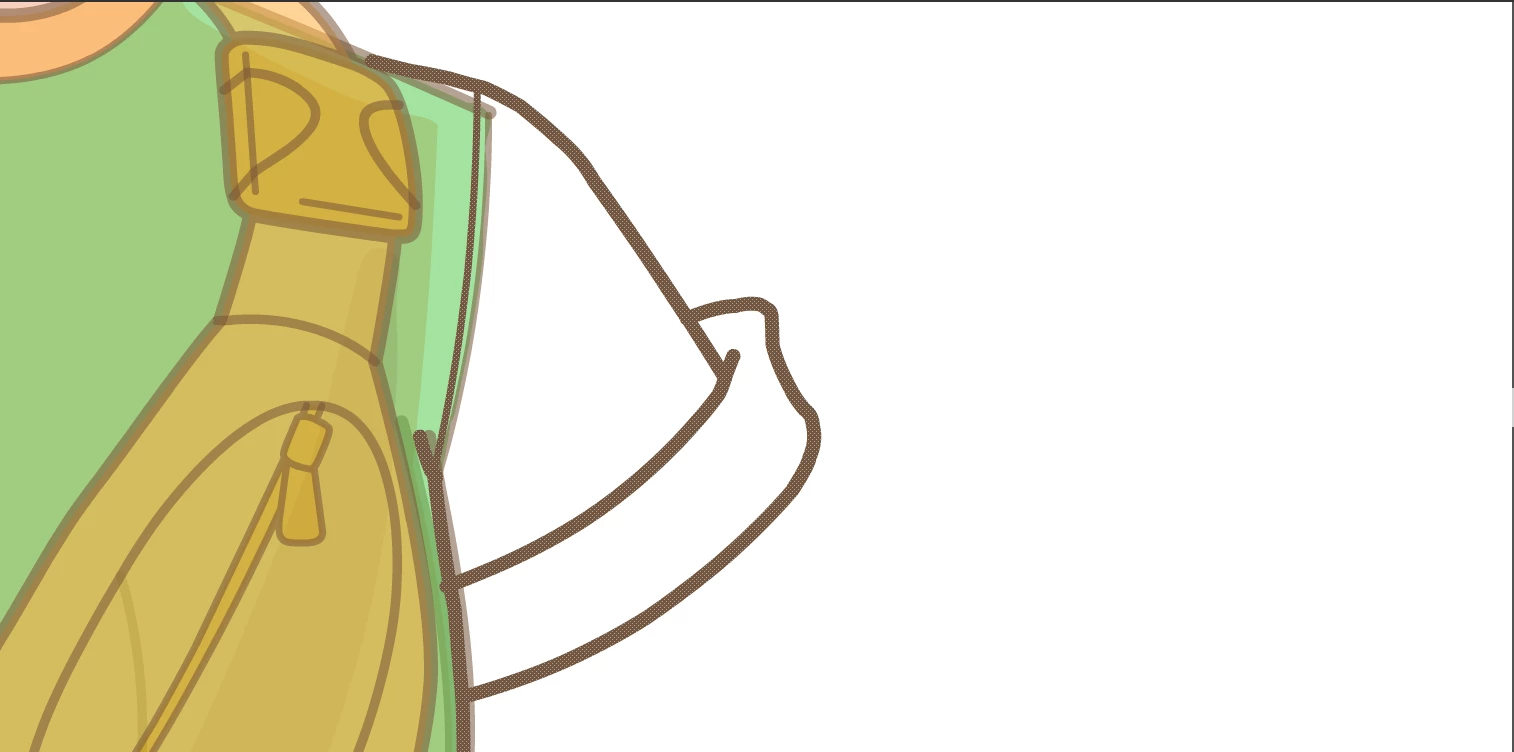
Does anyone know what's causing this and how I can fix it? I've got a deadline coming up and I can't keep redrawing things like this.


 AdChoices