Participant
July 21, 2021
Answered

Frames cut off on sprite sheet

  • July 21, 2021
  • 1 reply
  • 3072 views

I'm trying to make a sprite sheet, and when I do some frames are cut off at the top. I have an example of it in the screenshot. The first image, "Cap1", is how it's supposed to look, and in the second, that's what it looks like when you look at the preview before you export the sprite sheet. I'd really appreciate the help. 

 

This topic has been closed for replies.
Correct answer Mario_CR

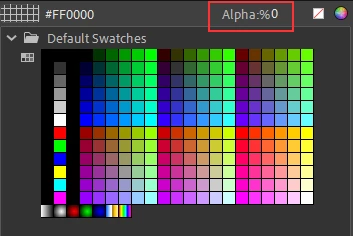
Here's an idea, inside the crown symbol make a brush stroke at the top of the crown, then select the stroke and change alpha fill to 0% to make it invisible. That should give more space to your drawings when you generate the spritesheet.


1 reply

kglad
Community Expert
Community Expert
July 21, 2021

i don't see a problem. 


are you unhappy there's a transparent background?  if so, add a "background" to your character.

ToastysAuthor
Participant
July 21, 2021

Can you not see in the second screenshot that at the top of the crown on the left it's cut off? I guess it's kinda hard to see, it also happens with other frames as well.

Mario_CR
Community Expert
Mario_CRCommunity ExpertCorrect answer
Community Expert
July 21, 2021

Here's an idea, inside the crown symbol make a brush stroke at the top of the crown, then select the stroke and change alpha fill to 0% to make it invisible. That should give more space to your drawings when you generate the spritesheet.