
Inspiring
July 1, 2025
Answered

Free transform tool keeps selecting diogonally?

  • July 1, 2025
  • 2 replies
  • 228 views

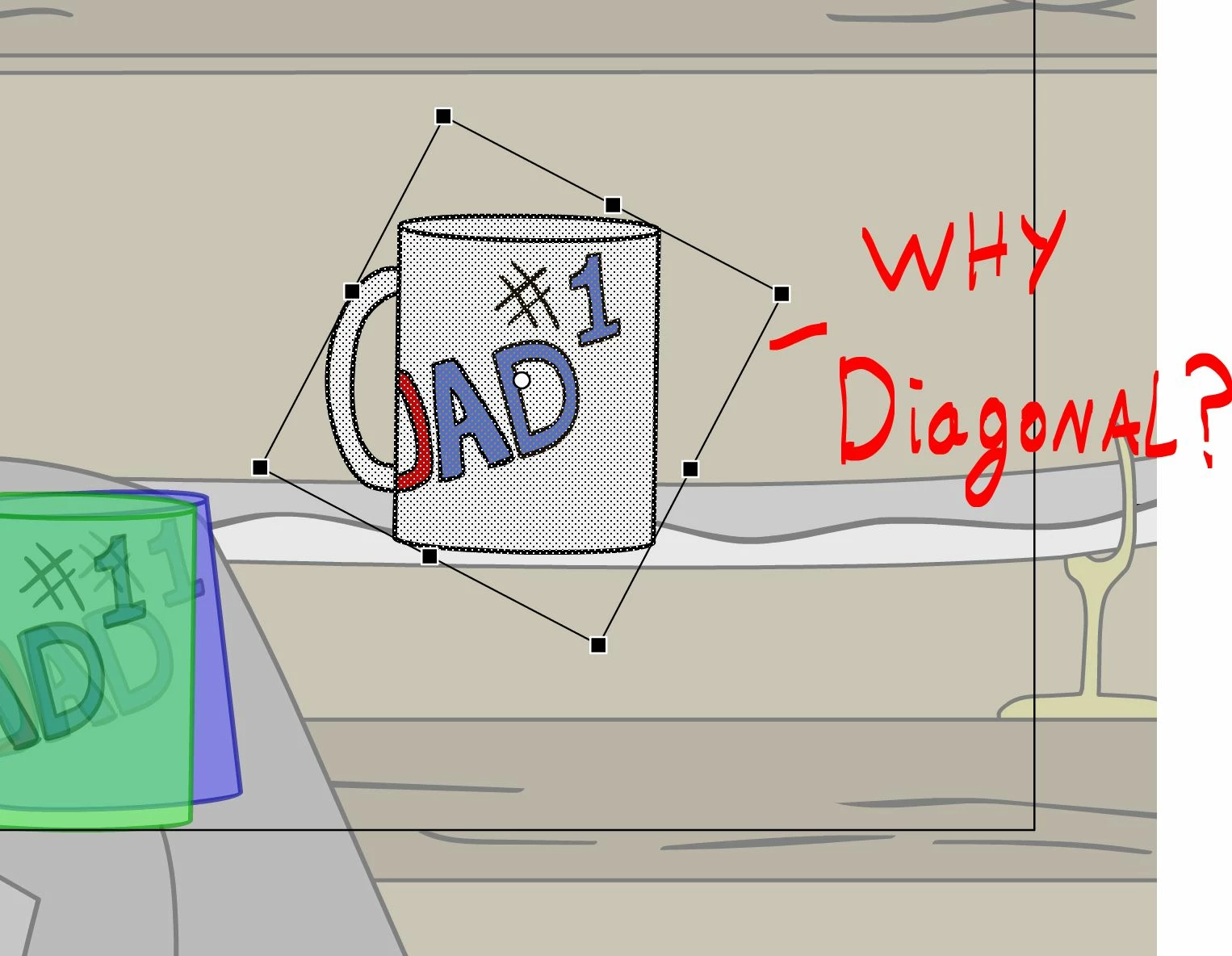
So this is more of an annoyance than something thats stopping my progress, but its bugged me for a while. With most objects and symbols I can get the free transform tool to select it in an regular square boarder, allowing me to stretch the object/symbol in certain ways. However, with some things it just flat out refuses to select it in a regular square box, making it impossible to stretch or deform in certain ways. Ive tried ctrl+B to break it apart and reselct it, Ive also tried forming it into an object, going inside and re-orienting the pixels to make square and not diagonal. But for some things it just refuses to allow me to select it without selecting in a diomond shape. What is causeing this ? 
    Correct answer n. tilcheff

    You're inside a rotated symbol.

    This bounding box reflects the coordinate system of the container.


    2 replies

    n. tilcheff
    n. tilcheffCorrect answer
    Legend
    July 2, 2025

    You're inside a rotated symbol.

    This bounding box reflects the coordinate system of the container.


    Nick - Character Designer and Animator, Flash user since 1998 | Member of the Flanimate Power Tools team - extensions for character animation
    RomanpenAuthor
    Inspiring
    July 2, 2025

    aha, I think I had learned this before, but I didn't realise this one specific object was rotated at the time. I will start checking this from now on, thanks! 

    kglad
    Community Expert
    Community Expert
    July 1, 2025

    mouse over one of the corners.  do you see an option to rotate the rectangle?

    RomanpenAuthor
    Inspiring
    July 2, 2025

    no, but I did realize I was in a rotated symbol, Thank you for your time!