Inspiring
November 10, 2023
Answered

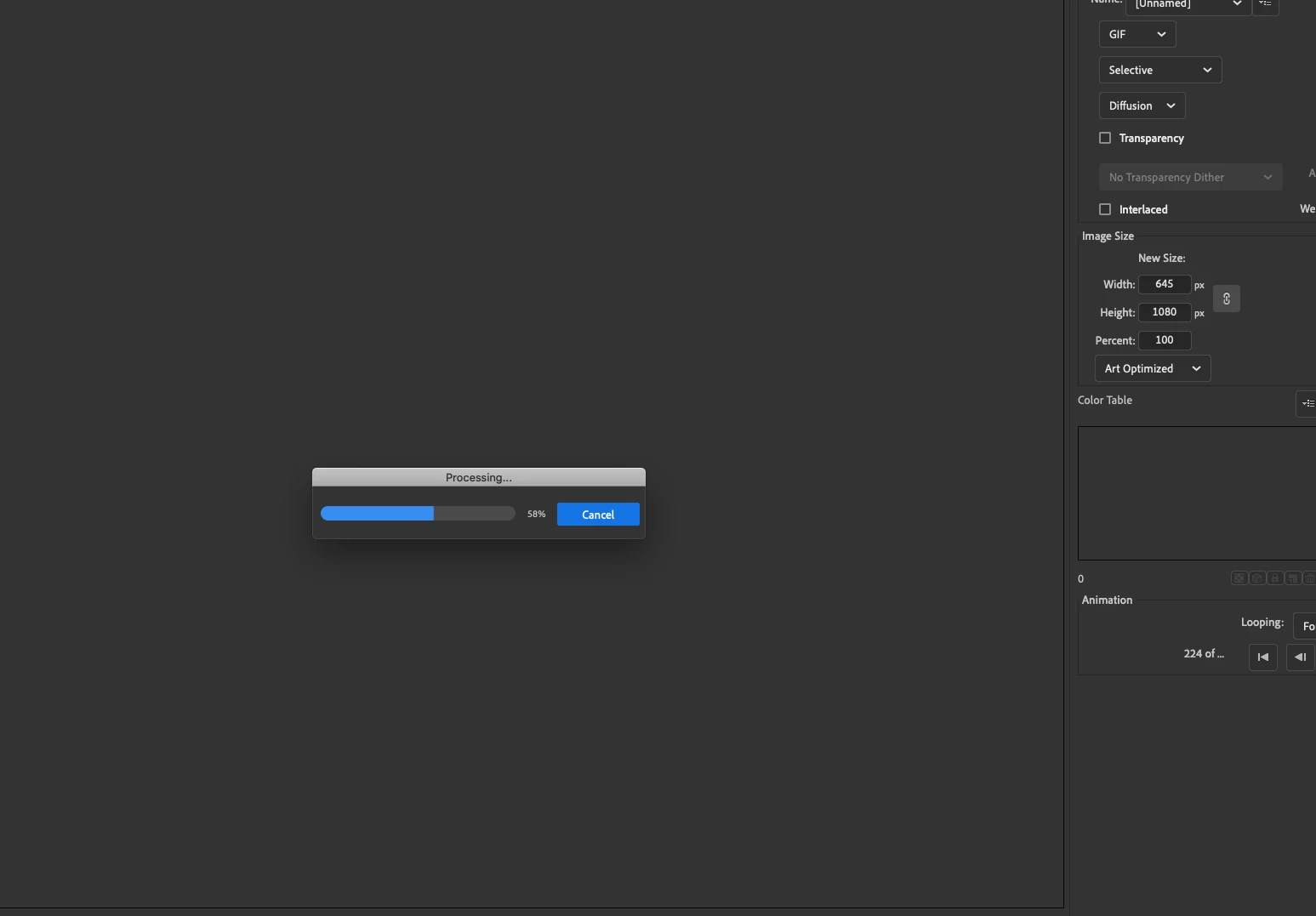
GIF will not export the correct new size until the preview updates (which often times it will not).

  • November 10, 2023
  • 2 replies
  • 887 views

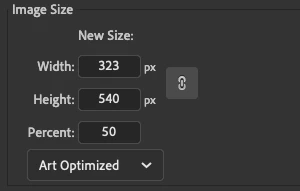
I am trying to export animations as gifs. I have these sat up for videos for other uses, so I would like to export them at 50% as gifs. However I've been running into this issue where I set the percent and export it, half the time they remain the full size. What I have noticed is this happens when the preview does not update after I change the image size. What I do is go to "Export Animated Gif..." then the export window pops up with an additional pop up titled "Processing..." with a progress bar. Then when that's done, I change the percent to 50 and click out of the text box. Which then it should automatically run the "Processing..." pop-up again and update the preview, then when I export the gif is correct. However half the time after I change the size, that pop-up will not appear again, the preview will not update, and the exported gif will be exported in the original size.


Is there a way to manually update the preview? Or some better work around?

Thanks!


This topic has been closed for replies.
Correct answer Michael30621428f7dz

Okay, after messing around with this, I think I have found the answer that seems to make it work each time. Below the percent, if I change [Art Optimized] to [None] then back to [Art Optimized], it will then update the preview. Which then it will export to the new size I have chosen. 


This has worked everytime so far so this must be the answer I needed.

2 replies

Michael30621428f7dzAuthorCorrect answer
Inspiring
November 13, 2023

Okay, after messing around with this, I think I have found the answer that seems to make it work each time. Below the percent, if I change [Art Optimized] to [None] then back to [Art Optimized], it will then update the preview. Which then it will export to the new size I have chosen. 


This has worked everytime so far so this must be the answer I needed.

Mario_CR
Community Expert
Community Expert
November 13, 2023

Forgot to ask, what version are you using? I still can't reproduce this.

Inspiring
November 13, 2023

You are using a newer version, mine is 23.0.2. 


It seems like when I simply change the percent size, Animate sometimes doesn't see that input as something to warrant a change behind the scenes. However when I screw around with the "Art Optimized" drop down it's like Animate finally thinks, "Oh! Changes are made, I better update." Weird but whatever.

Mario_CR
Community Expert
Community Expert
November 11, 2023

I'm not seeing that on my end (using version 24.0.0). 

To avoid having to wait for large gifs, click on the 'Original' tab at the top. You won't load a preview that way but you won't have to wait while changing parameters.


Inspiring
November 13, 2023

Same problem seems to occur when I switch it to "Original". When I change the size to 50% then select "Original" from "Optimized", it still only works some of the time. I can tell when it will fail because the preview gif size remains the same instead of shinking in size in the Export Image window.