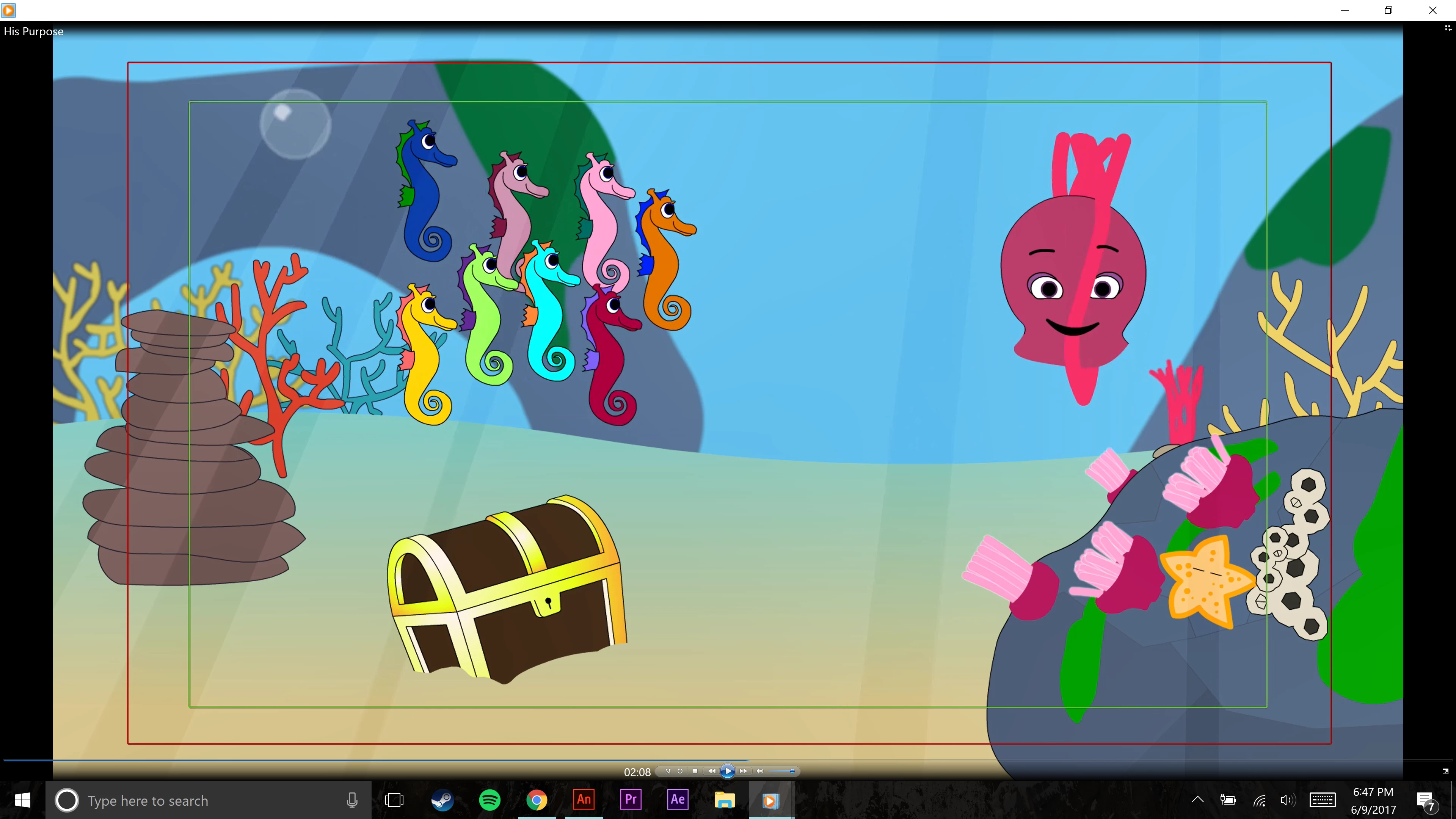
Oh I actually changed it to AIR on the fourth export just to see if that would change anything! I had it for the most recent Flash Player every other time. And yeah, it starts around 128 seconds. I honestly think the problem was that it's an incredibly dense project. There's a ton of blur filters used and a lot of small things (like bubbles) going on with alpha variations. I think the program might not be suited to render that heavy a load.
I'm going to try splitting the project in half - exporting the first half and then the second, and then putting them together in Premiere. It's an annoying workaround but I think it might be successful given that I had no problems when I exported a 35 second segment that had been particularly glitchy.
Colin, again, thank you. So kind of you to take the time to help out a stranger like this.
I found the part that glitches and copied those frames into a new FLA, and then it didn't glitch. I don't know what the right length would be to make sure it doesn't glitch. If you went as low as 1000 frames per export it wouldn't take long to put the 8 clips end to end in Premiere.
I had one idea that I'm trying now. I put in:
gotoAndPlay(4000);
on frame 1, and I'm doing an export for 10 seconds. That should include the part that is glitchy. I had already tested the full exported SWF, and it was also glitchy, so the issue isn't anything to do with exporting to video. I suspect that the problem will still happen, and that it's the making of the SWF that has the problem. Just recording 10 seconds from the full SWF isn't likely to fix the problem, which would mean that you would want to make an FLA for each chunk of frames, and export from an FLA that only includes the timeline for that section. I will know soon how the gotoAndPlay test is...
My gotoAndPlay(4000) didn't work for some reason. Trying another idea now.
Would you be willing to log a bug with Adobe, and give them your FLA as an example file? Set it to publish to Flash Player, and don't say anything about exporting to video. The bug is that when testing the SWF it glitches at around 2:13. It seems to be cycling through a number of symbols, instead of just playing the octopus frames.
If you are, here's the page to report to:
Feature Request/Bug Report Form

.png)
.png)
.png)
 AdChoices