

go to frame , go to website has gone loco
HOLA !
Running AN 2019 on windows 7.
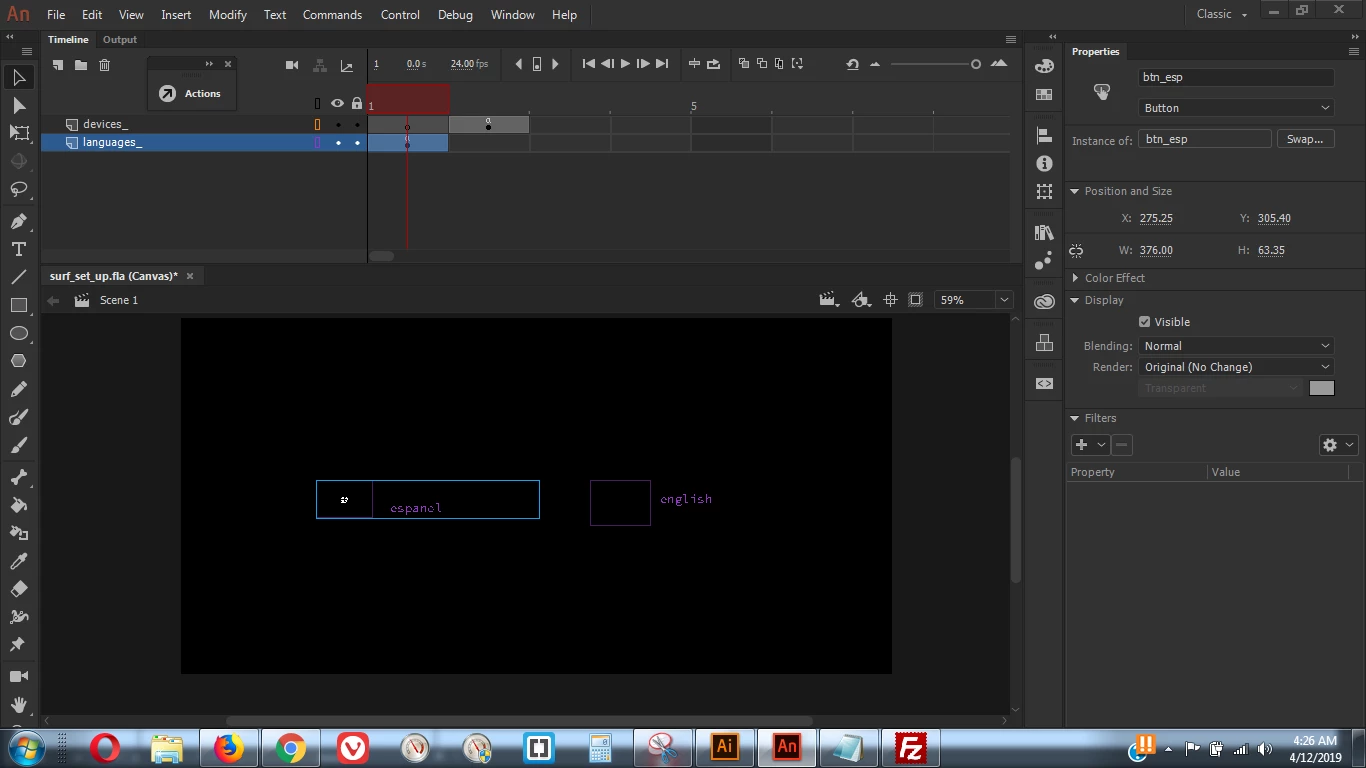
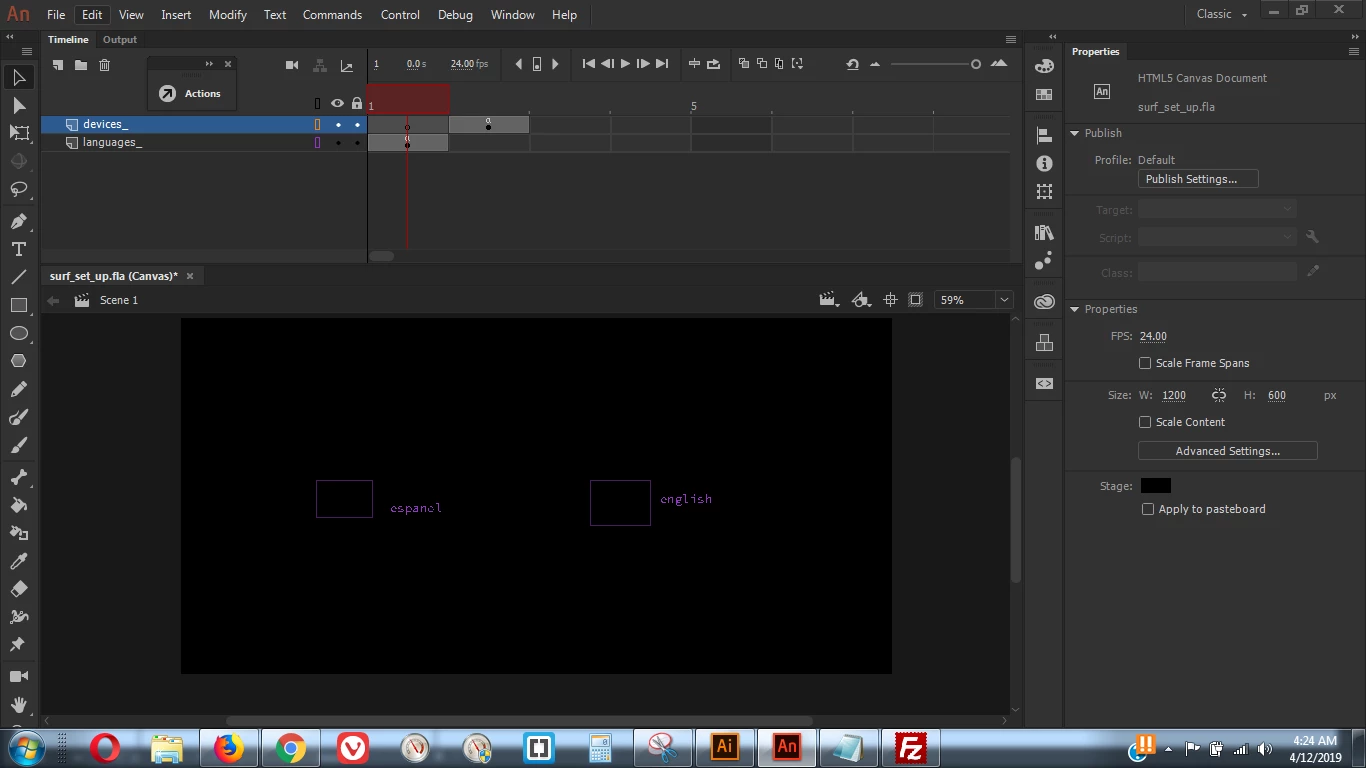
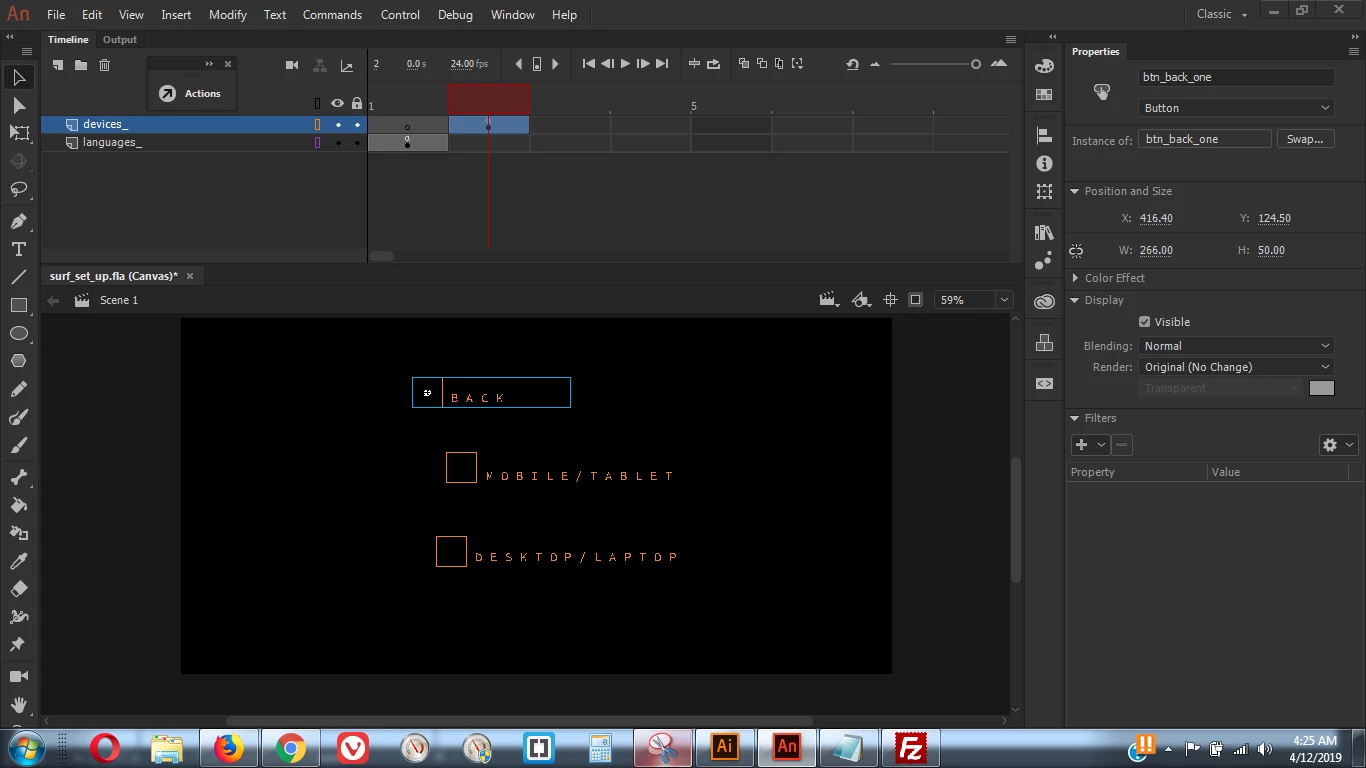
As you see on the screen images herein, I have 2 frames on this comp ; nothing heavy due to the fact my workflow has pretty much gone the way of the dinosuars with all this madness.
I would smash out a huge amoutn of frames and layers if AN would play nicely , hey ho , here I go with the problem. Deep breath.
Note this is set up as an html5 document, output settings basic javascript / html , as you can see . did play with loopong timeline as you see why below as this issue pans itself below.
I also not sure if the issue could be as far as I was aware that since as 3.0 you could or could not apply the code directly to the layer itself where the asset / btn was , yet rather another seperate gframe was required , and with the AN output module banging on about ***frame numbers in EaselJS start at 0 instead of 1. For example, this affects gotoAndStop and gotoAndPlay calls. **** this could be one simple issue also.
I will go and make same exact document applying code and asset to their own layers , and try the -1 of the EaselJS start at 0 instead of 1 issue .
I was also slowed down before this with importing artwork from AI , raw copy past from an open document slappingit into AN , and what initially seemed to be an asthetic problem on CTRL + ENTER previewing to firefox , with a total mash up of outline text NOT editable text from AI to AN. If is put on the ENGLISH button text field outline txt , slapped that into AN from AI , then on preveiw localy with FFox , it mashed up. Had then changed setting ot render cache as a bitmap as hey ole had mas problemas , with output module stating that **content with both Bitmaps and Buttons may generate local security errors in some browsers if run from the local file system** yet thanx to other adobe communiyt help , this was not case online . yet could be a partial element to the overall mess as this seems to get progressive as we go on adding assets and code. I also noticed that an masked artwork ( such as the uk flag on left which was initially masked to work faster as I could not be bothered to open Photoshop an cut it out ) also create and issue. So i stopped using nice clean sexy artwork at this stage and slapped in a simple flag that got crappy white edge on it. without the mask it stopped for a layer or two untill I added mroe assets now all gone to hel and reverting back through my document change log seems to provoke same problems. Despite having only two frames it is become a rather complex mess now , which i want obviosuly to fix prior to slapping down a huge amount of AI a nd AE work to the AI comp , escpcially when I am getting insaaaaaane issues with two frames and what 5 btns.
Start as you see on F1 , is two btns , english , spanish. FRAME TWO i got 3 more btns , the only code going on here is really jusyt 3 main actions being what , go to webpage , go to frame ( back and forth work ) and stop here./ so nothing major.
As I said slapped all artwork on same layer as code. Yet if that is an issue , if i put to their own layers it still generates the other issuse ( as if you try you will experince also ) being wooooooahhh lets go mental and open a crazy amount of tabs upon on the click on the spanish button.
try it lol.
If you press on load of :: >> mobilehouse.systems/x.surf_set_up.html you get the 2 flag options .
Left spanish , right english. Spanish goes off to ck22.es , right I want to navigate along the timeline , moving through and old skool device set up check up.
So press english , that moves to next frame ( only got two frames total ) ...
then hey lets say you want go back and go to spanish load up then ok hit back , that work ONE TIME but not second time ONLINE , it will work on local .
So you then stand there pressing it going what the heck man. ok so i press trhe spanish one then , and hey presto = ole we load up 50 tabs with ck22.es link.
I attached the code and screen shots .
THANK YOU IN ADVANCE AND APOLIGIES FOR BAD GRAMMAR AND SPELLING < LATE NIGHT AND HEAD IS MESSED UP WITH TO MANHY LAUUAGES GOING ON .
Smiles ppl 
FRAME 1 ( used code snippets in action window )
// stop para aqui //
this.stop();
// load ck22 ESP portal ///
this.btn_esp.addEventListener("click", fl_ClickToGoToWebPage_15);
function fl_ClickToGoToWebPage_15() {
window.open("http://www.ck22.es", "_blank");
}
// load up device options ...move along process frame by frame ( add animation after effects later man ) ////
this.btn_english.addEventListener("click", fl_ClickToGoToAndPlayFromFrame_0.bind(this));
function fl_ClickToGoToAndPlayFromFrame_0()
{
this.gotoAndPlay(1);
}
____
FRAME 2 :
note i not yet added the mobile or deskotp code yet for obviosu reason as in mess thus far .
this.stop();
/*
back to languages on Frame 1
*/
this.btn_back_one.addEventListener("click", fl_ClickToGoToAndPlayFromFrame_1.bind(this));
function fl_ClickToGoToAndPlayFromFrame_1()
{
this.gotoAndPlay(0);
}
_____
NOTE WHEN MAKING INSTANCE NAME TO MY BUTTONS animate told me hey cant these name as nt valid etc etc , yet then after entering exactly same instance name as initial attempt it then accepted it. other time it did not.
MY INSTANCES NAME and BUTTON NAMES are SAME - so i have btn_english creatde as a button , then slapped it to stage , and also named it btn_english as instance. Problem ?
Not sure if my animate also might be messed up as got random issues going off all the time.



 AdChoices