



GlenndeH
Participant
October 28, 2020
Question

Gradient in AI file turns solid red in Animate

  • October 28, 2020
  • 4 replies
  • 1470 views

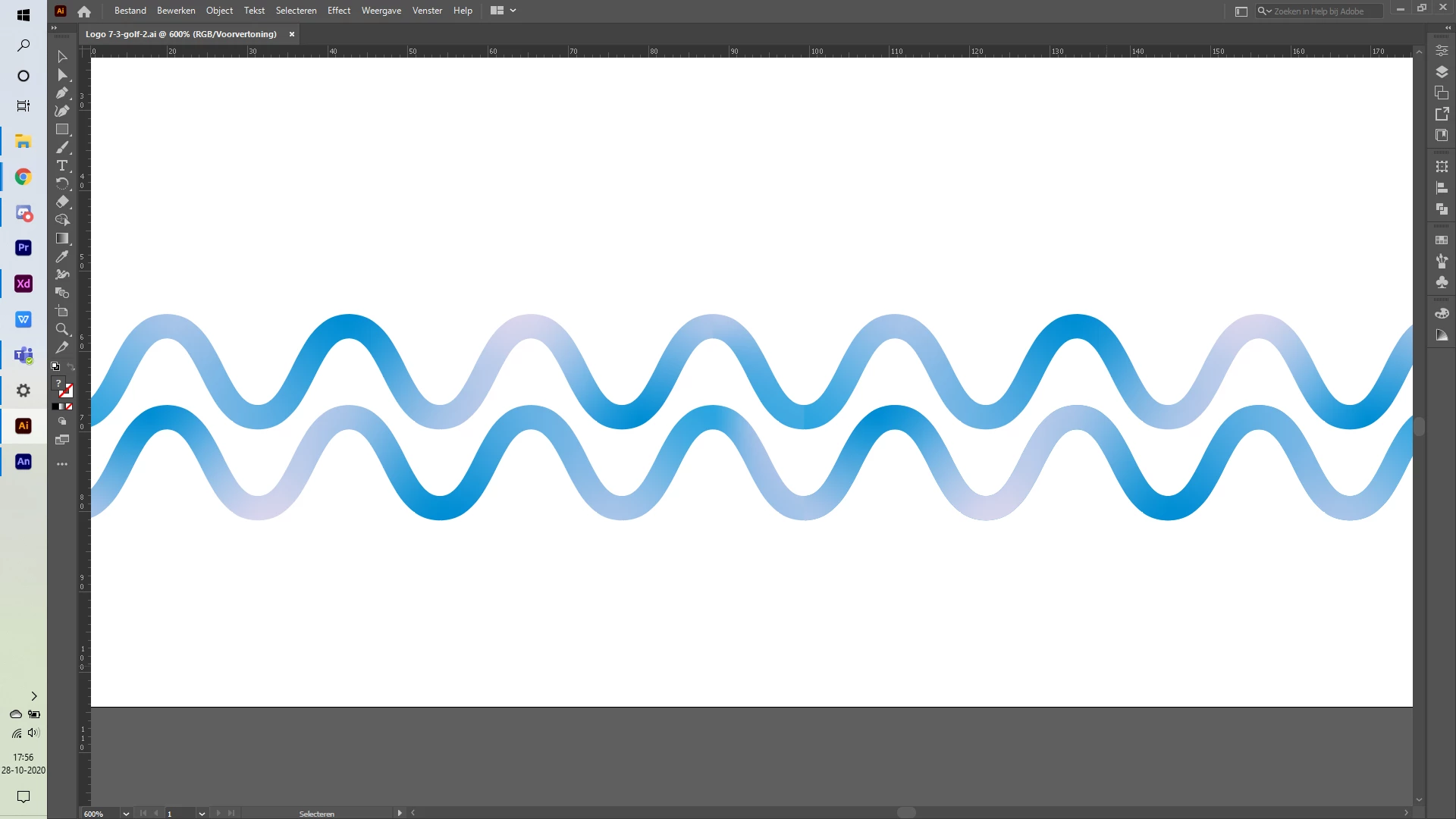
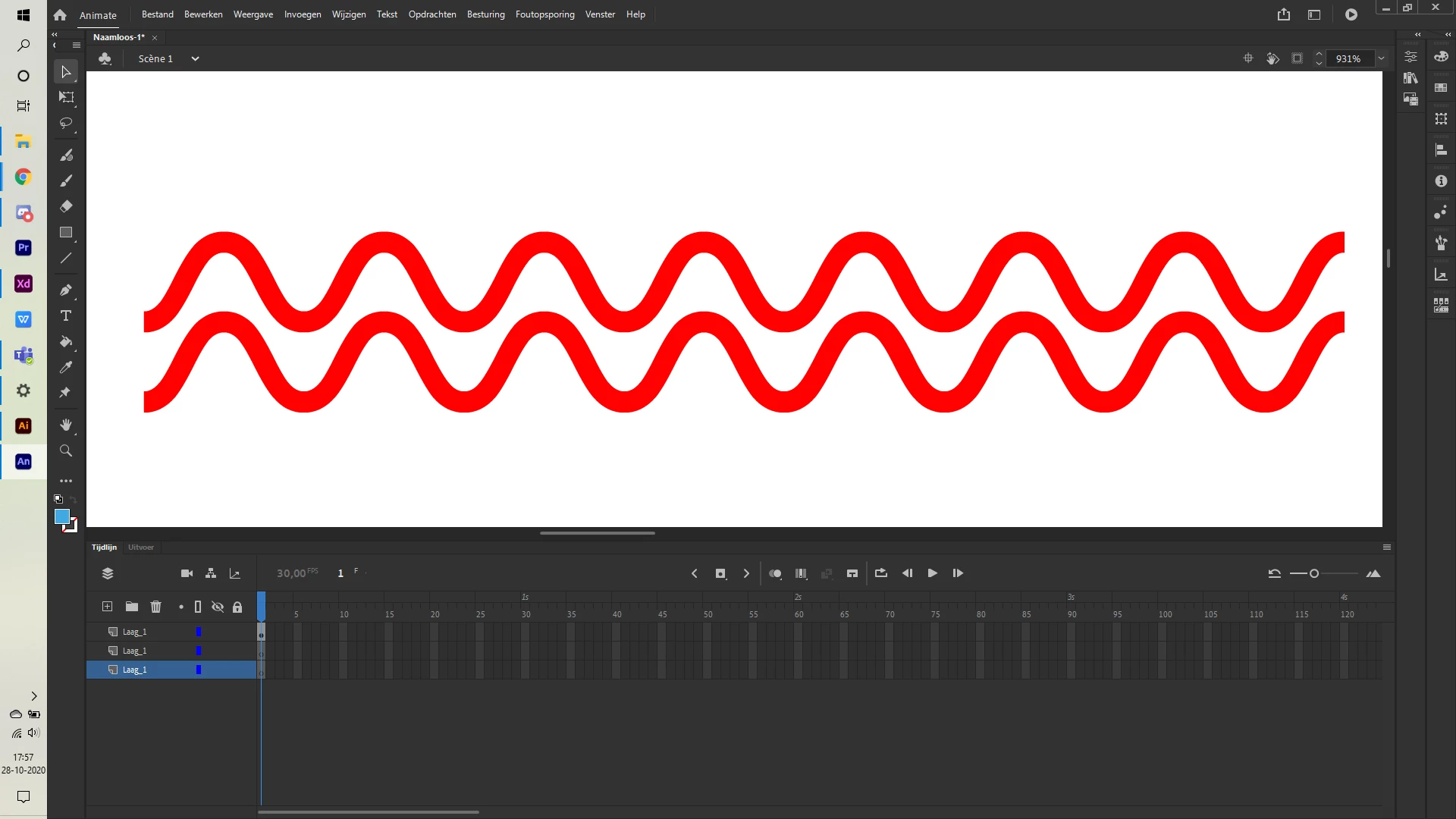
For a project for college, I wanted to animate some waves. The waves in question are a shape made in Illustrator using a gradient of different shades of blue. When I try to import this file into Animate it always turns the wave a solid red colour. I tried changing the file from CMYK to RGB, importing them seperately from the other images, using different extensions, but they always end up red. Why does this happen and, more importantly, how do I solve it? Attached is the image in Illustrater and the same file in Animate.


Illustrator:
 

Animate:
 

This topic has been closed for replies.

4 replies

kglad
Community Expert
Community Expert
October 29, 2020

i'm not sure what fill you're using.  i see custom bluish fills in your ai fill panel but neither of those look like the one you used in your uploaded ai.


GlenndeH
GlenndeHAuthor
Participant
October 29, 2020

Odd, maybe there's a glitch or something when you try to save gradients that makes it look different? Anyway, this has been a great help, and though it's not a 1-for-1 recreation, it'll still work for what I'm going for! Thank you very much!

kglad
Community Expert
Community Expert
October 29, 2020

you're welcome.

kglad
Community Expert
Community Expert
October 29, 2020

thank you.


i opened your ai file in animate and it looked exactly as you showed with the blue gradient.  i saved and imported into animate and it showed exactly as you showed with a solid red.


i then did a number of things which failed including manipulating the color profile.  finally, i found that simply reapplying your blue gradient (by selecting the waves and applying your blue gradient fill), saving and then importing worked, as expected.


the bottom is the import of your ai file, and above that is the ai reimported after reapplying your gradient and resaving the ai file.


i don't know what you could have done to cause the problem but i suggest reapplying your gradient to see if that solves the problem for you, too.

GlenndeH
GlenndeHAuthor
Participant
October 29, 2020

Thanks! That...kind of works, but now it's a pretty simple blue-to-white gradient, instead of the more multicoloured version I had before?

kglad
Community Expert
Community Expert
October 28, 2020

upload your ai file to a file server (eg, dropbox) and post a link.

GlenndeH
GlenndeHAuthor
Participant
October 28, 2020
kglad
Community Expert
Community Expert
October 28, 2020

i don't see a problem importing a gradient stroke nor gradient fill using ai v25 and an v20.5.2.  i used default settings to save the ai file and default settings when importing to an empty frame/layer.


did you do something else?

GlenndeH
GlenndeHAuthor
Participant
October 28, 2020

Not that I'm aware of. I saved it as an .ai without changing anything, and I imported it into Animate without changing anything.