
robrobrobrob
Inspiring
July 8, 2021
Question

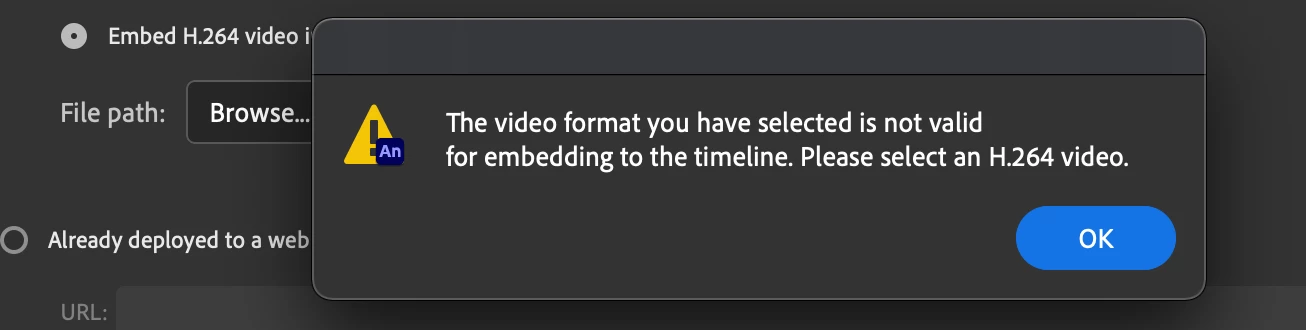
H.264 won't import, what on earth am i doing wrong?

  • July 8, 2021
  • 3 replies
  • 324 views

Hi all

For the life of me i can't get the stupid mp4 to import, its driving me insane!


I'm new to Animate, but have used After effects and most of the other programs exensively... but for some reason i can't get past this simple hurdle 😞


I've exported straight from after effects, converted to every type of h.264 type i could see in media encoder, EVEN used the option in Animate where it 'converts' the file to a usable type when importing, and it STILL just keeps telling me it doesnt work and to give it a bloody H.264 format!


I can only assume this is an insanley simple solution since i can't find any answers on it already, any help would be extremly apprected

Cheers

Rob 
 

    This topic has been closed for replies.

    3 replies

    August 25, 2021

    I am having the same problem I am choosing a Mov file and importing to Adobe Media Encoder choosing H.264 present and it is coverting the file to an MP4. when I go to import to Animate no luck importing not even a file option. What am I doing wrong?

    Adobe Employee
    August 26, 2021

    @10012130 ,

    Video import can be done using "File > Import > Import Video" menu option. Are you able to access this?

    If yes, where exactly is the import failing? Please add a screenshot to help me understand better.

    Thanks, Sukhesh.

    sukhesh91
    Participant
    July 12, 2021

    Hi @robrobrobrob,

    Can you please share the sample mp4 file that you are using to import?

    Thanks!

    robrobrobrob
    Inspiring
    July 8, 2021

    Im on actionscript 3.0 by the way.

    Also, not ONE mp4 on my computer will import, only think i could find that would were some flv files.

    robrobrobrob
    Inspiring
    July 8, 2021

    UPDATE!
    In case someone comes across the same problem, it seems to be either just a media encoder issue, or a media encoder/BigSur issue.

    My laptop had Catalina still on it, converted a mp4 and imported into animate no problems.... then airdropped that mp4 to my desktop with BigSur and the same mp4 worked fine.
    Both my laptop and desktop were running current versions of Animate and media encoder.

    No solution though, unless you're lucky like me and happened to not update your laptop in a loooong time.

    5hrs of troubleshooting, thanks alot Adobe!