


Participant
November 16, 2020
Question

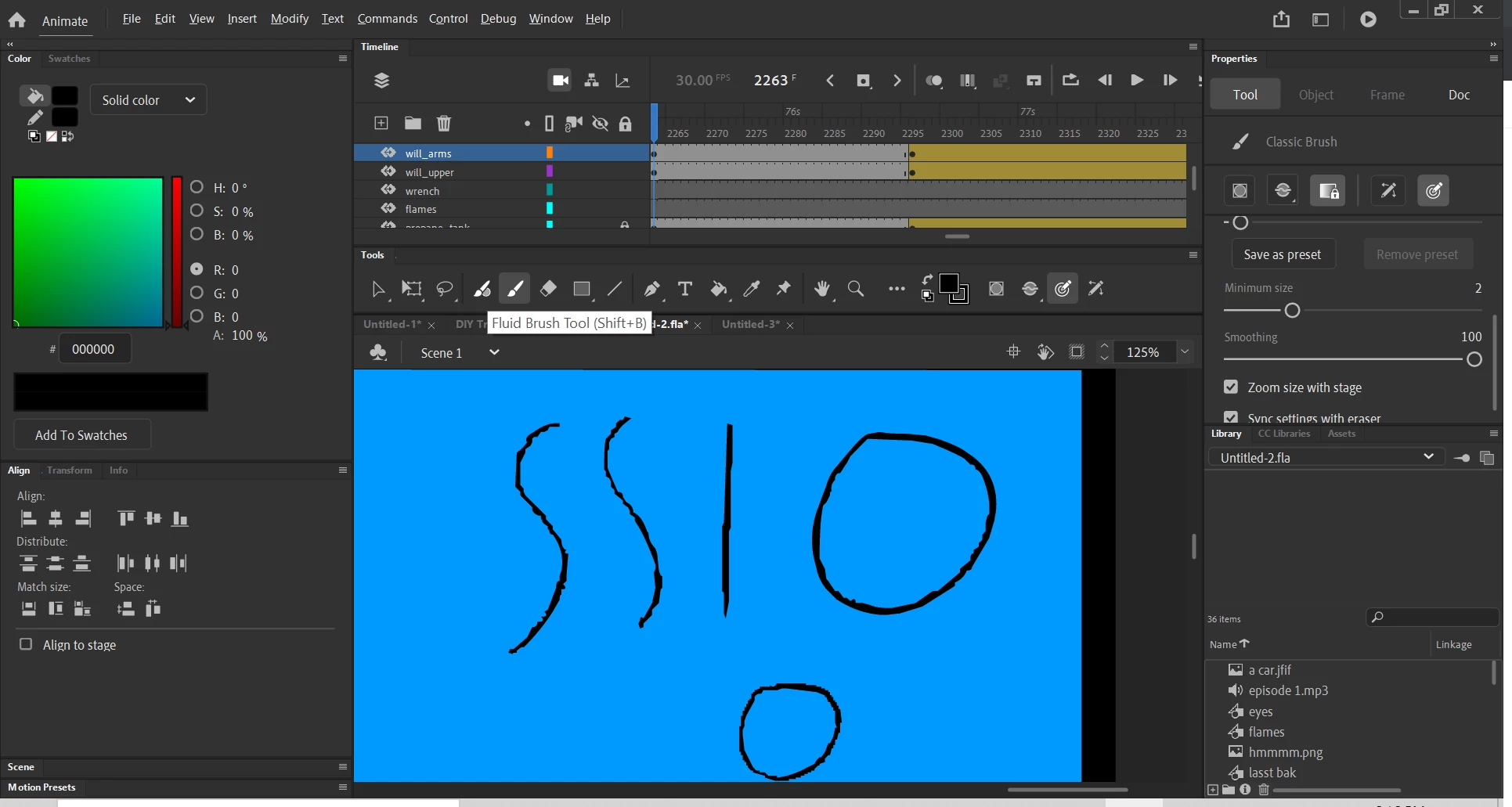
halfway through a project my lines got screwed up

  • November 16, 2020
  • 5 replies
  • 303 views

Im a middel schooler and this is my 4th adobe animate project. Im using the newest version of flash and Im a more than halfway through, my lines started to get zig zaggy and its not a problem with my tablet because when ever I start a new project the lines look very clean.Since it wasent working I started a new project and copy and pasted all the layers onto that and it worked fine for a while and then the problem occvurd if anyone kjnoews the answer to this problem that would be great.


    This topic is closed to new replies. Start a new post to keep the conversation going.

    5 replies

    Adobe Employee
    November 23, 2020

    Hello,


    Does this issue happen constantly while using drawing tablet pen and mouse? Can you please share a short screen recording of the issue when it happens?


    Also please provide below details

    1. System and drawing tablet specifications if any
    2. Does this issue happen with 20.0.5 or 19.2.1 version?
    3. What is the resolution and display scale of the monitor(s)? Can you check this issue with maximum resolution?

    Please let us know.


    kglad
    Community Expert
    Community Expert
    November 17, 2020

    check @Mohanaraj's suggestion. if that's no help, test drawing with your mouse.  if the problem persists, upload your fla to a file server (eg, dropbox) and post a link.

    kglad
    Community Expert
    Community Expert
    November 17, 2020

    compare the classic brush options (use the scrollbar to see all the options) in the problematic project and a new project where you see no problem.

    Matt5D0AAuthor
    Participant
    November 17, 2020

    thank you I have tried that and both settings are the same for the brushes yet the problematic project still has messed up lines.

    Mohanaraj
    Adobe Employee
    Adobe Employee
    November 17, 2020

    Hi - Please check whether you have accidentally changed the View > Preview Mode settings to Fast. If yes, then change it to Anti-Alias Text and see if that helps.


    Thanks!

    Mohan