danielleduet
Known Participant
September 18, 2010
Answered

HELP! Displaying Text Randomly Every Time I Click using ActionScript 3.

  • September 18, 2010
  • 2 replies
  • 2083 views

Hello! I'm doing a school project using Adobe Flash ActionScript 3. Here is an image of what I am working on:
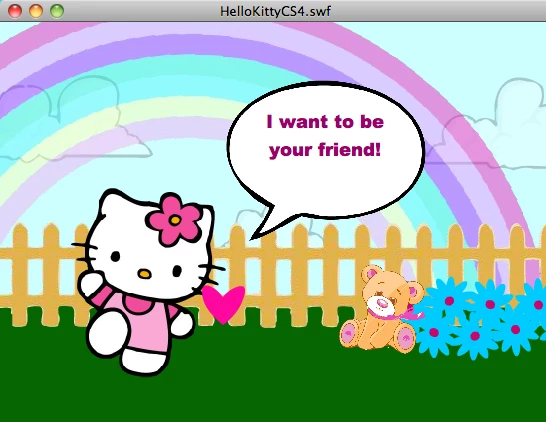
I have a text box layer on top of the talk bubble. At first it is blank, then I click on Hello Kitty and a random phrase pops up in the text box from the array I created. However, when I click her again she will not say another random phrase. I don't know what I'm doing wrong. Here is the code. Please, take a look at it and let me know what I can do to fix it! Thanks!


var myPhrases:Array = new Array(); // HELLO KITTY PHRASES FOR TALK BUBBLE

myPhrases[0]="My name is Hello Kitty!";

myPhrases[1]="How are you today?";

myPhrases[2]="Smile! It's a beautiful day!";

myPhrases[3]="I want to be your friend!";

myPhrases[4]="You have a great smile!";

myPhrases[5]="I like flowers & rainbows.";

myPhrases[6]="What is your name?";

myPhrases[7]="Let's find Dora and go on an adventure!";

myPhrases[8]="Mmmmeeeeoooowww!";


var i:int=Math.floor(myPhrases.length*Math.random()); // RANDOM PHRASE

var value=myPhrases;


HKITTY_mc.addEventListener(MouseEvent.CLICK, onClick); // CHANGE PHRASE WHEN YOU CLICK ON HELLO KITTY (THIS IS NOT WORKING!!!!)


function onClick(event:MouseEvent):void {

stop();

ILOVEMYTEXTBOX.text=value;

}


This topic has been closed for replies.
Correct answer Ned Murphy

If you just move those two lines of code into the function it will take care of things...

function onClick(event:MouseEvent):void {

     var i:int=Math.floor(myPhrases.length*Math.random()); // RANDOM NUMBER

     var value=myPhrases;

     ILOVEMYTEXTBOX.text=value;

}

which you could shorten to...

function onClick(event:MouseEvent):void {

     ILOVEMYTEXTBOX.text=myPhrases[Math.floor(myPhrases.length*Math.random())];

}

and you should be able to delete the duplicate post you have for this

2 replies

markerline
Inspiring
September 19, 2010

Firstly, I believe random() gives values between 0 and 1 so you will have to multiply by 10 and floor that result.  Secondly I think you will have to state the value variable explicity within the function as something like:

value= . . . *Math.random() and make sure that you make the random value be an integer as I have stated in the first sentence.  I am new to AS 3.0 also so I can't tell you without looking at reference material, which I can't do right now as I am about to go to bed early tonight.  You will be able to find examples of Math.random() in the help files for CS4 or CS5, ActionScript 3.0 being the appropriate language to search results for.

markerline
Inspiring
September 19, 2010

I don't know how to explicitly state this in AS3.0 but I can tell from your script that you are not redefining the value

variable each time the event listener is clicked.  You must reinstantiate the value variable to a new random number in the function itself, not outside of the function.  Once you reinstantiate the variable within the function (redeclaring it to a new value each time the event listener is accessed) then the ActionScript will work as desired.

danielleduet
Known Participant
September 19, 2010

Ok, I think I see what you are saying. But I'm new to ActionScript and I don't know how to write that? How do you write the code so it will redeclare the new value each time?

Ned Murphy
Ned MurphyCorrect answer
Legend
September 19, 2010

If you just move those two lines of code into the function it will take care of things...

function onClick(event:MouseEvent):void {

     var i:int=Math.floor(myPhrases.length*Math.random()); // RANDOM NUMBER

     var value=myPhrases;

     ILOVEMYTEXTBOX.text=value;

}

which you could shorten to...

function onClick(event:MouseEvent):void {

     ILOVEMYTEXTBOX.text=myPhrases[Math.floor(myPhrases.length*Math.random())];

}

and you should be able to delete the duplicate post you have for this