https://www.dropbox.com/scl/fi/tq059s4jf7fis94iqcyuj/One-voice-Owlbert-7.fla?rlkey=vo4kepnvkh1ue9595sx0x4mdk&st=wt44bjcl&dl=0
Hey @gcrad ,
The content in all scenes except for the first and last one was not matching the size of the stage.
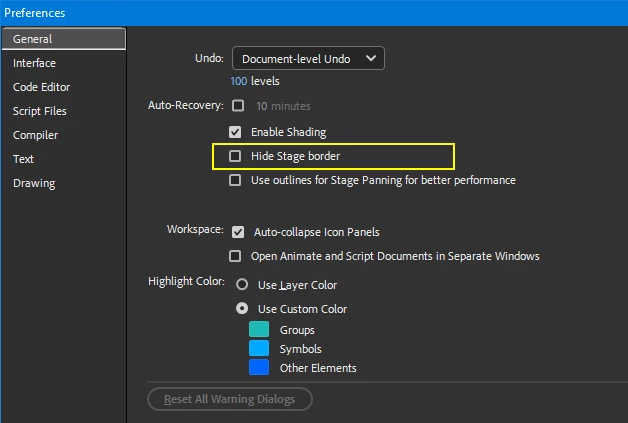
To be able to see your stage size and compose accordingly, make sure that in Preferences Stage Border is not hidden:
There is also an option to toggle the stage view:
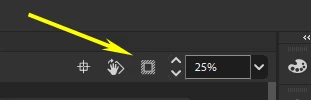
This is not as handy as it may seem at first. Better see the content outside the stage while working.
I've fixed your file. Grab it from here:
https://drive.google.com/file/d/1SaX1F3wZuN-8Kp_VLeFuxzWatS1u49mW/view?usp=sharing
1. I've scaled down all content using Edit Multiple Frames.
2. I've switched all your audio to Stream, so that it can be heard while scrubbing.
You may need to make small adjustments to timing, adding a few frames here and there now that the audio can be heard.
Good luck with your project!
Nick - Character Designer and Animator, Flash user since 1998 | Member of the Flanimate Power Tools team - extensions for character animation




 AdChoices