


Help with creating menu in that is in the center of screen using AS3, with MovieClip that contains Buttons
Hello lovely ActionScript Guru's -
I am new to learning AS3, and have run into roadblock after roadblock with getting what I think should be a simple thing working. I am attempting to create a tiered menu using a MovieClip that contains Simple Buttons. I am running into 2 different problems while publishing what I have built -
1. My Menu.as (code below), claims that it requires "5000: The class "Menu" must subclass 'flash.display.SimpleButton' since it is linked to a library symbol of that type." This is fine, except when I do change the code to reflect the change that the error message wants me to fix, my beautiful animated menu with options turns into an absolutely useless picture, with no ability to be used as a menu at all. I have read from other forums that I what I am missing is to create a MovieClip that contains buttons, however I believe that that is exactly what I have done. I am unsure how to fix this error.
2. When compiling, my main class (ConsStartMenu.as) will not complete compiling because of an error 1119: on line 29 and 46, claiming that my link to my subclass (Menu.as) is calling a potentially undefined property Menu through a reference with static type ConsStartMenu. After googling and browsing forums for many hours, I still have absolutely no idea what this error means, or what it wants me to fix. I believe that this is also the reason why my resizing and centering code is not functioning. It's like it cannot find my Menu.as at all. Perhaps a quick peek at my code will shed some light on this?
Thank you very much in advance for your help.
- connor
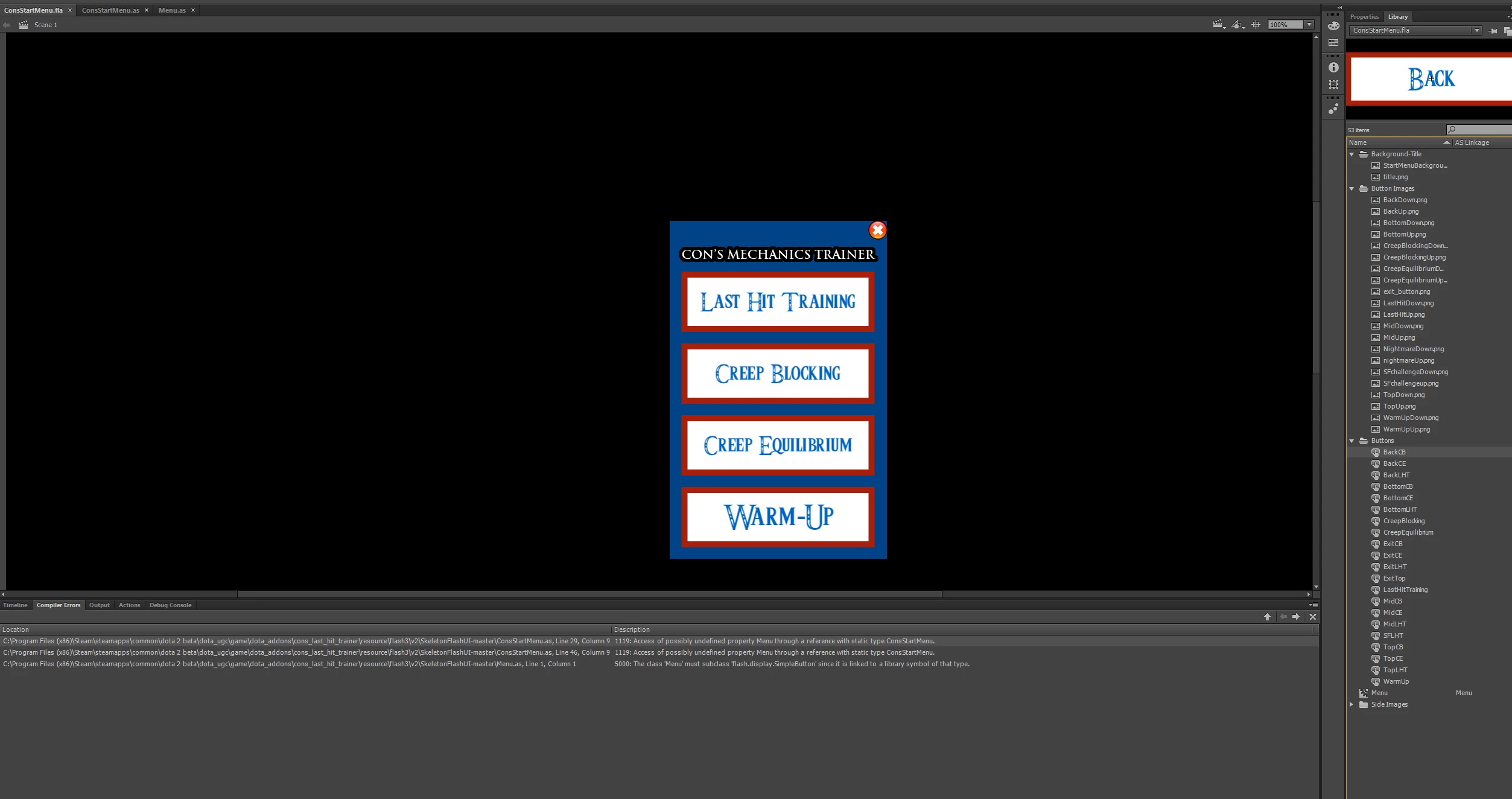
ConsStartMenu.as -
package {
import flash.display.MovieClip;
//import some stuff from the valve lib
import ValveLib.Globals;
import ValveLib.ResizeManager;
public class ConsStartMenu extends MovieClip{
//these three variables are required by the engine
public var gameAPI:Object;
public var globals:Object;
public var elementName:String;
public function ConsStartMenu() : void {
}
//this function is called when the UI is loaded
public function onLoaded() : void {
//make this UI visible
visible = true;
//let the client rescale the UI
Globals.instance.resizeManager.AddListener(this);
trace("Cons Start Menu loaded!");
this.Menu.setup(this.gameAPI, this.globals);
}
public function onResize(re:ResizeManager) : * {
var scaleRatioY:Number = re.ScreenHeight/900;
if (re.ScreenHeight > 900){
scaleRatioY = 1;
}
this.Menu.screenResize(re.ScreenWidth, re.ScreenHeight, scaleRatioY);
}
}
}
Menu.as -
package {
import flash.display.MovieClip;
import flash.events.MouseEvent;
import fl.transitions.Tween;
import fl.transitions.easing.*;
import flash.display.SimpleButton;
public class Menu extends MovieClip {
var gameAPI:Object;
var globals:Object;
public function Menu() {
}
public function setup(api:Object, globals:Object) {
//set our needed variables
this.gameAPI = api;
this.globals = globals;
}
public function screenResize(stageX:int, stageY:int, scaleRatio:Number){
//position 'this', being this module, at the center of the screen
this.x = stageX/2;
this.y = stageY/2;
//save this movieClip's original scale
if(this["originalXScale"] == null)
{
this["originalXScale"] = this.scaleX;
this["originalYScale"] = this.scaleY;
}
//Scale this module/movieClip by the scaleRatio
this.scaleX = this.originalXScale * scaleRatio;
this.scaleY = this.originalYScale * scaleRatio;
}
}
}


 AdChoices