
Pouradam
Inspiring
June 12, 2013
Answered

Hide objects outside the stage

  • June 12, 2013
  • 1 reply
  • 10744 views

Hi there!

I have recently downloaded a sample FLA file and I see the stage is FIXED on top-left side of the flash screen and objects outside the stage does not appear on screen (Like a mask, but there is no mask layer).

And when I create a new file the stage appears in middle of the screen and objects outside the stage are not masked.
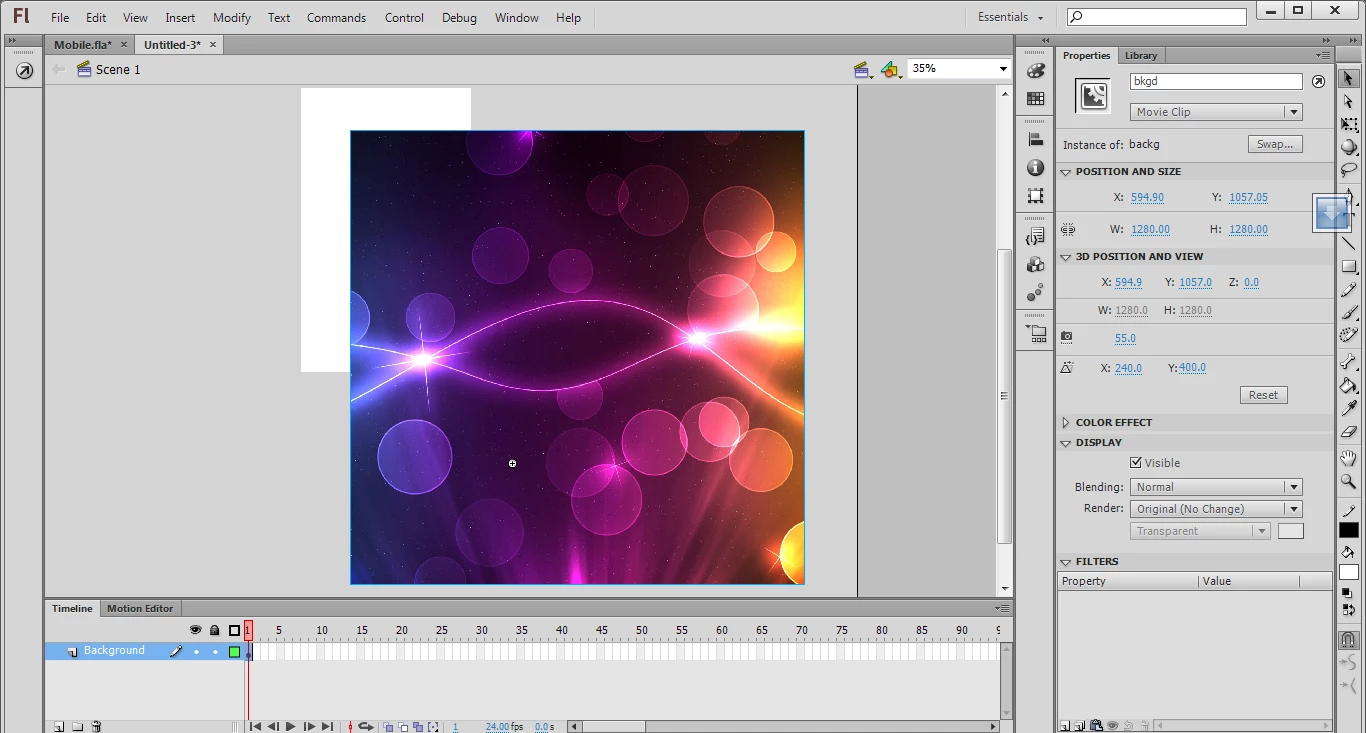
Would you please help me what should I do in this case?

(I always use a very big White layer in top of all other layers, to cover out of stage, OR use a mask layer)

Regards,

   Ali

This topic has been closed for replies.
Correct answer moccamaximum

Ned, it contains many folders you are right, in folder 8 I guess you can find the Fla but you may download it directly from here:

http://www.howallah.com/Mobile.fla

(I uploaded that)

Sorry for the trouble.


On PC hit CTRL+SHIFT+W or go to

Menu View>Work area

1 reply

Ned Murphy
Legend
June 12, 2013

What are you trying to do that you need help with?  Do you have a link for the file you downloaded?

Pouradam
PouradamAuthor
Inspiring
June 12, 2013

Hi!

Sorry if my question was not clear. here is the link (adobe TV):

http://downloads.tv.adobe.com/2012-00-24/WebChallenge_FL_3.zip

I have uploaded that single FLA file to the address below :

http://www.howallah.com/Mobile.fla

To simplify my question, each flash scene is indeed divided into 3 sections based on colors (white, light grey, dark grey) as marked below :


(the Zoom is 20% to cover them all).


Section 1.  is called Stage (I know)
Section 2.  it expands automatically as you move an object outside the stage (image, movieclip etc.) and it works like a mask (I dont know the name of this section)
Section 3.   is something like "out of Scene" (I don't know the name of this section as well)


What I want to do is sort of FITTING Section 1 (Stage) to Section 2.

Exactly like the FLA sample file above.


What is that good for?? to help me only see the stuff INSIDE the stage, without any need to make a mask layer or a LARGE white layer above all layers etc.!


Anybody knows what I am talking about and having a clue please?


Regards,
   Ali

Ned Murphy
Legend
June 12, 2013

The file you are calling an fla is anything but that.  Try downloading it yourself so that you can see all of the files it contains, none of which I can say is an fla.