AlexPromTrad
Inspiring
May 19, 2020
Answered

hover on a text area

  • May 19, 2020
  • 1 reply
  • 1978 views

Hi, I have managed to create an action that triggers an animation when hovering on a button, which is a text.

The hover has effect only if the mouse is on the text. If the cursor is within the area of the text, but doesn't touch the font, for instance the space between two letters, the hover is not triggered.

Is there a way to keep a transparent text and having the hover being affected by a rectangular area, regardless if it is filled by the font or not?

Thanks in advance.

This topic has been closed for replies.
Correct answer avid_body16B8

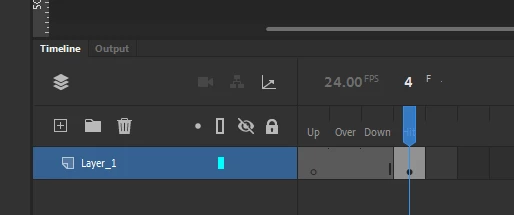
Make a button with only the hit area as a rectangle and put it over your text. The button will automatically be transparent.

In the past the rectangle would have shown as transparent blue but it does not anymore.

You can put this button in your text  movieclip or you can just put it over the movieclip outside of it.

In anycase, give this button an instance name and address the button instead of the movieclip.

I hope this makes sense.

1 reply

kglad
Community Expert
Community Expert
May 19, 2020

use a (or for html5, nearly) transparent rectangle in your text movieclip.

AlexPromTrad
Inspiring
May 19, 2020

Thanks, I did it alpha value 1, but it didn't work.

avid_body16B8
avid_body16B8Correct answer
Legend
May 20, 2020

Make a button with only the hit area as a rectangle and put it over your text. The button will automatically be transparent.

In the past the rectangle would have shown as transparent blue but it does not anymore.

You can put this button in your text  movieclip or you can just put it over the movieclip outside of it.

In anycase, give this button an instance name and address the button instead of the movieclip.

I hope this makes sense.