
How can I make my HTML5 canvas job lighter?
Hi,
I'm making small interactive animations using HTML5 canvas. I use to do the same in AS2 but now I have to make the switch. Everything works, but it is really heavy. Each customizable zones are movieclips with buttons for each color. Each color is on a frame. 0 is white, 1 is selection, 2 is white, 3 is black, 4 re, etc.
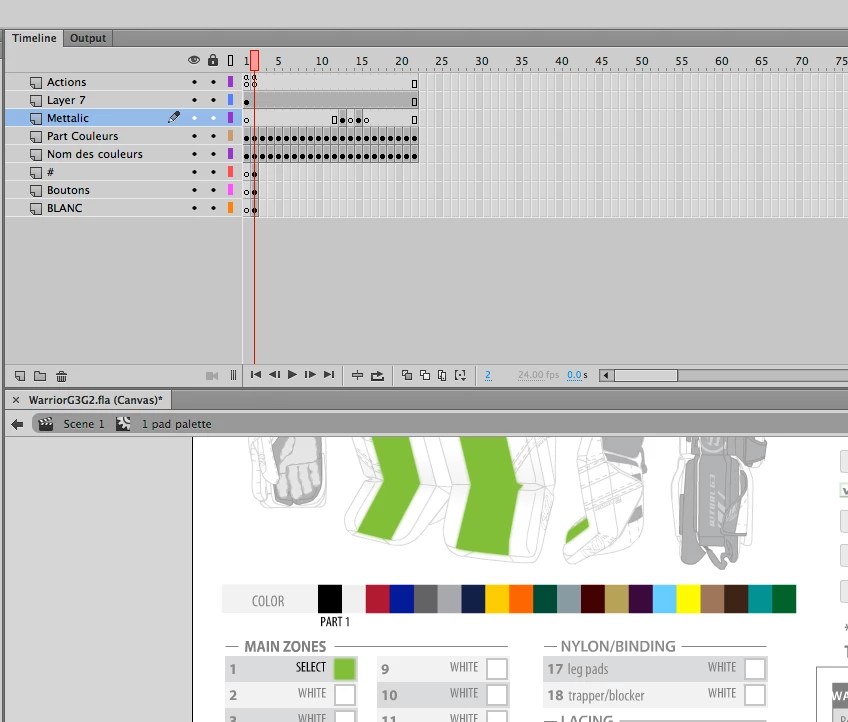
Here's the script to the buttons :
this.buttblack.addEventListener("click", fl_ClickToGoToAndStopAtFrame.bind(this));
function fl_ClickToGoToAndStopAtFrame()
{
this.gotoAndStop(3);
}
Anyway, each part is a graphic containing a shape that I did in Illustrator, so it's vectorial. Then, each frame as a symbol, containing the symbol of the shape. All that because if I don't put the part's symbol into another symbol, the browser won't display the right color, it will always show the first color selected only. So, the way I did with a symbol into a symbol helps me to modify the shape when I need to. I only have to change one symbol to change a graphic part and not all the colors one by one.
Anyway, when I was doing flash files, it was around 1 mb. Now, it's close to 3 mb even more and the loading time when you open the html file into a browser is killing me. Any idea how I can make this lighter? Or make the file load faster?
It all works well, Ijust want to make it load faster and be lighter.
Also, a bonus question: When I use the input text box in Animate CC components for HTML5 canvas, is there a way I can limit the amount of characters the user can enter? Let's say if I want to limit the users to enter 15 characters inside the input text box?


 AdChoices