How Can I organize code with frames ?
Hello everyone,
I try to make a very simple game but I have a question. Would you give me a hand, please ? I'm not a native English speaker, so I hope you get my question 
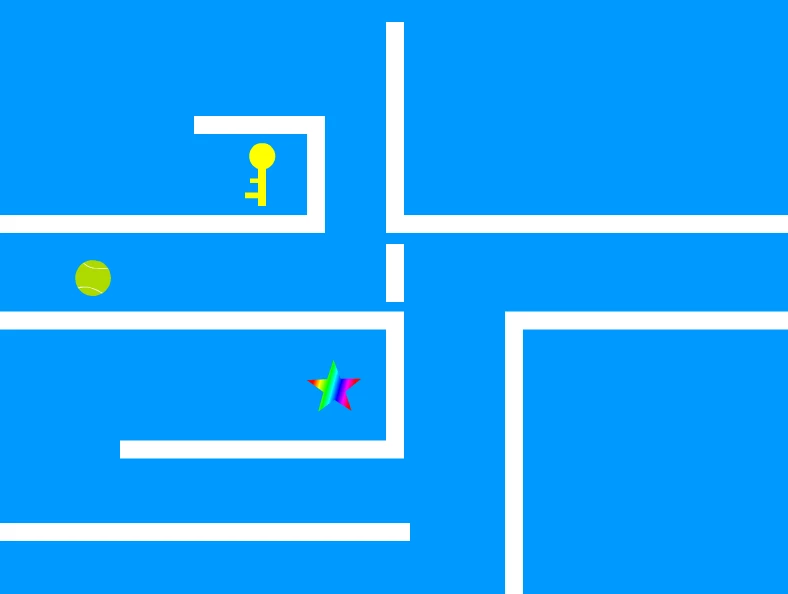
My game consists of many levels ( a level on each frame ). Each level ( or each frame ) consists of white walls, a green ball, a colorful star, and a yellow key... as you can see in the picture. The green ball should move between the walls without hitting them, and It must hit the key to collect it. When the key is collected, a wall will disappear so that the ball can reach the star, then a player wins. When the ball hits any one of these walls a game over message will appear.
Each frame has different number of walls and each wall is a movie clip on the main stage. The walls are not inside a container or something like that. The instance names of the walls are wall1 , wall2 , wall3 ... and so on.
I also have a layer for action script and I wrote the following code:
if (player.hitTestObject(wall1) || player.hitTestObject(wall2) || player.hitTestObject(wall3) || player.hitTestObject(wall4) )
{
trace ( "second try" ) ;
gameOver.visible = true ;
doThisFn = false ;
}
It works for the frames that Has wall1 , wall2 , wall3 and wall4.
If wall4 (for example) doesn't exist on frame 3 (for example), an error occurs saing : " #2007: Parameter hitTestObject must be non-null. "
My question is, How to organize the action script layer and the frames so that the error doesn't occur ?
I thought of an Idea which is to make a copy of wall4 on layer 3, and I will put wall4 in a place where the user will not see it. I don't think this is a good solution.
I had another Idea, I will make many keyframes ( by pressing F6 ) on the action script layer. and I will modify the code of each keyframe so that the walls that are in IF statement will mach the walls on each frame. but this will take a lot of effort !!
Would you suggest a smarter solution, please ? such as a For loop or an array.. I don't know how ?
Thanks in advance,
 .
.
 AdChoices