Participant
Dec 27, 2022 5:40 PM UTC
Answered

How do I animate my design Idea? Adobe Animate help

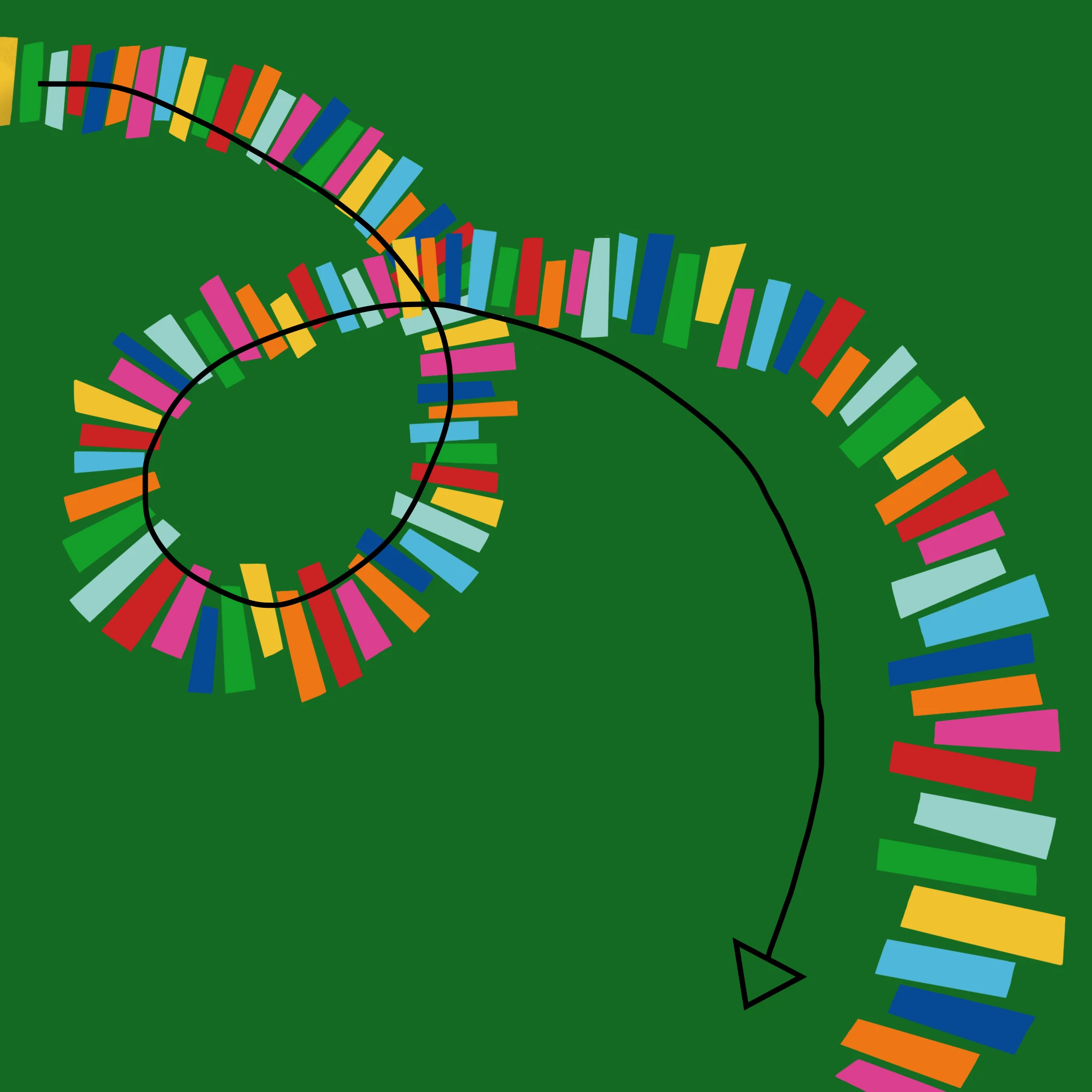
Hello, I have this very clear animation idea in mind, but I am a complete beginner and don't know where to start, any help would be appreciated! I want to animate these piano keys so that they rush in from the left side, follow the curve, and then vanish at the bottom. I have every key in a separate layer because I think that's important, but I don't know how to continue from this point on. I have access to Adobe Animate and Procreate, thank you! 
This topic is closed to new replies. Start a new post to keep the conversation going.
_keyframer
_keyframerCorrect answer
Community Expert
Dec 28, 2022 2:12 AM UTC

3 ways...

1. Literally keyframe each book on its own layer and then a blank keyframe for when and where you want each book to disappear.


2. Have all books on a single layer and use an animated mask and keyframes to make them appear and disappear.


3. Convert each book to a symbol, maybe if you have repeating sequences of say 5 books in a row, you could nest them, animate them appearing and disappearing then duplicate this symbol enough times to make this path and control each symbol's nested animation with a keyframe and telling them to Play Once.

Animator and content creator for Animate CC

3 replies

_keyframer
Community Expert
_keyframerCommunity ExpertCorrect answer
Community Expert
Dec 28, 2022 2:12 AM UTC

3 ways...

1. Literally keyframe each book on its own layer and then a blank keyframe for when and where you want each book to disappear.


2. Have all books on a single layer and use an animated mask and keyframes to make them appear and disappear.


3. Convert each book to a symbol, maybe if you have repeating sequences of say 5 books in a row, you could nest them, animate them appearing and disappearing then duplicate this symbol enough times to make this path and control each symbol's nested animation with a keyframe and telling them to Play Once.

Translate
Animator and content creator for Animate CC
kglad
Community Expert
Community Expert
Dec 27, 2022 8:23 PM UTC

i think it would be easier to animate a mask (or two)

Translate
JoãoCésar17023019
Community Expert
Community Expert
Dec 27, 2022 5:52 PM UTC

Hi.


You have to create a start keyframe and a end keyframe for every piano key.


So if you want to animate the alpha, for example, you would set the alpha of the first piano key to 0 in the first keyframe and the alpha to 100 in the end keyframe for the same piano key.


Then you would repeat this process for every piano key but leaving some offset for the start keyframes so that all piano keys animate one after the other.


Please let us know if this explanation isn't clear enough.


Regards,

JC

Translate