
Participant
November 17, 2022
Answered

How do I change anchor point to a custom artistic brush?
  • November 17, 2022
  • 1 reply
  • 716 views

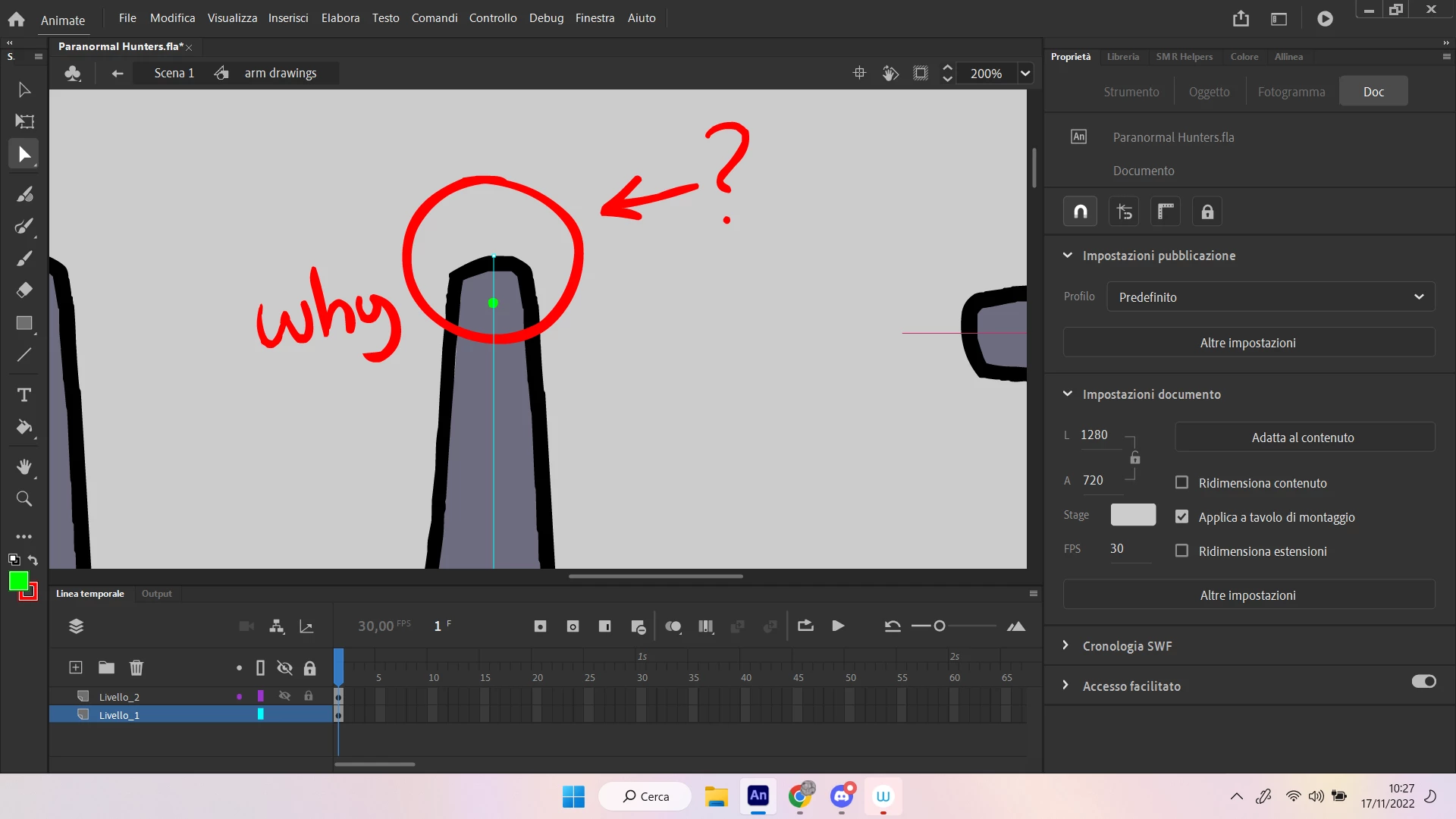
why is the anchor point on the top of the brush?
When I try to move it the shoulder (the top of the brush) moves because of the anchor point being there.
I want to move the anchor point to the green dot without modifying the looks of the brush.


This topic has been closed for replies.
Correct answer sergiopop75

Art brushes, the vector is the limit and does not allow to change it. The solution I use is that the stroke is as a drawing object, which allows to move the anchor point to the shoulder position, and thus have better rotation movement. The drawing object keeps the anchor point in place.

1 reply

sergiopop75
sergiopop75Correct answer
Inspiring
November 17, 2022

Art brushes, the vector is the limit and does not allow to change it. The solution I use is that the stroke is as a drawing object, which allows to move the anchor point to the shoulder position, and thus have better rotation movement. The drawing object keeps the anchor point in place.

____2D vector animator since 2000 & PhD
Participant
November 17, 2022

thanks, at least now I know there's no way to do that but that's a clever solution to replicate what i needed to do

sergiopop75
Inspiring
November 18, 2022

Another possible solution is to create a symbol that serves as a controller for the arm rotation and have the controller layer as a guide so that it cannot be seen. This can help you in rotating the arm. I share a video with you.

____2D vector animator since 2000 & PhD