boopyboopers
Participant
December 11, 2020
Answered

How do I color on a separate layer using the fill tool in the 2021 version

  • December 11, 2020
  • 1 reply
  • 8147 views

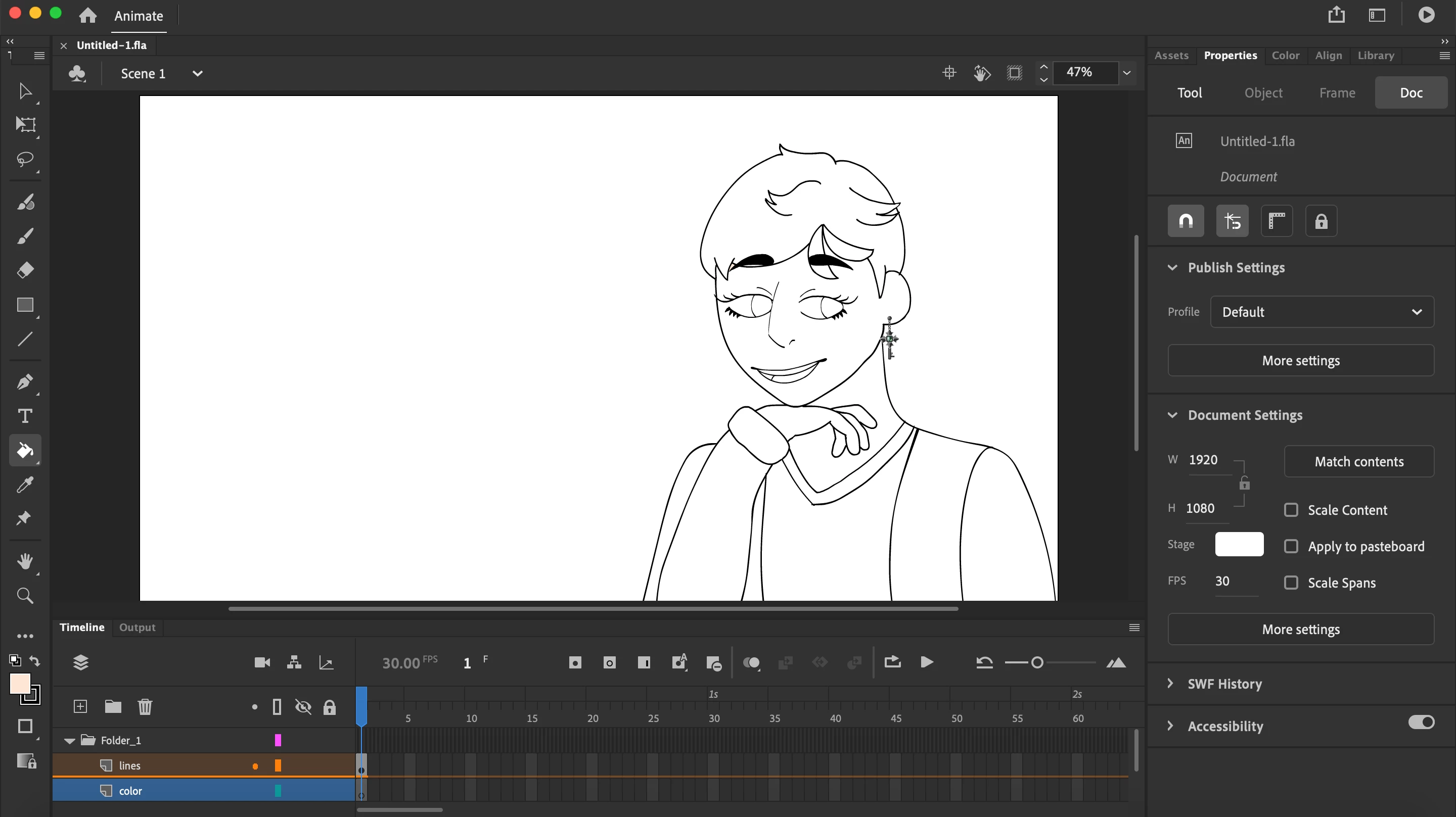
I'm very new to this program. I have a lineart layer and then a color layer. I'm trying to color on the color layer, but the fill tool always wants to color the lineart layer.

Correct answer Colin Holgate

The paint bucket fills an area of something, in that something's layer. Whether it's a surrounded with lines area, or an existing filled in colored shape. It doesn't fill the same area of a different layer.

If you had a reason to need the colored areas to be in a different layer, you could duplicate the lines into the layer behind, fill in the colors, and delete the duplicate lines.

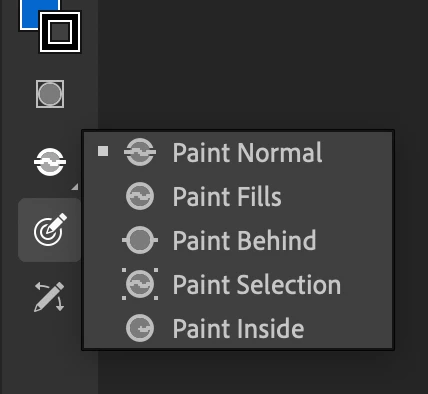
One worry about coloring in on the lines layer is that if you are doing some of that with the paint brush tool, the color may go over the lines. But, with the brush tool you can choose to have the color shape area go behind the lines. See this option that appears when you're on the brush tool.

1 reply

Colin Holgate
Colin HolgateCorrect answer
Inspiring
December 11, 2020

The paint bucket fills an area of something, in that something's layer. Whether it's a surrounded with lines area, or an existing filled in colored shape. It doesn't fill the same area of a different layer.

If you had a reason to need the colored areas to be in a different layer, you could duplicate the lines into the layer behind, fill in the colors, and delete the duplicate lines.

One worry about coloring in on the lines layer is that if you are doing some of that with the paint brush tool, the color may go over the lines. But, with the brush tool you can choose to have the color shape area go behind the lines. See this option that appears when you're on the brush tool.

boopyboopers
Participant
December 11, 2020

Thank you! I have another question. When I try to use the brush tool with paint behind selected, It doesn't show up on the thing I already colored.


Colin Holgate
Inspiring
December 11, 2020

That seems to be true. Another option is Paint Fills. That seems to go behind the lines but on top of the previous fill area.