Participant
May 13, 2013
Answered

How do I drag and drop multiple objects in a mask?
  • May 13, 2013
  • 1 reply
  • 593 views

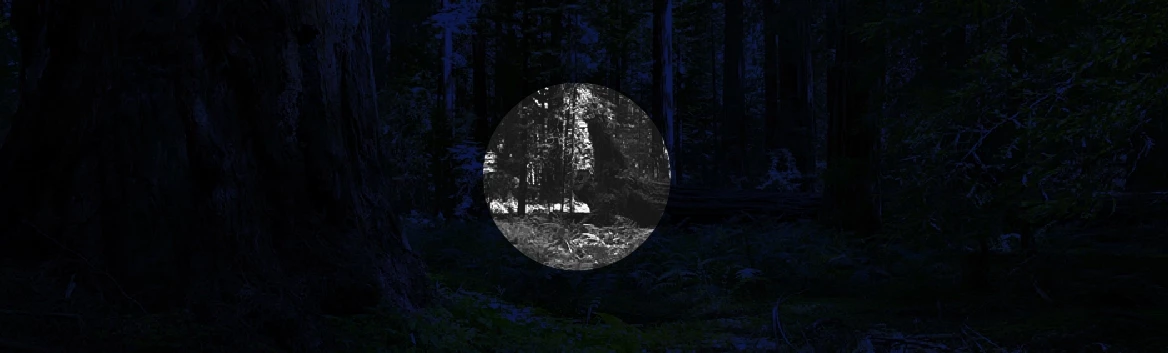
I’ve been working on a flash simulator to show what our night vision product would look like in the dark.  I have been successful in making it work with the following code below.  Yet I cannot add a "reticle" image (or symbol) to the draggable mask to make it work.  Can someone help me with the code?  I looked for hours on the internet and I cannot get it to work.  I am new to Flash but am starting to learn as much as I can.

Actionscript 3 Code:


img_nv.mask = mask_mc;

mask_mc.buttonMode = true;

mask_mc.addEventListener(MouseEvent.MOUSE_DOWN, dF);

stage.addEventListener(MouseEvent.MOUSE_UP, dropF);

function dF(event:MouseEvent):void{

          mask_mc.startDrag();


}

function dropF(event:MouseEvent):void{

          mask_mc.stopDrag();


}

This topic has been closed for replies.
Correct answer kglad

use a loop (like enterframe) and update the reticle's position to match mask_mc's position.

mg_nv.mask = mask_mc;

mask_mc.buttonMode = true;

// eg, if you add reticle_mc to the stage in the authoring environment

removeChild(reticle_mc);

mask_mc.addEventListener(MouseEvent.MOUSE_DOWN, dF);

stage.addEventListener(MouseEvent.MOUSE_UP, dropF);

function dF(event:MouseEvent):void{

addChild(reticle_mc);

this.addEventListener(Event.ENTER_FRAME,reticleF);

          mask_mc.startDrag();

}

function dropF(event:MouseEvent):void{

removeChild(reticle_mc);

this.removeEventListener(Event.ENTER_FRAME,reticleF);

          mask_mc.stopDrag();

}

function reticleF(e:Event):void{

reticle_mc.x=mask_mc.x;  // assuming they both have the same reg points (like the center)

reticle_mc.y=mask_mc.y;

}

1 reply

kglad
Community Expert
kgladCommunity ExpertCorrect answer
Community Expert
May 13, 2013

use a loop (like enterframe) and update the reticle's position to match mask_mc's position.

mg_nv.mask = mask_mc;

mask_mc.buttonMode = true;

// eg, if you add reticle_mc to the stage in the authoring environment

removeChild(reticle_mc);

mask_mc.addEventListener(MouseEvent.MOUSE_DOWN, dF);

stage.addEventListener(MouseEvent.MOUSE_UP, dropF);

function dF(event:MouseEvent):void{

addChild(reticle_mc);

this.addEventListener(Event.ENTER_FRAME,reticleF);

          mask_mc.startDrag();

}

function dropF(event:MouseEvent):void{

removeChild(reticle_mc);

this.removeEventListener(Event.ENTER_FRAME,reticleF);

          mask_mc.stopDrag();

}

function reticleF(e:Event):void{

reticle_mc.x=mask_mc.x;  // assuming they both have the same reg points (like the center)

reticle_mc.y=mask_mc.y;

}

Participant
May 13, 2013

Thank you so much!  This worked like a charm!

kglad
Community Expert
Community Expert
May 13, 2013

you're welcome.