
Participant
January 24, 2024
Question

How do I edit the video timeline in Animate

  • January 24, 2024
  • 2 replies
  • 525 views

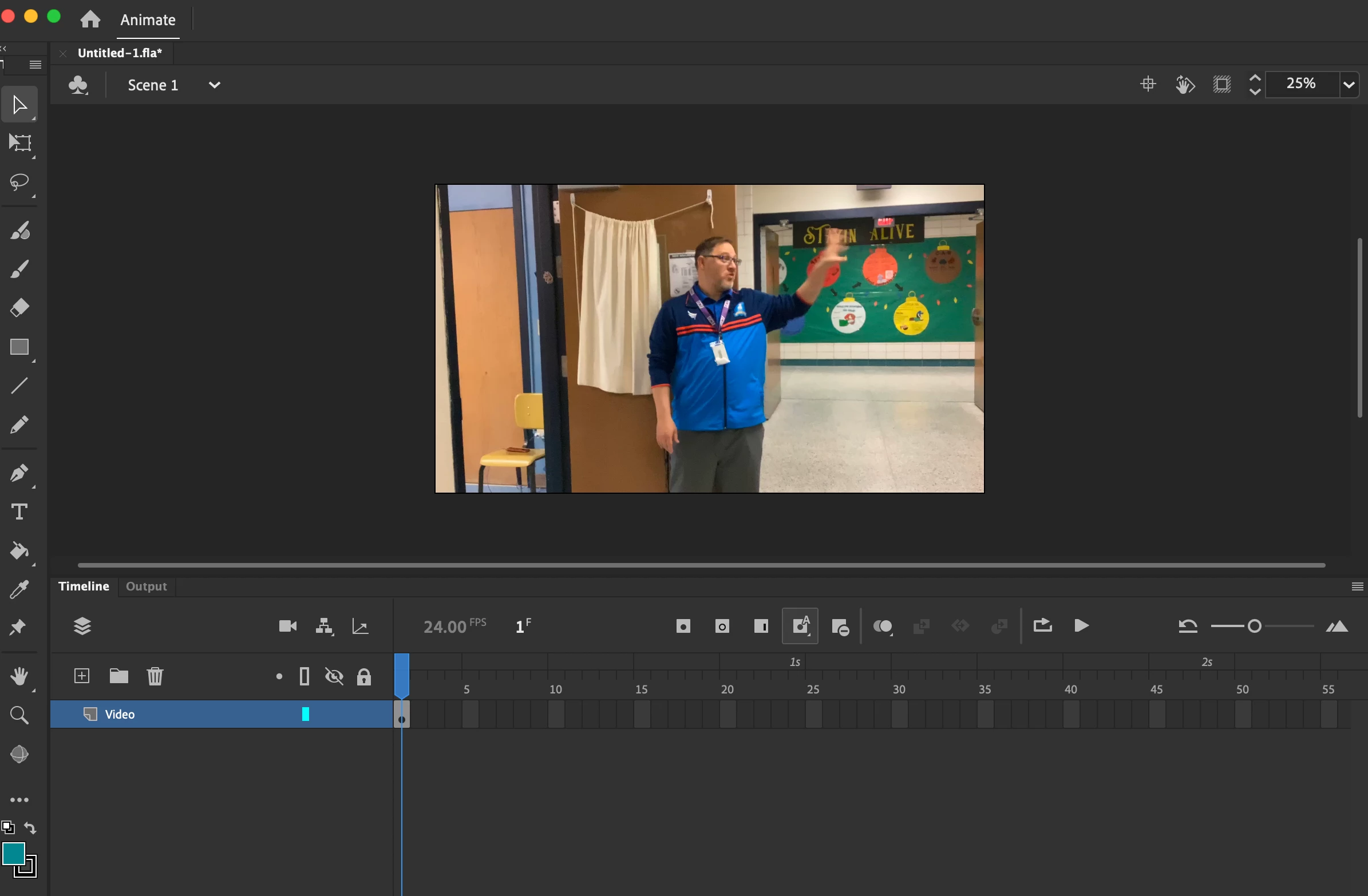
I have used Adobe Media Encoder and uploaded my video as an MP4 into Adobe Animate. I can "preview" the video and it works just fine. My question is how do I edit the Video timeline as I only see one frame but I know the entire video is in that frame but  I would like to add animations to match the movie time. I am utilizing action script 3.0
    This topic has been closed for replies.

    2 replies

    Participant
    January 25, 2024

    With video upload I selected Load external video with playback component. Then it says an FLV video component will be created on the stage for local playback.

    kglad
    Community Expert
    Community Expert
    January 25, 2024

    then you can expect to see what you're seeing.  


    you need to import to a timeline.

    Participant
    January 25, 2024

    That is the problem. I do not see a timeline to edit. But when I hit the play preivew I can see the video. I am trying to place an animated ball into the presentation but I can not because I can't get the proper timing down. 

    kglad
    Community Expert
    Community Expert
    January 24, 2024

    did you import to an flvplayback component?