
chienbleu
Known Participant
August 29, 2022
Question

HOW DO I MAKE MY OBJECT SKEW IN A STARIGHT LINE?

  • August 29, 2022
  • 3 replies
  • 255 views

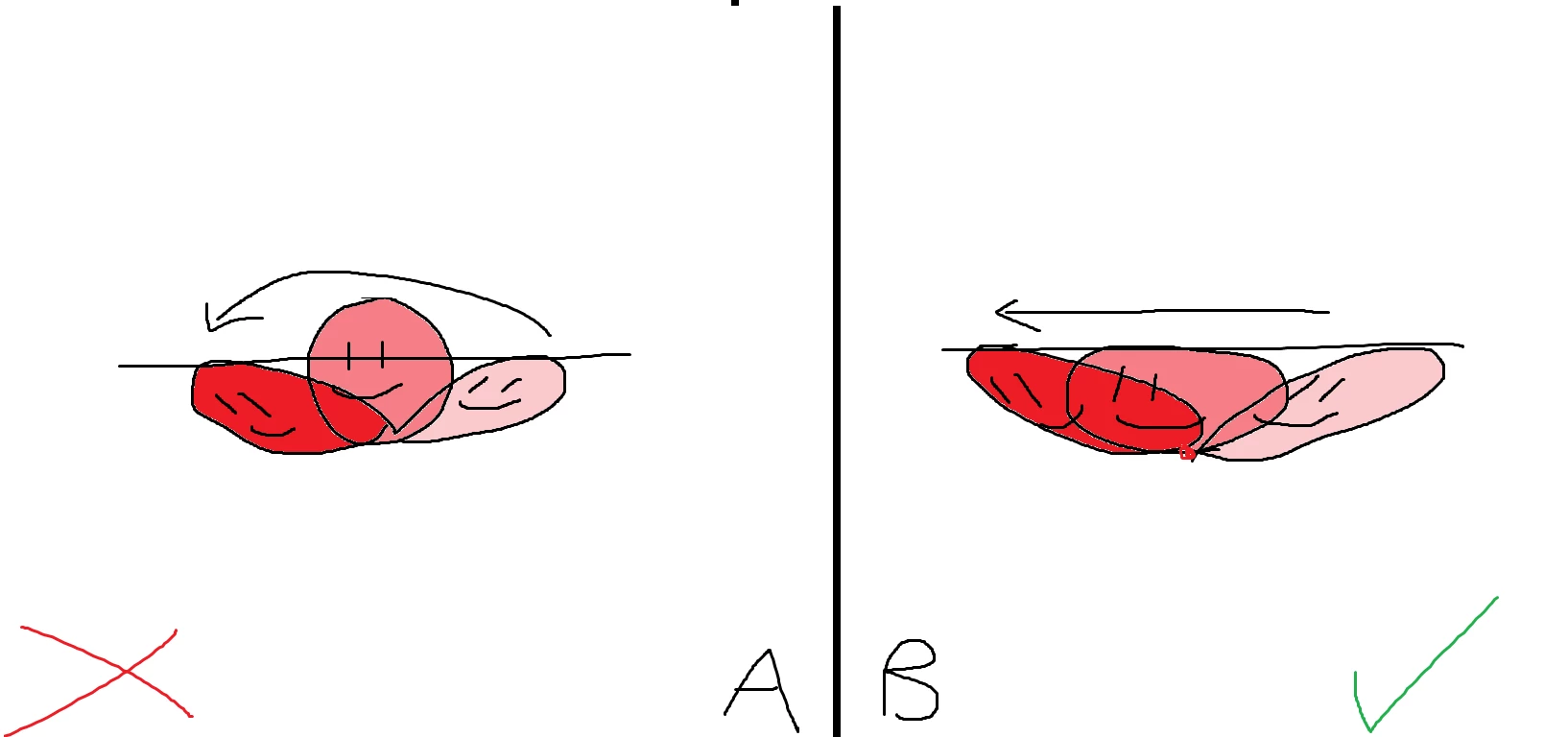
when i skew an object I want it to go in a straight line like B but then it goes like A. I think it's to keep the size consistent but i don't want that. I already tried putting a keyframe in the middle and streching it down but it makes it worse. Is there a way to turn it off or is there nothing I can do?
 

    This topic has been closed for replies.

    3 replies

    chienbleu
    chienbleuAuthor
    Known Participant
    August 30, 2022

    ok i figured it out! you gotta make it a motion tween and refine it. in the middle of the 2 keyframes go to scale and add a point in the middle and drag it down

    n. tilcheff
    Legend
    August 30, 2022

    You'll have to do it manually, frame by frame, it seems.


    Nick - Character Designer and Animator, Flash user since 1998 | Member of the Flanimate Power Tools team - extensions for character animation
    Myra Ferguson
    Community Expert
    Community Expert
    August 29, 2022

    You can skew an object as in your B example by doing the following:

    1. Select the Free Transform Tool (Q)
    2. Select the object
    3. Drag the transformation point to the bottom, center
    4. Skew
    chienbleu
    chienbleuAuthor
    Known Participant
    August 30, 2022

    i know that. I meant when i tween it (classic or motion tween)