beatrizl59242071
Participant
November 25, 2017
Answered

How do I put Animate CC into advanced mode?

  • November 25, 2017
  • 2 replies
  • 607 views

can anyone help me!!!!!!!!!!!

[Title edited for question clarity and future forum search... Mod]

[Here is the list of all Adobe forums... https://forums.adobe.com/welcome]

[Moved from generic Cloud/Setup forum to the specific Program forum... Mod]
Correct answer Colin Holgate

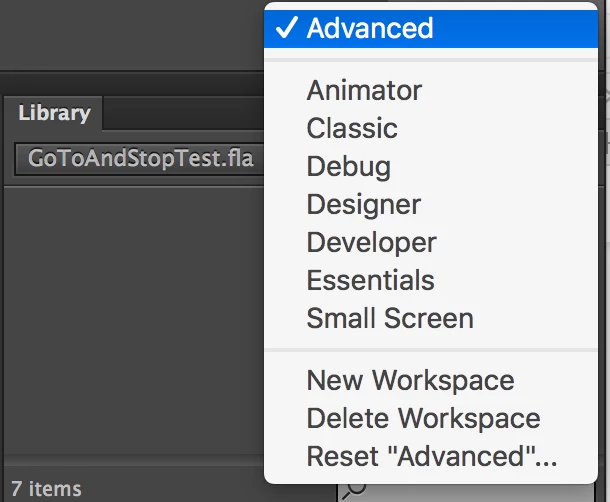
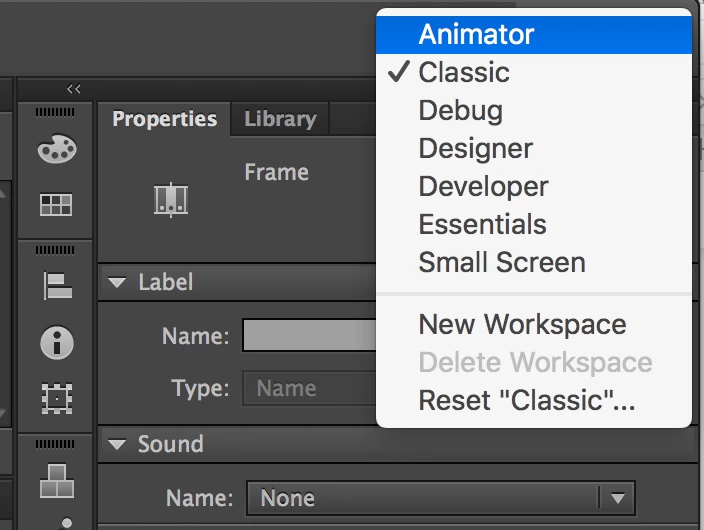
You change the layout with the Window menu, then Workspaces. Or you can use the menu in the upper right of the Animate window.

I don't think there ever was an Advanced layout, but whatever the one you liked was called, it's in this list:

Just realized, you may have created your own workspace, and named it Advanced. You could do that again with the New Workspace option, after arranging windows to what you prefer, and name the new workspace "Advanced". The menu would then look this:

2 replies

Nancy OShea
Community Expert
Community Expert
November 27, 2017

I'm having trouble understanding your question.  Can you please re-state the problem?

What do you see when you launch your Creative Cloud desktop  and click on APPS.

Nancy O'Shea— Product User & Community Expert
beatrizl59242071
Participant
November 28, 2017

heres an example

i USED TO HAVE JUST ANIMATE CC FOR $21 A MONTH before creative cloud. it was on advanced.

i switched to creative cloud and still have animate cc. but with 23 more apps with a $32 subscription instead. now instead of advanced its on essentials now and thats not what i wanted to happen when i switched. i want to figure out how to to switch my animate cc back to advanced animate cc but i dont know how to switch it back.

beatrizl59242071
Participant
November 28, 2017

its not an example sorry its what happened

Jantzen.Belliston
Adobe Employee
Adobe Employee
November 27, 2017

Hi,

You've posted this question in our Dynamic Tag Management community. Since it is related to Creative Cloud, I'll have the question moved there so our moderators can better assist you.

Cheers,
Jantzen