

Jillian9358
Participant
July 19, 2021
Question

How do I reactivate Keyframe Paste in all Animate CC?

  • July 19, 2021
  • 1 reply
  • 385 views

I don't really know what to call this, but my animate cc recently crashed and booted all my settings back to their default. It seems like my issue is a simple issue to solve, but I for the life of me can't figure out what I need to google to solve it.


I have all the frames selected, and I want to paste them all via ctrl + alt + v , which before would paste the keyframes into ALL of the timeline, rather than just the single frame.
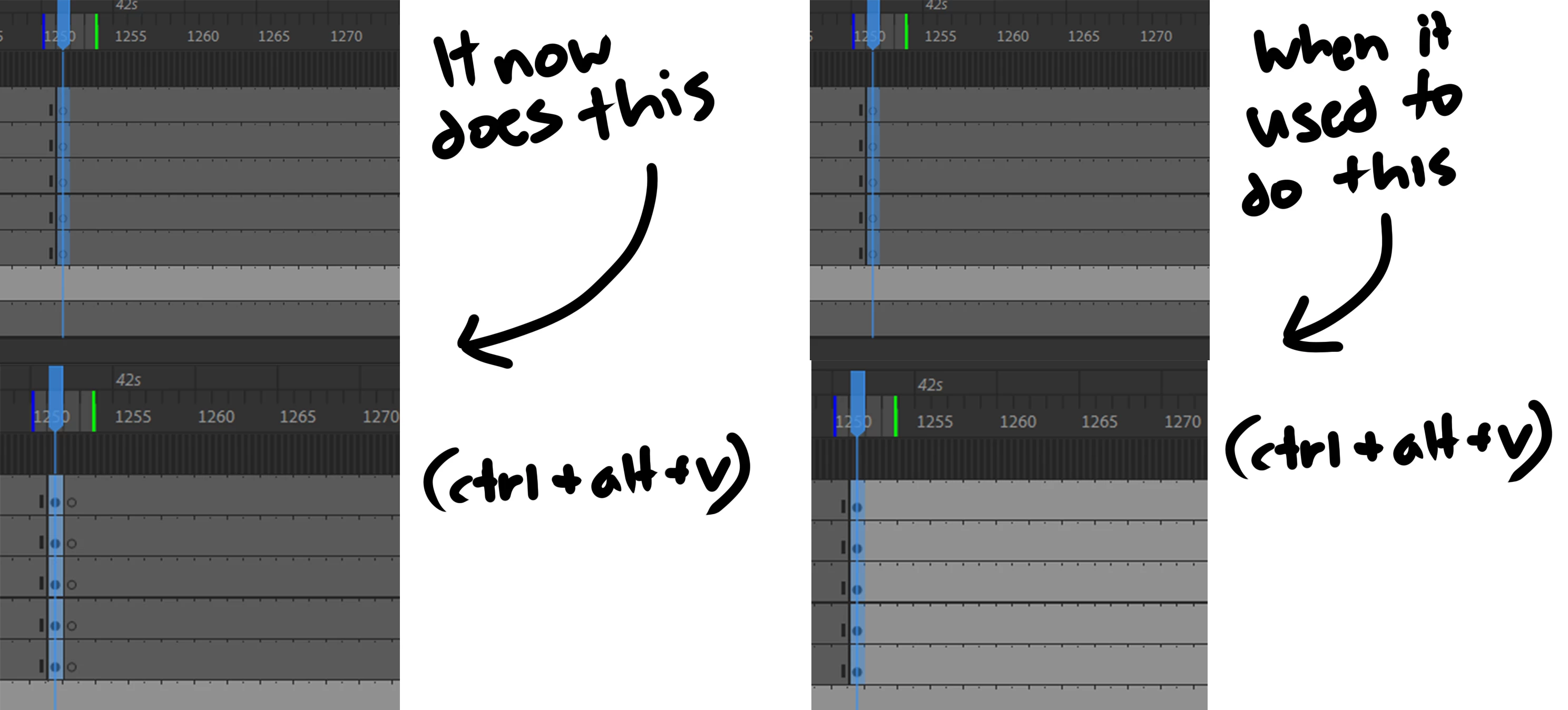
 

It also does this when drawing on the frame, if I am not on the VERY first keyframe, it will create a new one rather than altering the entire batch


Please help!

This topic has been closed for replies.

1 reply

n. tilcheff
Legend
July 19, 2021

See if turning Auto KeyFrame OFF will help.

Nick - Character Designer and Animator, Flash user since 1998 | Member of the Flanimate Power Tools team - extensions for character animation
Jillian9358
Participant
July 19, 2021

Tried this out, sadly it didn't make a difference.

n. tilcheff
Legend
July 20, 2021

I have the suspicion that you may be mistaken about the former behaviour prior to reset.


I just did tests in CS6, AA20.5 and latest 21.0.7.

In all three versions the behaviour when pasting a 'column' of frames is as you show as curent result - one frame is pasted (inserted) across all selected layers and the blanks stay on the right.


You can Alt-drag the selection and then it will fill/replace the blank frames.


Nick - Character Designer and Animator, Flash user since 1998 | Member of the Flanimate Power Tools team - extensions for character animation