
Participant
May 23, 2013
Answered

How do I show multiple images when I hover over different areas with the MouseOver function?

  • May 23, 2013
  • 1 reply
  • 2695 views

I’ve been working on a flash simulator to show what our Expert Range Finder binocular product would look like. The idea is to hover over an area, or image and it show the range or how far the object is from you.

I have been successful in making it work with the following code below.  Yet I cannot add several "range" images (or symbols) when I hover over a certain area.  Can someone help me with the code?  I looked for hours on the internet and I cannot get it to work.  I am new to Flash but am starting to learn as much as I can.  Any help is appreciated!  Thanks!

Actionscript 3 Code:

img_nv.mask = mask2_mc;


mask2_mc.buttonMode=true;

mask2_mc.addEventListener(MouseEvent.MOUSE_DOWN, onDown);

mask2_mc.addEventListener(MouseEvent.MOUSE_UP, onUp);


function onDown(e:MouseEvent):void{

mask2_mc.startDrag();

}


function onUp(e:MouseEvent):void{

mask2_mc.stopDrag();

}
This topic has been closed for replies.
Correct answer Ned Murphy

Ned:

I can't thank you enough for your help!  I just have a few questions left if you don't mind.

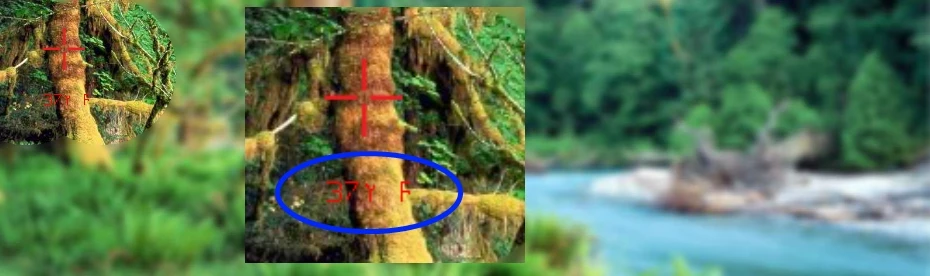
If you look at the picture, the text shows up in the "tfield" yet there is a weird symbol after "37Y" that I cannot get rid of.  In the code I erased in line 29 " + " zone" " Is that the reason why it is showing a weid symbol?

One more question. I tried placing multiple ranges and text fields and they are not working.  All I did was duplicate the code for the first range and text like below but I am missing something.  Will you kindly help me?

Actionscript Code:

range2.addEventListener(MouseEvent.ROLL_OVER, manageMouseOver, false, 0, true);

range2.addEventListener(MouseEvent.ROLL_OUT, manageMouseOut, false, 0, true);

function manageMouseOver(event:MouseEvent):void{

  tfield2.text = "over "+ event.currentTarget.name + " zone";

}

function manageMouseOut(event:MouseEvent):void{

tfield2.text = "";

}

range3.addEventListener(MouseEvent.ROLL_OVER, manageMouseOver, false, 0, true);

range3.addEventListener(MouseEvent.ROLL_OUT, manageMouseOut, false, 0, true);

function manageMouseOver(event:MouseEvent):void{

  tfield3.text = "over "+ event.currentTarget.name + " zone";

}

function manageMouseOut(event:MouseEvent):void{

  tfield3.text = "";

}

. . . .and so on for two more ranges and text fields.


You cannot have different functions with the same name.  Go back to my earlier reply (4) where I talk about using the event.currentTarget.name and arrays of info/data. 

1 reply

Ned Murphy
Legend
May 23, 2013

There are different ways you could approach this. 

One would be to constantly monitor the position of the cursor and when it is within a particular x/y range of values (defining one of your areas) you display the data appropriate for that area.  This would require various conditionals where you test the various ranges of x/y values.

Another approach could be to use movieclips or other objects that can have rollover code assigned to them.  These objects would represent the various areas and you would set their alpha property to 0 so that they are not visible.  You could use invisible buttons whereby you could see them in design mode and not when running the file.   When a rollover of an object occurs the data relative to that area gets displayed.

Participant
May 23, 2013

Yes, I am thinking that for my level of knowledge the rollover code for several movieclips/objects would be the best way to go.  When I rollover the "range" image (i.e. 27 yards), the object shows up.  I place all images as a PNG and have transparent backgrounds to make them work better.

I just don't understand how to set up the code.