christineavatar
Legend
February 14, 2021
Answered

How do you bring Animate work into Adobe Media Encoder

  • February 14, 2021
  • 1 reply
  • 2689 views

I have been working for a while and have nearly 50 cartoons that I was able to process through Media Encoder. All of a sudden ME no longer accepts them. Now what do I do?

This topic has been closed for replies.
Correct answer kglad

We may have stumbled upon the problem.


define a custom shortcut (edit>keyboard shortcuts)

check to make sure it works.

then reset your preferences, https://helpx.adobe.com/animate/using/set-preferences.html

confirm you were successful by checking that your custom shortcut has be reset and no longer works.

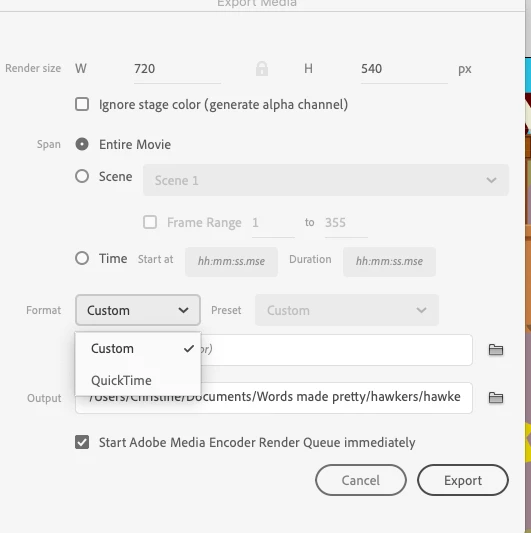
finally, see if you have restored your video export options.

1 reply

kglad
Community Expert
Community Expert
February 15, 2021

in animate are your clicking file>export>export video/media?


if so, what error message do you see in ame?

christineavatar
Legend
February 15, 2021

Yes. I am clicking on file>export video/media.


I have also tried to import it directly into ME with this result:

kglad
Community Expert
Community Expert
February 15, 2021

you can't import a fla into ame.


what happens when you export video?