
Participating Frequently
February 1, 2023
Question

How do you import fonts to adobe animate??

  • February 1, 2023
  • 3 replies
  • 6563 views

Hi!
I am trying to import a font to Adobe Animate . All i saw for  instructions was the screenshot, and frankly this doesnt make any sense or match up. I see no 'Add font' anywhere.  Any help is much appreciated!
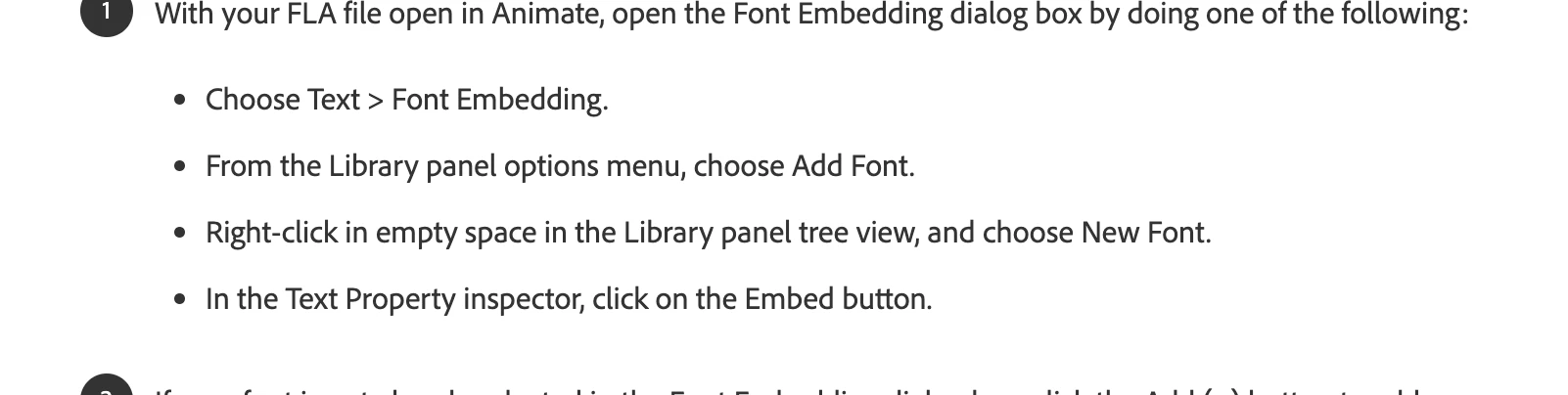


    This topic has been closed for replies.

    3 replies

    JoãoCésar17023019
    Community Expert
    Community Expert
    February 2, 2023

    Hi.


    I think it's good to clarify the use of fonts in Animate.


    There are two main scenarios: design time and run time.


    Design time: this is when we need the font in the text fields while designing in Animate's IDE.

    Requirements:
    - The necessary fonts need to be installed in the operating system. One way to install a font is to double-click on the font file and follow the instructions. This method should work for both Windows and Mac. You may need to restart Animate;
    - Select a text field, open the Properties panel (Ctrl/Cmd + F3) and choose the font family from the dropdown menu under the Character section.


    Run time: this is when we publish/export the FLA content to some interactive output. Example: .html/.js, .swf, .air, .exe.

    Requirements:
    - For fonts to be required at runtime, text fields need to be of dynamic (AS3 and HTML5 Canvas) or input (AS3 only) type. For static texts, we don't need the fonts at runtime. But in all cases we need the fonts at design time;
    - AS3 documents: it is necessary to embed the fonts by selecting the dynamic/input text field, opening the Properties panel (Ctrl/Cmd + F3) and clicking on the Embed button under the Character section;
    - HTML5 Canvas documents: (a) you need to use a web font by selecting the dynamic text field, opening the Properties panel (Ctrl/Cmd + F3) and clicking the button with a small globe icon next to the font families dropdown menu under the Character section, (b) selecting a font available on the operating system (which may or may not be available for the user's system) (c) or by using the @11220649-face CSS rule to include any necessary font files.


    I hope it helps to clarify most doubts.

    Regards,

    JC

    kglad
    Community Expert
    Community Expert
    February 1, 2023

    click the text tool and create a textfield. in the properties panel you can import adobe and google fonts.

    Participating Frequently
    February 1, 2023
    Ok thanks.

    But when i go into Properties... I dont see any option to import ? Where is
    this option?

    Thanks
    kglad
    Community Expert
    Community Expert
    February 1, 2023

    with textfield selected do you see the font panel?  icon (disc) to the right in thd panel.

    JoãoCésar17023019
    Community Expert
    Community Expert
    February 1, 2023

    Hi.


    Do you want the font for design only? If so, the font should only be installed in your operating system and Animate will load it.


    Regards,

    JC

    Participating Frequently
    February 2, 2023

    Cheers

    ! Wanted it for Adobe Animate actually. I bought a font from some second party font website, thougth there would be an area where i could import into Adobe,, dont see anything, there is a little symbol of the world where it seems like i could import something like this but it is grayed out.   I am trying to figure how to install the font on my computer , it just landed on my desktop as a zip file which i have opened into a normal blue folder, and now it just sits in there. But not even sure how to install that into the operating system, apologies a bit of an amateur. Thanks even this far!

    kglad
    Community Expert
    Community Expert
    February 2, 2023

    if you have the font, install it in your os.  if will appears in the font dropdown