Participant
May 17, 2021
Question

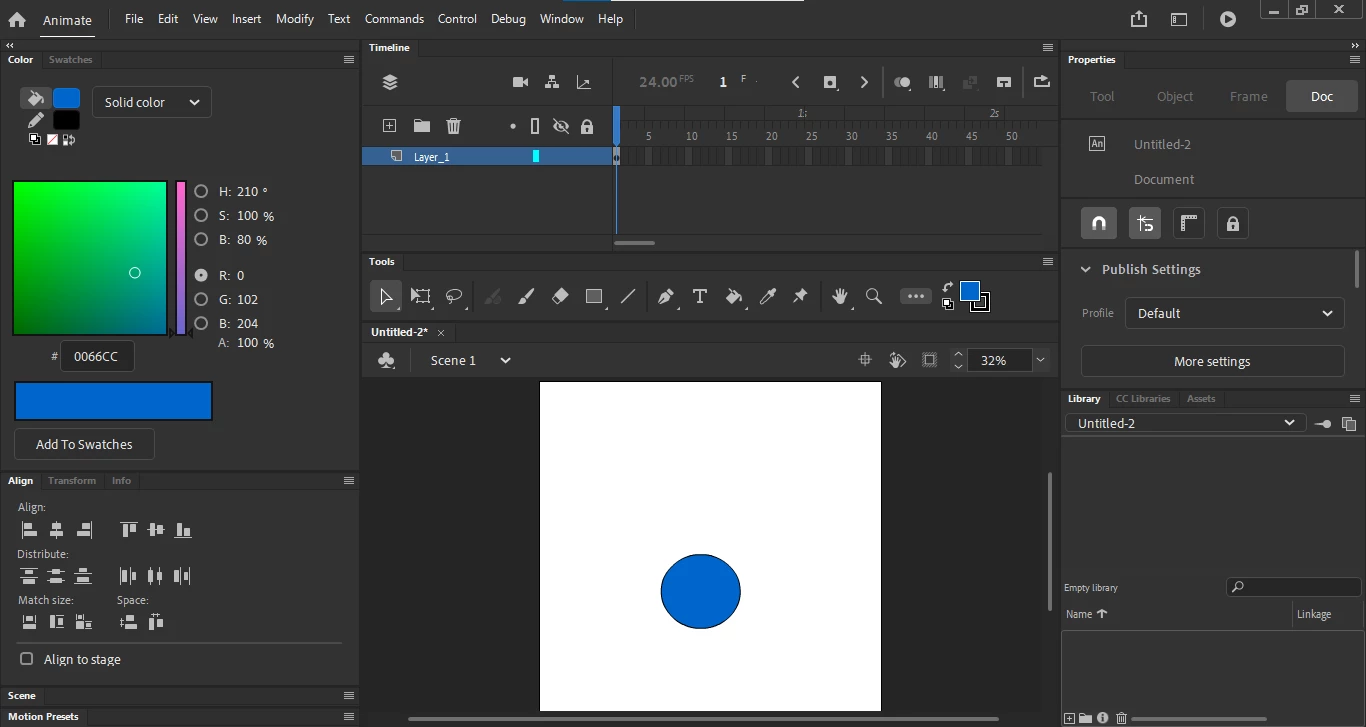
How do you make the Adobe Animate UI smaller?

  • May 17, 2021
  • 3 replies
  • 2852 views

The image below is how I see my UI, I would like to make it smaller that way I have a bigger area to draw and animate. Any ideas how to make the UI smaller?

    This topic has been closed for replies.

    3 replies

    Participant
    October 7, 2021

    Hello there. I'm very happy with Animate functionality but UI (especially sizing) is completely terrible! Please, fix it and try to make it variable. And if possible - ASAP!

    Thank you 

    Mario_CR
    Community Expert
    Community Expert
    May 17, 2021

    Go to edit > preferences > edit preferences... in the General tab, set UI appearence to Compact. In the Timeline click the little hamburger menu in the top right corner and select Short; that's as small as it gets in newer versions.

    Legend
    May 17, 2021

    The current Animate team seems convinced that everyone is using 4K monitors now, so the UI has become stupidly large compared to how it was just a few years ago. If you don't have a second monitor to shove UI panels onto, get used to using F4 to hide/show your panels as you need them.