Participant
February 28, 2019
Question

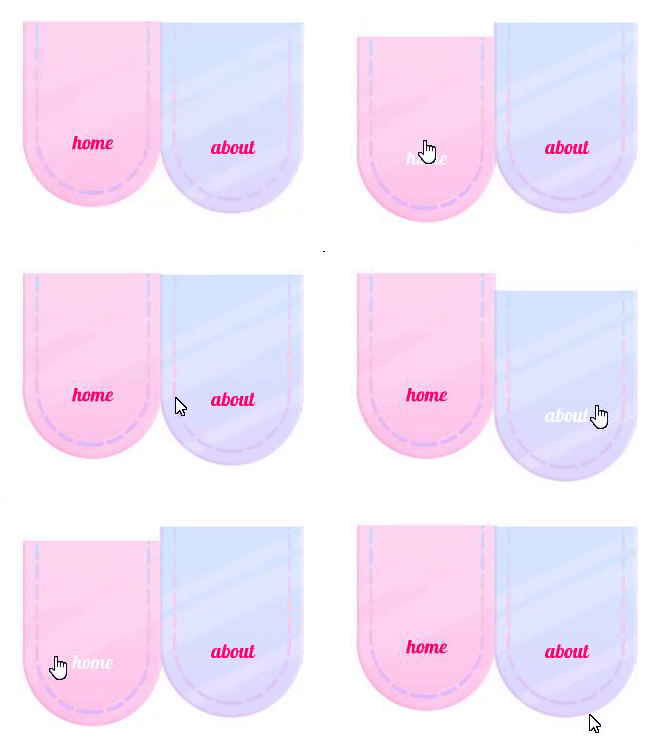
How to apply ease to mouseover menu links?

  • February 28, 2019
  • 1 reply
  • 370 views

I know absolutely nothing about javascript, I followed a video tutorial on how to achieve the link/move down effect when hovering over menu links as shown in the gif below but the tutorial didn't go any further than this point, and now what I want to do is add an ease so on mouse-in and mouse-out it moves up/down smoothly and slower rather than instantly. I genuinely don't know how to achieve this because of my complete lack of experience with javascript so if anyone could offer some help it would be much appreciated.

This topic has been closed for replies.

1 reply

JoãoCésar17023019
Community Expert
Community Expert
February 28, 2019

Hi.

With a smart structuring and timeline animation, you don't need a lot of JS to achieve this effect.

You only need a regular Button symbol with one Movie Clip instance containing the up animation in the first frame (out/up state) and another Movie Clip instance in the second frame (hover state) containing the down animation.

Both Movie Clip instances should have a this.stop(); instruction in the their last frames.

The big catch is that the first Movie Clip instance in the out/up state will start playing because it doesn't have a stop command in the beginning and we cannot add code to a Button timeline in the IDE. This can be solved by placing a code inside of the up Movie Clip instance in the first frame to check if this frame has been visited or not. Like this:

JS code for the Movie Clip instance in the out/up state:

if (!this.started)

{

    this.gotoAndStop(14); // the last frame of the Movie Clip instance has to be hardcoded

    this.started = true;

}

FLA download:

animate_cc_html5_canvas_rollover_effect_02.zip - Google Drive

Regards,

JC