
Participating Frequently
January 8, 2019
Answered

How to create circular loading?

  • January 8, 2019
  • 2 replies
  • 1399 views

Please check it out file which I uploaded following:

https://bit.ly/2Qw5mRN

well, a basic technique in animation but I don't get it yet:

in layer 1 (frame 1), I created semi oval:
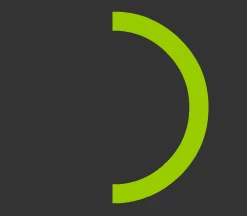
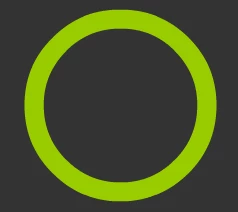
Also layer 1 (frame 25), I fill full oval:
On layer 2 (frame 1), I created a semi circle:
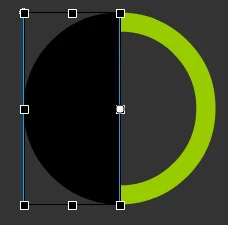
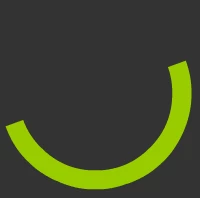
I converted it to video clip, tweening rotate to CW, set it to Mask and run test, first, mask reveal gradually right half of circle (frame 1 => 24), but afterwards from frame 25, I created full circle but mask still hide right half of circle:
seem there's something which I didn't notice ...? any idea, thanks for reading!

This topic is closed to new replies. Start a new post to keep the conversation going.
Correct answer robdillon

You will need a second half circle mask. After the first mask has finished it’s move, hold it in place. Then start a second mask rotating over the second half of the circle.

2 replies

_keyframer
Community Expert
Community Expert
January 8, 2019

I agree with robdillon​ and separate the circle into halves. Deal with 1/2 as you already have, then have the unmasked completed 1/2 circle on a frame and then deal with the opposite half on a new set of layers.

Animator and content creator for Animate CC
robdillon
robdillonCorrect answer
Participating Frequently
January 8, 2019

You will need a second half circle mask. After the first mask has finished it’s move, hold it in place. Then start a second mask rotating over the second half of the circle.