
Participating Frequently
January 26, 2018
Answered

How to fill a path of a shape

  • January 26, 2018
  • 2 replies
  • 521 views

Hello... I would like to fill a path I have drawn with the paint brush tool or the pencil tool. I think I have checked that the path is closed with the subselection tool. With either tool when I select the path with the select or subselect tool I can't click fill color as the bucket in the Fill and Stroke menu is deactivated (red cross).
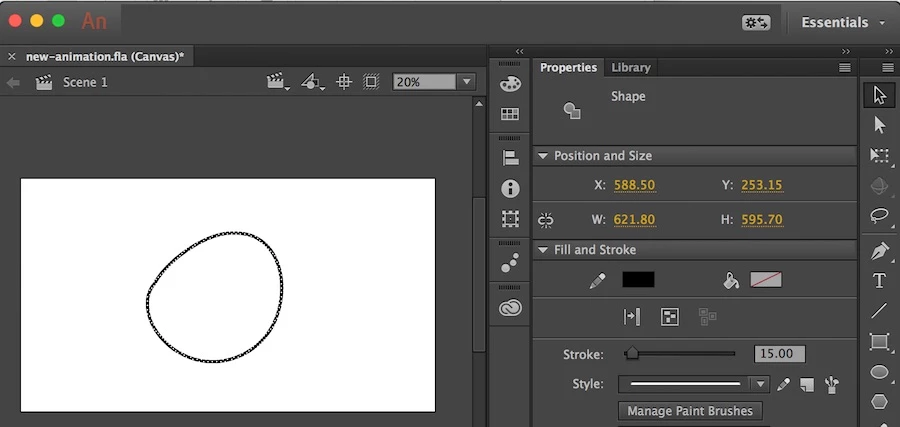
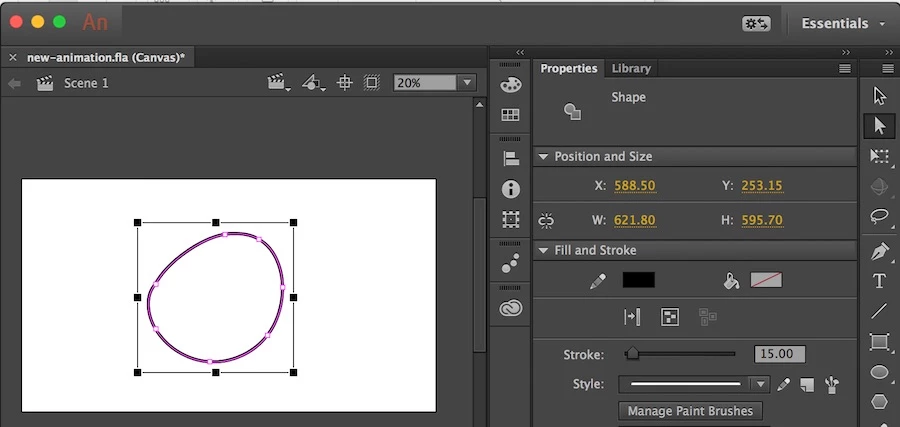
Thanks for any help!

This topic has been closed for replies.
Correct answer kglad

don't select it.  just select the fill bucket>position over the shapes interior and click

2 replies

tobwAuthor
Participating Frequently
January 26, 2018

Thank you! Ya I guess I meant how to fill a closed path or a shape... the roundy thing in the picture.. not sure about the exact wording here.

Legend
January 26, 2018
kglad
Community Expert
kgladCommunity ExpertCorrect answer
Community Expert
January 26, 2018

don't select it.  just select the fill bucket>position over the shapes interior and click

Legend
January 26, 2018

I was wondering how you fill a path. A path has zero width... there's nothing to fill!