
Participant
February 19, 2019
Question

How to remove just some parts of controls in video · banner ad · HTML5 Canvas · Animate CC

  • February 19, 2019
  • 2 replies
  • 391 views

Is it possible by tweaking the code after export to:

A) remove some parts of the controls (three dots, fullscreen)?
B) move around the rest of the controls (volume)?
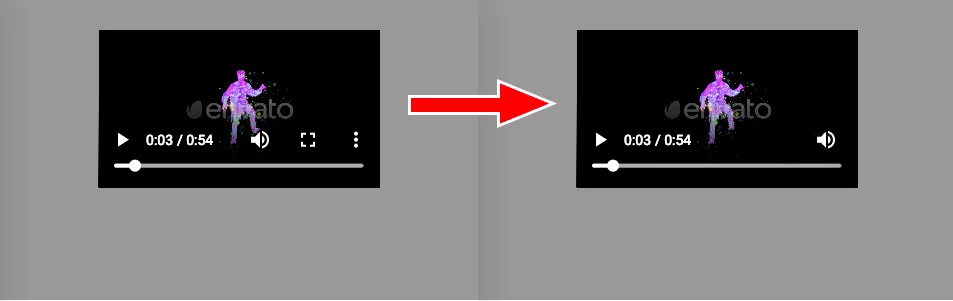
Link to the files: http://bit.ly/2SfGcI6

Thanks!

This topic has been closed for replies.

2 replies

avid_body16B8
Legend
February 20, 2019

In the components properties you can check out control as shown below:

But like Joseph said you will need to make your own controls.

Joseph Labrecque
Community Expert
Community Expert
February 20, 2019

The video controls you see being rendered are actually a result of the web browser itself and not so much Animate. However, you can disable the default controls and write your own with interactive symbols. Or, after export, you can add DOM elements and make your own controls in that manner.