Participant
Sep 15, 2023 2:42 PM UTC
Answered

How to remove unnecessary space from a symbol

So i downloaded a sprite of a character and I have to seperate every frame and make them into symbols so I can start using it, but the best way to do so is the lasso tool and my hand is not very precise, which allows useless space to enter the symbol and it kinda affects the animating process. How can I remove easily that useless space? Is there a better technique to use so I can seperate the sprite easier and better?

    This topic is closed to new replies. Start a new post to keep the conversation going.
    Mario_CR
    Mario_CRCorrect answer
    Community Expert
    Sep 15, 2023 6:48 PM UTC

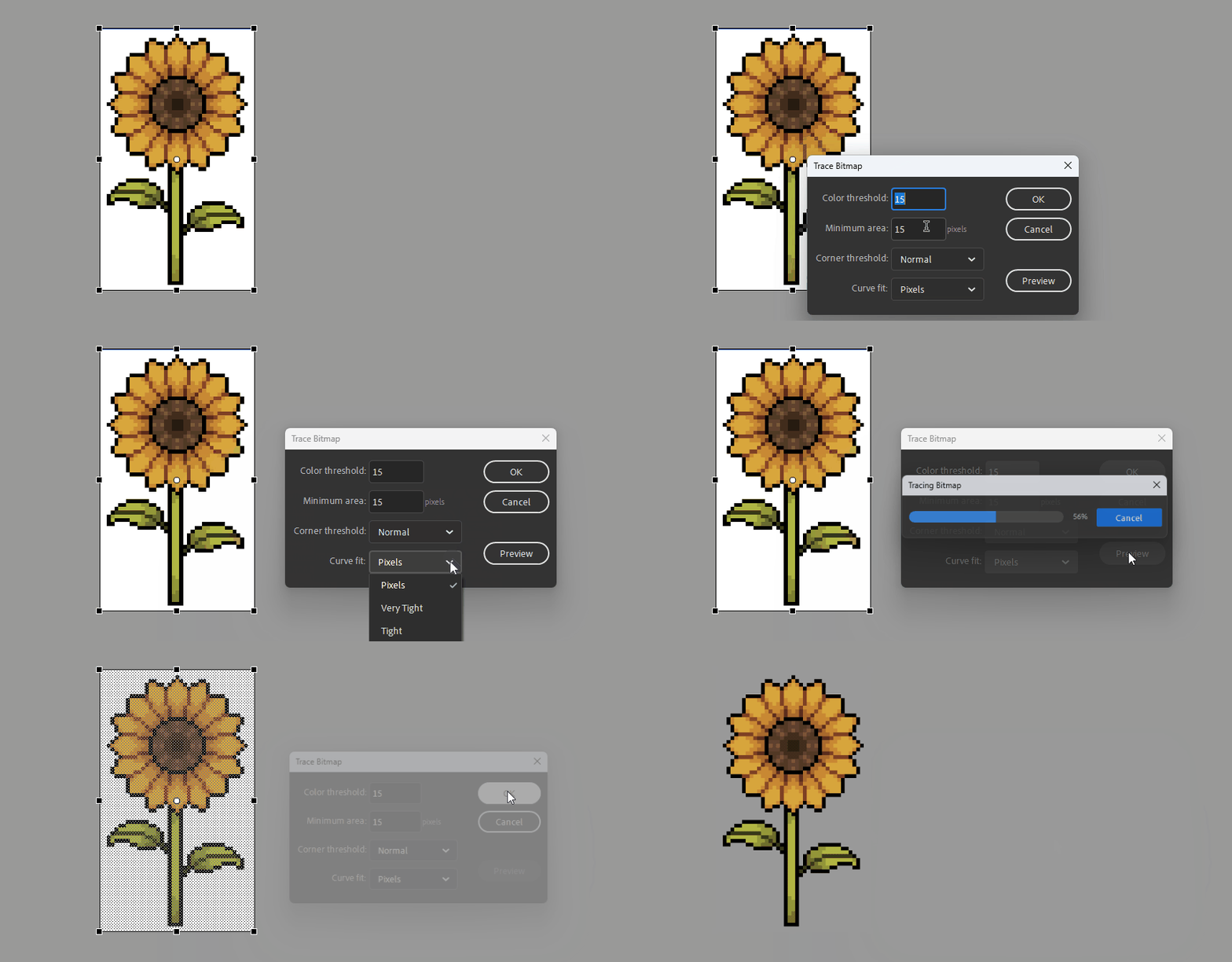
    Using that removes some of the corners


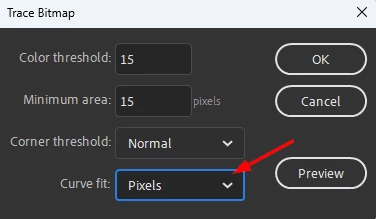
    Change Curve Fit to Pixels:


    If some colors are removed, adjust the Color threshold, the smaller the number the more colors will be traced.

    Minimum Area works in a similar manner, the smaller the number the more vector points the shape will have.


    6 replies

    kglad
    Community Expert
    Community Expert
    Sep 15, 2023 2:49 PM UTC

    the quickest (i think) would be to use photoshop to remove backgrounds.

    Translate
    Participant
    Sep 15, 2023 3:09 PM UTC

    Well I already did that. What I mean is that the frames are still connected together in a picture, right? And I have to seperate each frame but the only way to do that is to use the lasso tool and trace the outlines of the frame by hand but thats impossible. Here is a picture to show you what I mean by useless space.


    I cant perfectly outline the character so I end up adding up more space with the lasso.


    Translate
    kglad
    Community Expert
    Community Expert
    Sep 15, 2023 5:07 PM UTC

    that background has not been removed.

    Translate