
Answered
How to smooth my pencil lines
my pencil lines are not smooth and i have tried looking it up and they all show something about a pencil drawing mode but its not even showing up.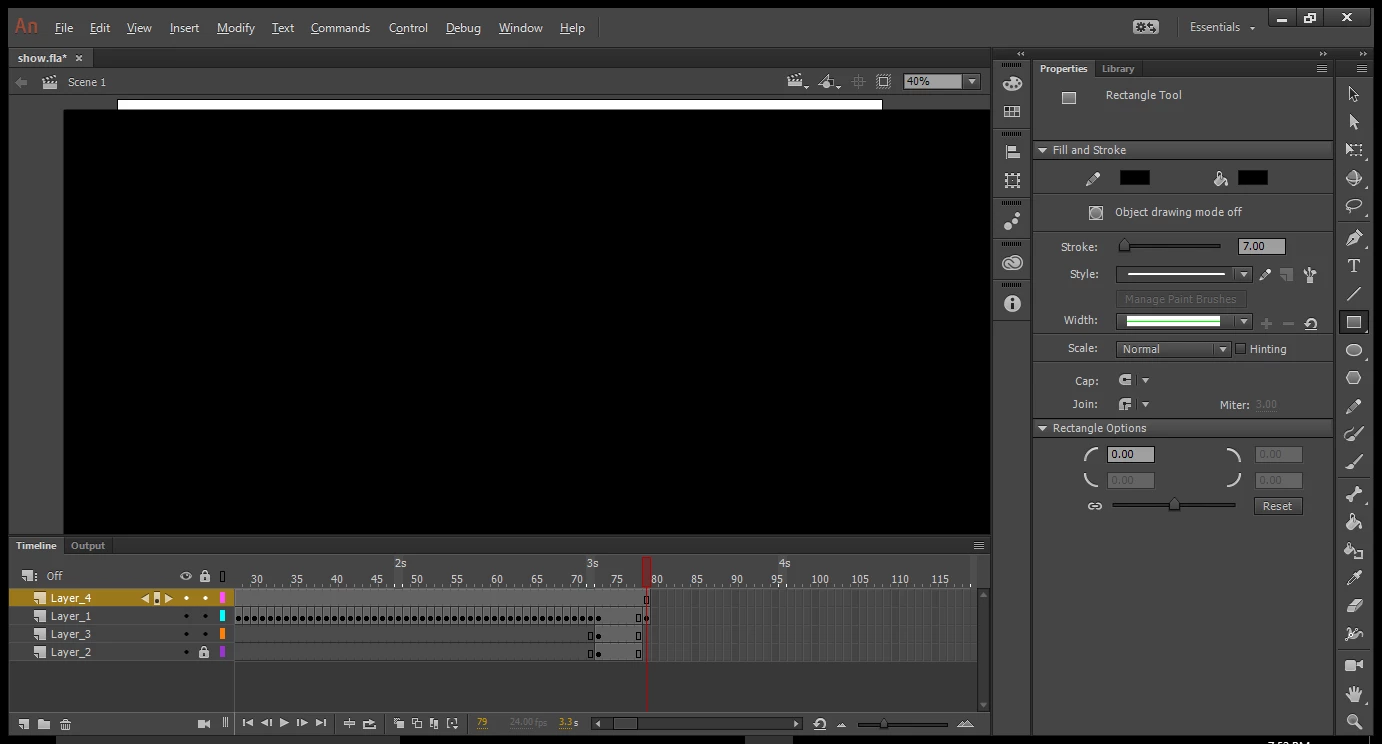

my pencil lines are not smooth and i have tried looking it up and they all show something about a pencil drawing mode but its not even showing up.
Hi.
The smoothing options are located on the toolbar but in your case the toolbar has only one column and because of it you can't see the options.
What you can do:
- Drag the left border of the toolbar to the left so it can have at least two columns.
- Or you can reset the current workspace going to the dropdown menu in the top right corner of the screen or even changing to another one.
I hope this helps.
Regards,
JC
Already have an account? Login
No account yet? Create an account
Enter your E-mail address. We'll send you an e-mail with instructions to reset your password.


 AdChoices