
Participating Frequently
October 21, 2024
Question

How to Use Adobe Animate Shortcuts with Chinese Input Enabled

  • October 21, 2024
  • 2 replies
  • 532 views

大家好!我是来自中国的 Adobe Animate 用户。我真的很喜欢在各种应用程序中使用键盘快捷键,因为它们可以显着提高我的工作效率。

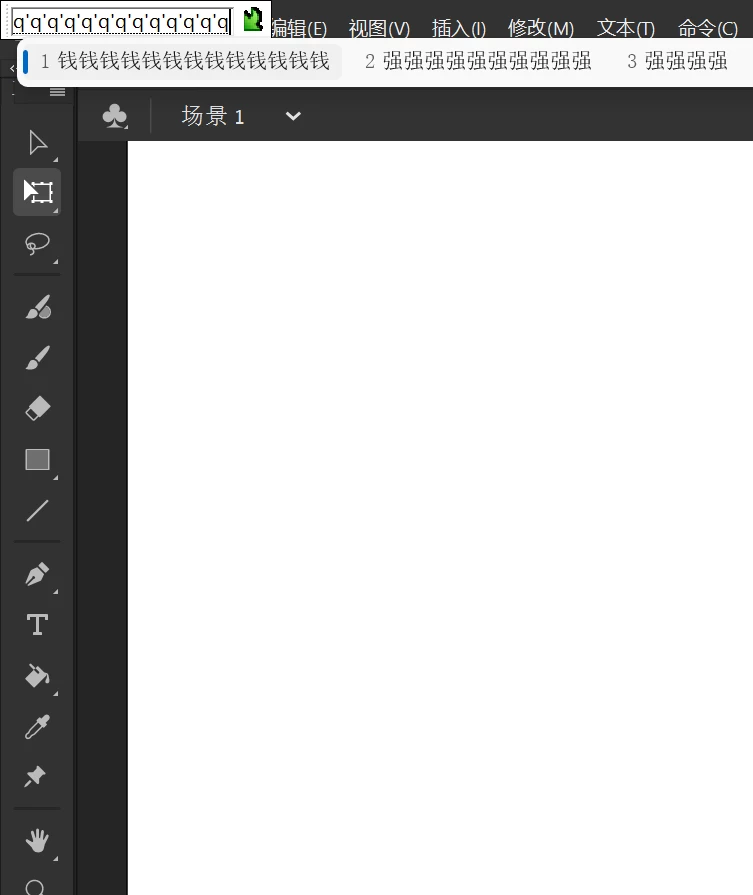
但是,我注意到在使用中文输入法时,Adobe Animate 中的快捷键无法正常工作。要使用这些快捷方式,我需要频繁地在中英文输入法之间切换,这不仅没有提高我的效率,反而降低了我的效率。当中文输入法处于活动状态时,是否有任何方法可以使 Adobe Animate 快捷键正常工作?感谢您的帮助!
This topic has been closed for replies.

2 replies

Firewood:D
Inspiring
October 22, 2024

这个问题是无解的,不光animate,adobe的所有软件ps,ai,pr,ae都面临着中文输入法下快捷键被干扰的情况,退一步讲中文windows操作系统下全部面临这个问题,只要是中文输入法状态下所有的按键均自动唤起输入窗口。

所以要试着习惯这个操作,虽然经常误操作,但可以把中英文输入法的切换键设置为shift,至少少一点烦恼,


不过我认为adobe有手段解决这个问题,因为animate在flash时代,快捷键是不受输入法的干扰的,不知道什么时候开始,他们改变了这个策略。

Participating Frequently
October 21, 2024

Hello everyone! I'm an Adobe Animate user from China. I really enjoy using keyboard shortcuts in various applications as they can significantly enhance my productivity.

However, I've noticed that when using the Chinese input method, the shortcuts in Adobe Animate do not function properly. To use these shortcuts, I need to frequently switch between Chinese and English input methods, which not only fails to improve my efficiency but actually reduces it. Is there any way to make Adobe Animate shortcuts work while the Chinese input method is active? Thank you for your help!

kglad
Community Expert
Community Expert
October 21, 2024

what's the chinese input method?  the use of a chinese keyboard?

Participating Frequently
October 21, 2024

yes