
Inspiring
April 4, 2022
Question

HTML Canvas - Imported Illustrator problem in Firefox

  • April 4, 2022
  • 1 reply
  • 294 views

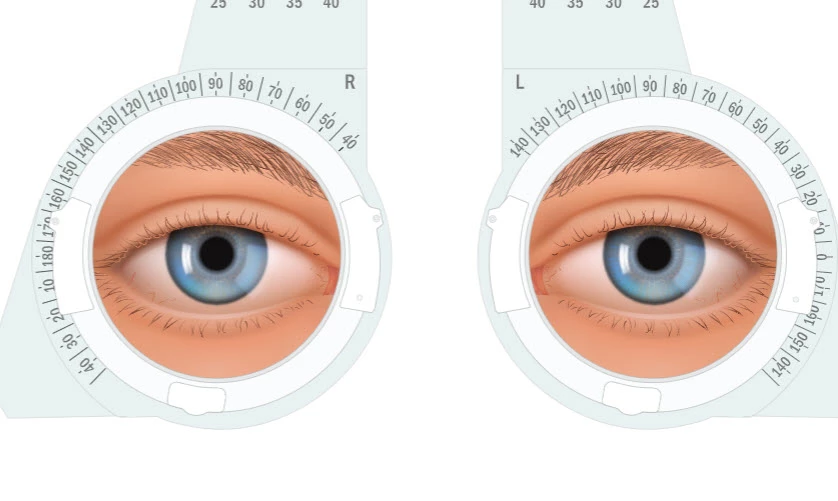
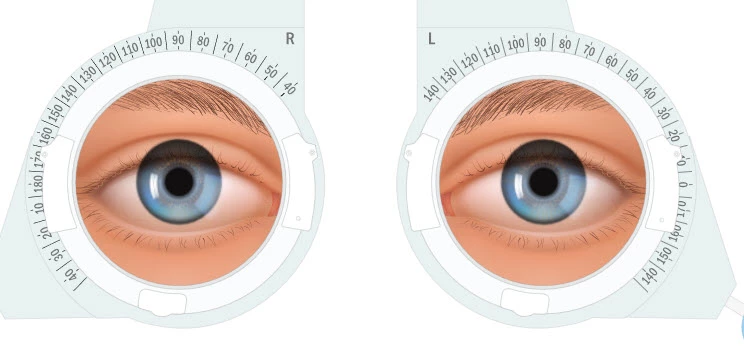
I have noticed an unusual problem with Firefox showing a layer in an imported Illustrator artwork as detached from the layers in front of it, that is, the Illustrator layers, which are all on the same Animate layer.  Only happens in Firefox, but not on all machines.  


In Chrome, no problems:
 

This is what it looks like in Firefox:


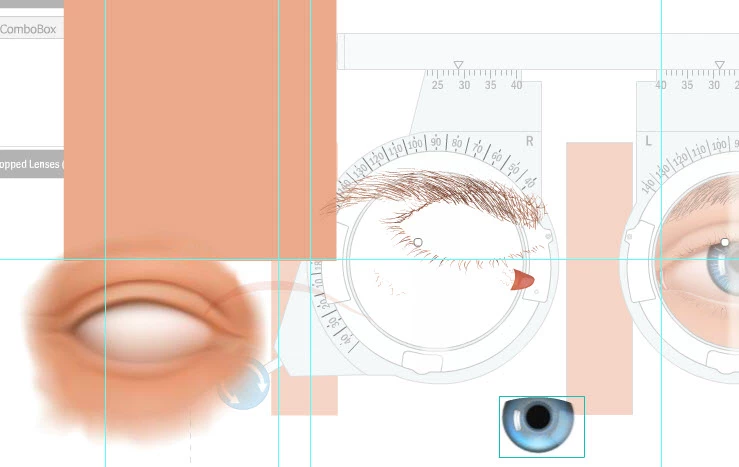
In Animate that eye graphic is on the one Animate layer.  The graphic is comprised of multiple layered graphics, all imported as a single layer object from Illustrator.


If I pull that graphic apart in Animate, the round iris that appears to pop to the top in Firefox, doesn't look like that.  Rather the iris is shaped at the top, not round.


Any ideas?

    This topic has been closed for replies.

    1 reply

    JoãoCésar17023019
    Community Expert
    Community Expert
    April 4, 2022

    Hi.


    Adobe Illustrator artworks tend to be very complex, containing lots of features that are not supported either by Animate or the canvas.


    So I always prepare the imported files trying to remove as much as I can things like the masks generated by the imported process, or change the blending modes back to normal or edit the gradients.


    Not to say the that this preparation stage is very important for performance gains.


    But if it's not practical to edit the imported arts, you can always consider converting them to bitmaps.


    I hope this helps.


    Regards,

    JC

    FlatChatAuthor
    Inspiring
    April 5, 2022

    @JoãoCésar17023019   Thanks JC


    It's strange as I tested on another machine (Mac) with Firefox and no issue.

    FlatChatAuthor
    Inspiring
    April 11, 2022

    @JoãoCésar17023019   Your answer doesn't answer my question as to why the problem appears in Firefox and not in other browsers.  Converting to bitmap is not a solution for me.