Participating Frequently
January 20, 2022
Answered

HTML5 Ads Validator Javascript Errors and Missing Assets

  • January 20, 2022
  • 2 replies
  • 1764 views

Hi,

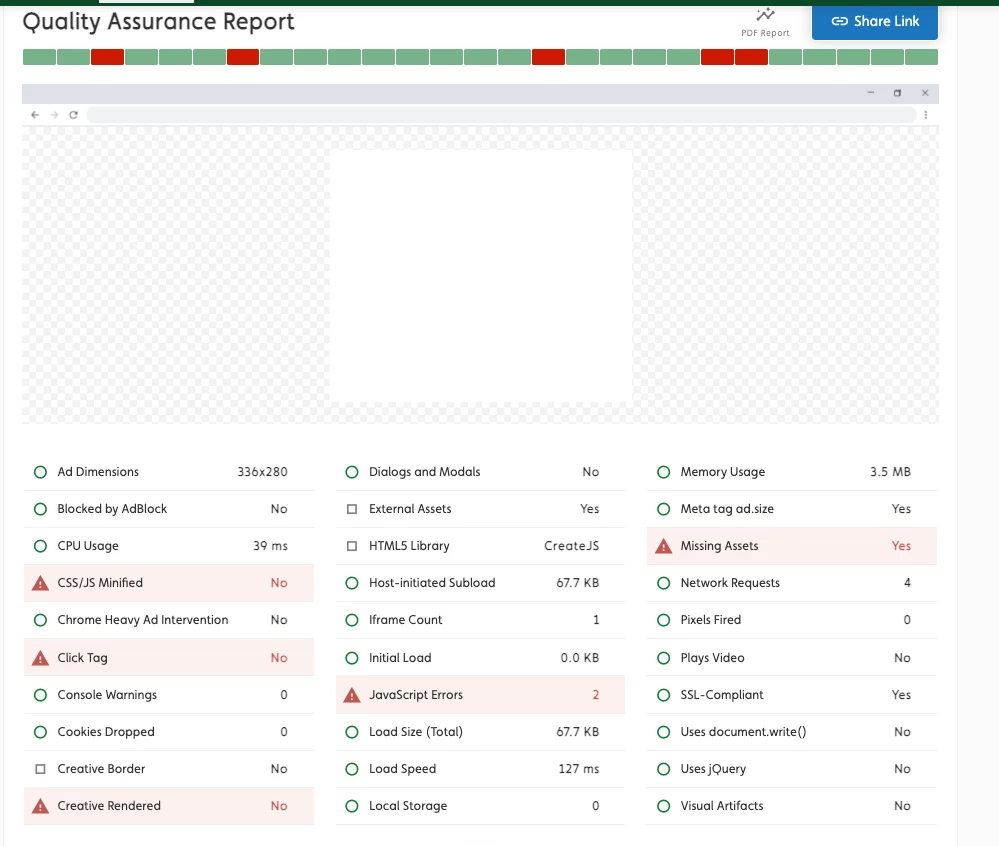
I created HTML5 ads for 6Sense and when I check the validator, the ad fails to render, I have missing assets, and 2 Javascript errors. I've tried everything and nothing works. It has to be something in the template when exporting. When I test the ad in the browser, it works fine, but when I check the ad in the validator and on 6sense, it doesn't show, and I have the same errors. Any help would be greatly appreciated. 


    This topic has been closed for replies.
    Correct answer Roy239064551nev

    Hi Marley,


    This is Roy, the developer of the HTML5 ad validator tool that you've used. I re-ran your creative through the scanner, and this is what I've found:

    https://www.advalify.io/html5-ad-validator/s8e9w-ce605-8e49d


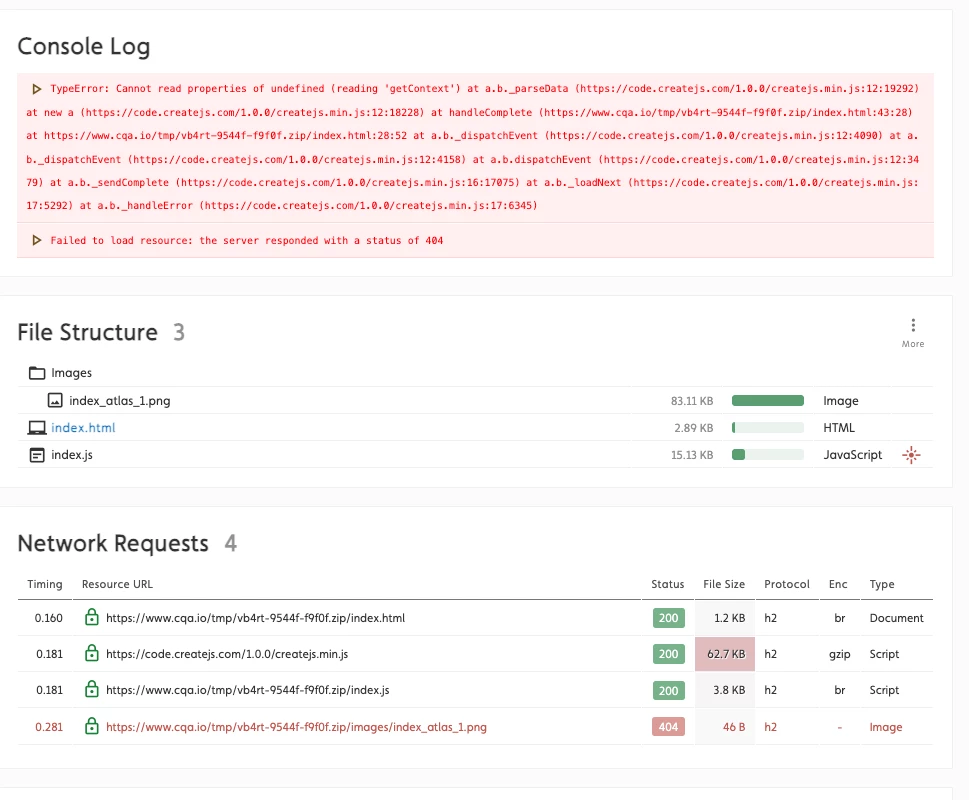
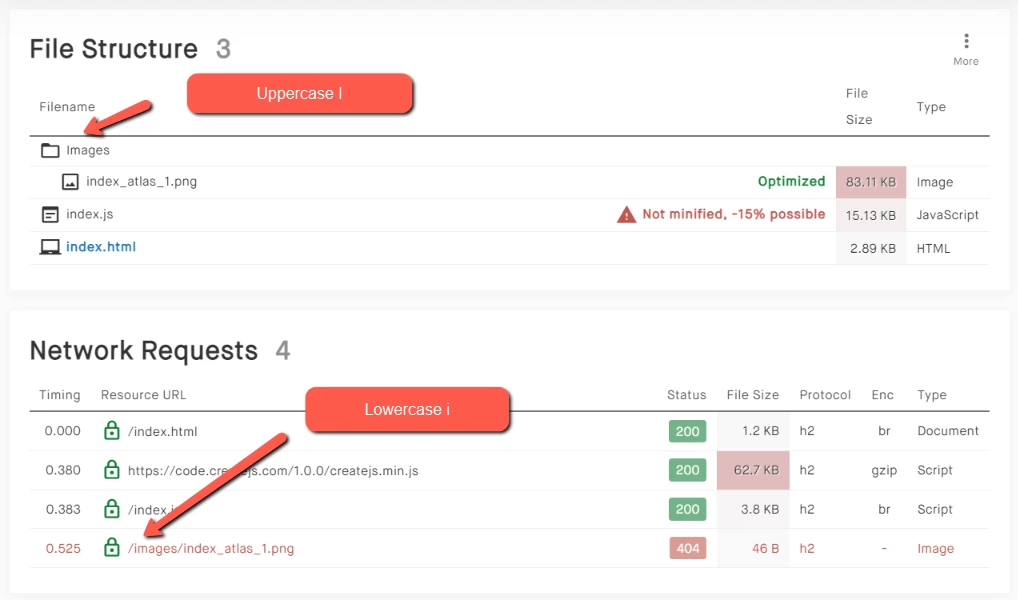
    Your creative is not rendered due to a JavaScript error "Cannot read property 'getContext' of undefined at a.b._parseData". Furthermore, your image returns a 404 because you've used a capital in your link. The image is in the folder "Images", while you're linking to "/images/..." (with a lowercase i). The server therefore returns a 404. See here:


    If you need further help, feel free to contact me 🙂

    2 replies

    Roy239064551nev
    Roy239064551nevCorrect answer
    Participant
    April 5, 2022

    Hi Marley,


    This is Roy, the developer of the HTML5 ad validator tool that you've used. I re-ran your creative through the scanner, and this is what I've found:

    https://www.advalify.io/html5-ad-validator/s8e9w-ce605-8e49d


    Your creative is not rendered due to a JavaScript error "Cannot read property 'getContext' of undefined at a.b._parseData". Furthermore, your image returns a 404 because you've used a capital in your link. The image is in the folder "Images", while you're linking to "/images/..." (with a lowercase i). The server therefore returns a 404. See here:


    If you need further help, feel free to contact me 🙂

    kglad
    Community Expert
    Community Expert
    January 21, 2022

    the validator is not "seeing" your images content (or your images folder).

    Marley82Author
    Participating Frequently
    January 21, 2022

    Yeah for some reason and I don't know why. The images are in the zip folder but it won't recognize it and it gives me 2 javascript errors. Shoud I post my code here? Thanks - Marlena 

    kglad
    Community Expert
    Community Expert
    January 21, 2022

    that's not a coding error.  it's a problem between your zip file and the validator.


    you need to query about that validator (as long as you're certain exactly that file name/ext is in the images folder).