



Question
HTML5 Canvas Adobe Fonts: Roboto not available?
Is there a bullet proof method to ensure the fonts I choose are visible to everyone?


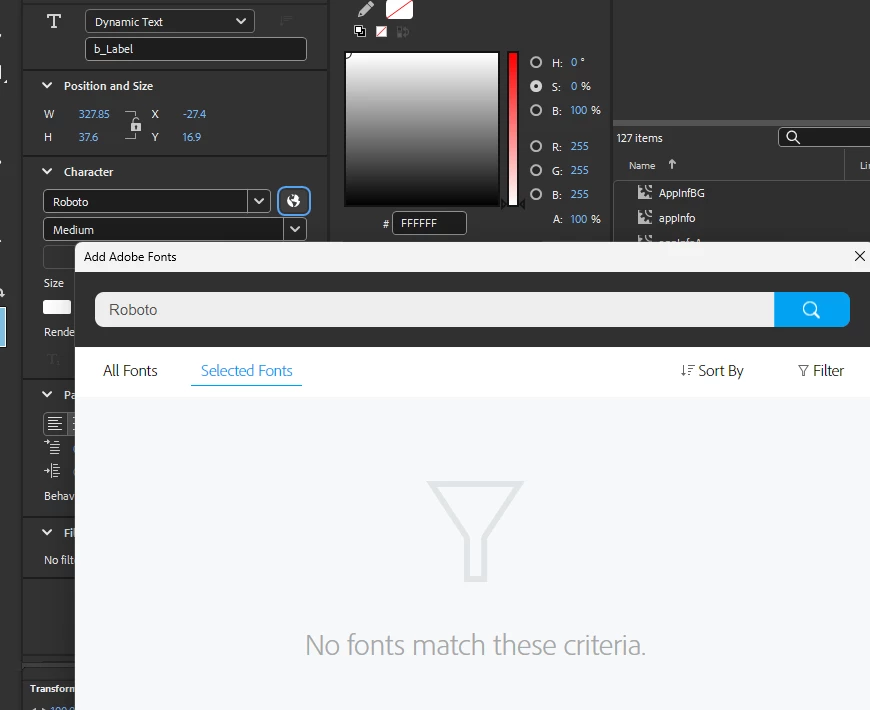
How do I get the font I want to use, to display for people who are not using my computer to browse my website?
My CSS file ensures all the text on my site uses Roboto:
@import url('https://googleapis.com');
*{
    font-family: Roboto,Arial,sans-serif!important;
    margin: 0;
    padding: 0
}
The code on my canvas page only shows the font to me.
<script>
function LoadGFonts(families, comp) {
	var lib=comp.getLibrary();
	var googleObject = {type: "Google", loadedFonts: 0, totalFonts: families.length, callOnLoad: lib.gfontAvailable};
	for(var i =0; i < families.length; i++)
		isFontAvailable(gFontsFamilies[i], googleObject);
}
function isFontAvailable(font, obj) {
	var timeOut = 5000;
	var delay = 200;
	var interval = 0;
	var timeElapsed = 0;
	function checkFont() {
		var node = document.createElement("span");
		node.innerHTML = "giItT1WQy@!-/#";
		node.style.position      = "absolute";
		node.style.left          = "-1000px";
		node.style.top           = "-1000px";
		node.style.fontSize      = "300px";
		node.style.fontFamily    = "sans-serif";
		node.style.fontVariant   = "normal";
		node.style.fontStyle     = "normal";
		node.style.fontWeight    = "normal";
		node.style.letterSpacing = "0";
		document.body.appendChild(node);
		var width = node.offsetWidth;
		node.style.fontFamily = font+","+node.style.fontFamily;
		var returnVal = false;
		if((node && node.offsetWidth != width) || timeElapsed >=timeOut) {
			obj.loadedFonts++;
			if(interval)
				clearInterval(interval);
			obj.callOnLoad(font, obj.totalFonts);
			returnVal = true;
		}
		if(node) {
			node.parentNode.removeChild(node);
			node = null;
		}
		timeElapsed += delay;
		return returnVal;
	}
	if(!checkFont()) {
		interval = setInterval(checkFont, delay);
	}
}
</script>
<script>
	var gFontsFamilies = ["Roboto"];
</script>
<link rel="stylesheet" type="text/css" href="https://fonts.googleapis.com/css?family=Roboto:900&subset=latin">
How do I get the text in my canvas to look the same to me, and everyone viewing it?
Thanks.
 AdChoices