
Answered
HTML5 Combobox adding more items?
Hi,
I am looking for a way to add more dropdown items to the HTML5 combobox component by adding them to the items category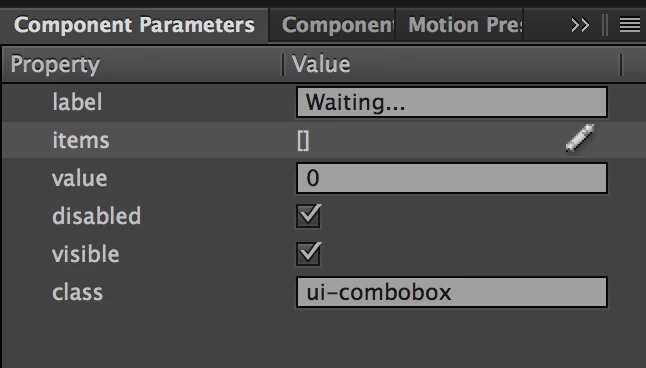
I am able to access the features of disabled, visible and value just fine by calling these lines
- document.getElementById('COMBO_BOX_NAME').value ✅
- document.getElementById('COMBO_BOX_NAME').disabled ✅
- document.getElementById('COMBO_BOX_NAME').visible ✅
But for some reason when I try to add objects to the item array nothing seems to happen?
Basic addition to arr object
var array = new Array();
var obj = new Object();
obj.label = 'Label';
obj.data = 'Data';
arr.push(obj)
Methods tried for adding to the combo box
- document.getElementById('COMBO_BOX_NAME').items = array ❌
- document.getElementById('COMBO_BOX_NAME').items.push(obj) ❌
- document.getElementById('COMBO_BOX_NAME').items = [{label: 'Label', data: 'Data'}] ❌ (Manual Entry seems to not work either!)
Is the items variable an array or an object? I've tried both and cant seem to store data there
Thanks


 AdChoices