
Known Participant
December 21, 2017
Answered

html5 scaleX moves the object.

  • December 21, 2017
  • 2 replies
  • 479 views

hi all.)

noob question:

i have an object on stage, with regpoint attached to the left side of it, like this:
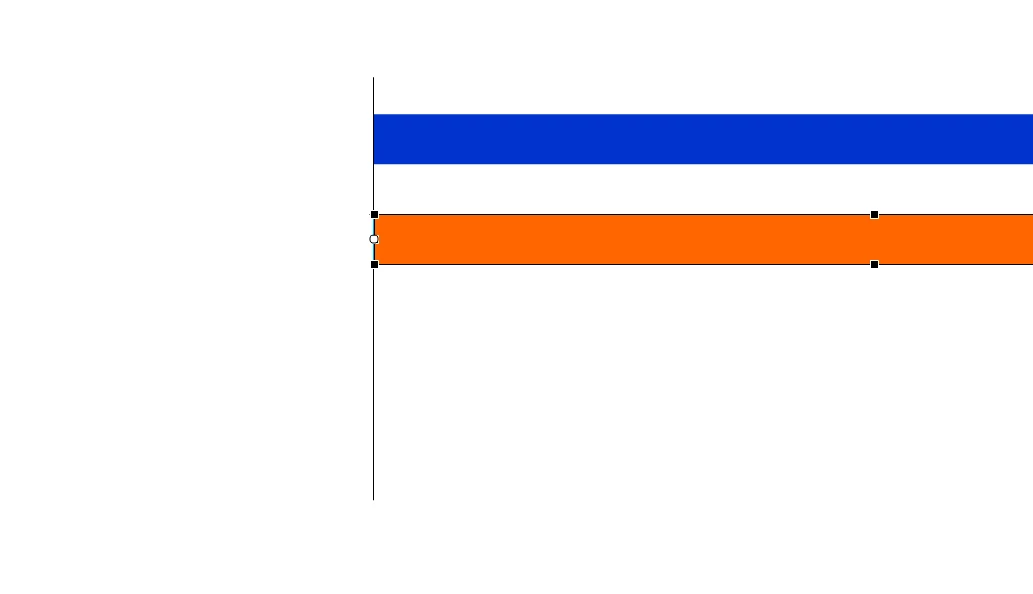
now, after applying this line of code:

this.orange.scaleX=80;

it looks like this:

how can i fix this kind of behavior?

This topic has been closed for replies.
Correct answer kglad

80???  that's increasing orange's width 800 times.

use the magnifying glass to significantly increase the mag of the left side of orange so you can make the necessary correction to align the transform point to the left.

2 replies

albertd9194959
Inspiring
December 22, 2017

As kglad suggested, at that percentage increase, any small offset to that registration point will blow out the position.

Make sure you have snapping features on, snap to objects with snap to pixels usually does the trick.

Drag the registration point and it will snap onto the closest handle, or zoom in and snap to an edge of the image.

kglad
Community Expert
kgladCommunity ExpertCorrect answer
Community Expert
December 21, 2017

80???  that's increasing orange's width 800 times.

use the magnifying glass to significantly increase the mag of the left side of orange so you can make the necessary correction to align the transform point to the left.

Known Participant
December 24, 2017

thank you.)

i had to use a sniper scope with a microscope function for this, but it did the trick.

kglad
Community Expert
Community Expert
December 24, 2017

you're welcome.

hint:  with the magnifier tool selected you can drag a rectangle around the region you want to magnify (to fill your viewable region).