
kevink58515973
Participant
November 26, 2019
Answered

I cant find path tool!
  • November 26, 2019
  • 2 replies
  • 940 views


Hello everyone,

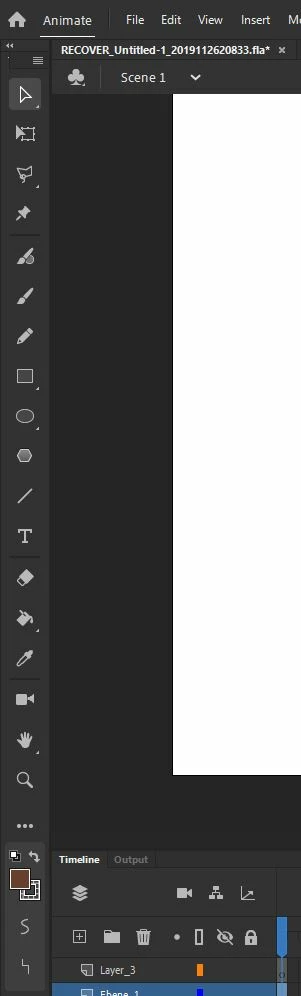
I want to create my own shapes with the path tool but its not available in my Adobe Animate and I can't find it - Its nowhere in the toolbar (not in any subsections too).

What am I missing?
Please help!

Thanks in advance!

Cheers
Kevin
This topic has been closed for replies.
Correct answer Freelance77

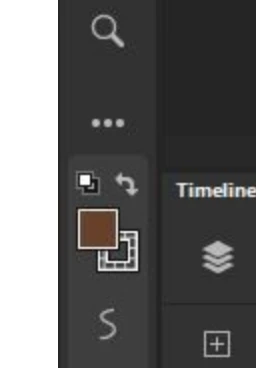
Click on the three dots at the bottom of the tools panel - it's in there.

2 replies

Freelance77Correct answer
Inspiring
November 26, 2019

Click on the three dots at the bottom of the tools panel - it's in there.

Legend
November 26, 2019

I see Selection, Subselection, Classic Brush, Fluid Brush, Paint Brush, Pencil, Pen, Add/Delete/Convert Anchor Point, Line, Eraser, Rectangle, Rectangle Primitive, Oval, Oval Primitive, Polystar, Free Transform, Gradient Transform, Paint Bucket, Ink Bottle, Camera, Bone, Bind, 3D Rotation, 3D Translation, Text, Eyedropper, Hand, Rotation, Time Scrub, Lasso, Polygon, Magic Wand, Width, Asset Warp, and Zoom tools.


I do not see a Path tool.

Inspiring
November 26, 2019

I assumed "Pen" was what was meant by "path" tool -  especially since it lies off the main panel (I think, since the 2020 update).

Legend
November 26, 2019

"Path tool"? What's that?