
Participant
May 27, 2024
Answered

I need help with a problem with my adobe

  • May 27, 2024
  • 3 replies
  • 292 views

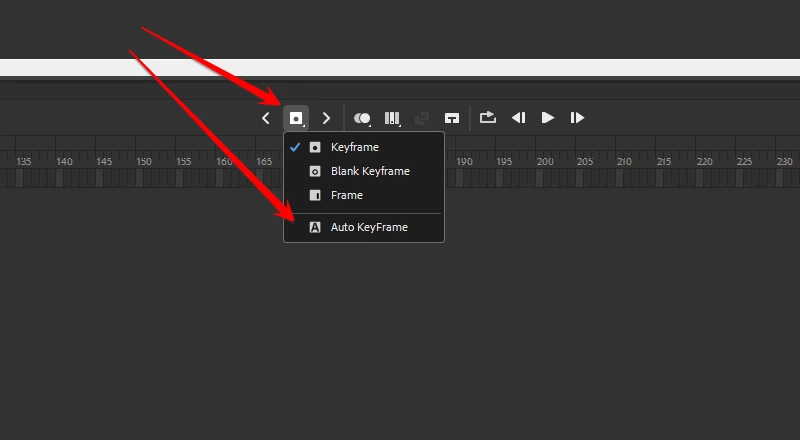
I've been animating for a few months and I took a week off, when I came back when I try to move a symbol when it is in a layer instead of adding a keyframe it selects the entire layer and doesn't add a keyframe. Any help would be nice.
    This topic has been closed for replies.
    Correct answer kglad

    enable auto-keyframe, if that's what you want


    3 replies

    Animatrr
    Inspiring
    May 28, 2024

    You could do that this entire time?!  I've been pressing the keyframe button all my life!

    kglad
    Community Expert
    Community Expert
    May 29, 2024

    life's a journey.  live and learn.


    also, a keyboard shortcuts can speed work.

    kglad
    Community Expert
    kgladCommunity ExpertCorrect answer
    Community Expert
    May 27, 2024

    enable auto-keyframe, if that's what you want


    kglad
    Community Expert
    Community Expert
    May 27, 2024

    in the future, to find the best place to post your message, use the list here, https://community.adobe.com/

    p.s. i don't think the adobe website, and forums in particular, are easy to navigate, so don't spend a lot of time searching that forum list. do your best and we'll move the post (like this one has already been moved) if it helps you get responses.


    <"moved from using the community">