
Participant
June 1, 2021
Question

Im having an issue where when you zoom out of an image, the image get's lossier or pixelated

  • June 1, 2021
  • 3 replies
  • 945 views

So i am trying to work on a character rig that I made with procreate on my ipad, to then import it to photoshop, and then finally import it onto adobe animate to animate. But when I imported the rig into Adobe Animate, and scaled it to a smaller size, I noticed that the quality went down on the rig and it looked pixelated.
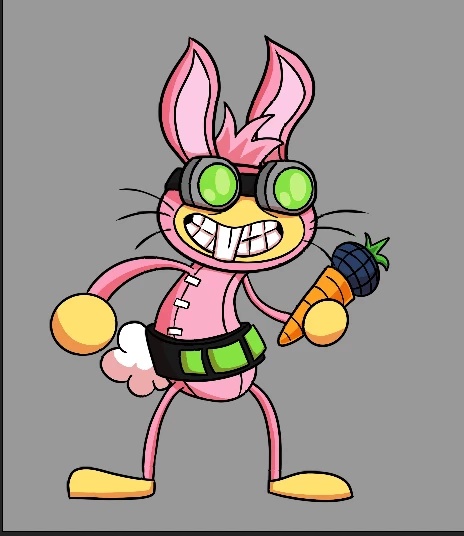
 

I first thought that it was because I scaled the rig down, but as I look zoomed into the rig, ir became more clear and clean like it's supposed to be.
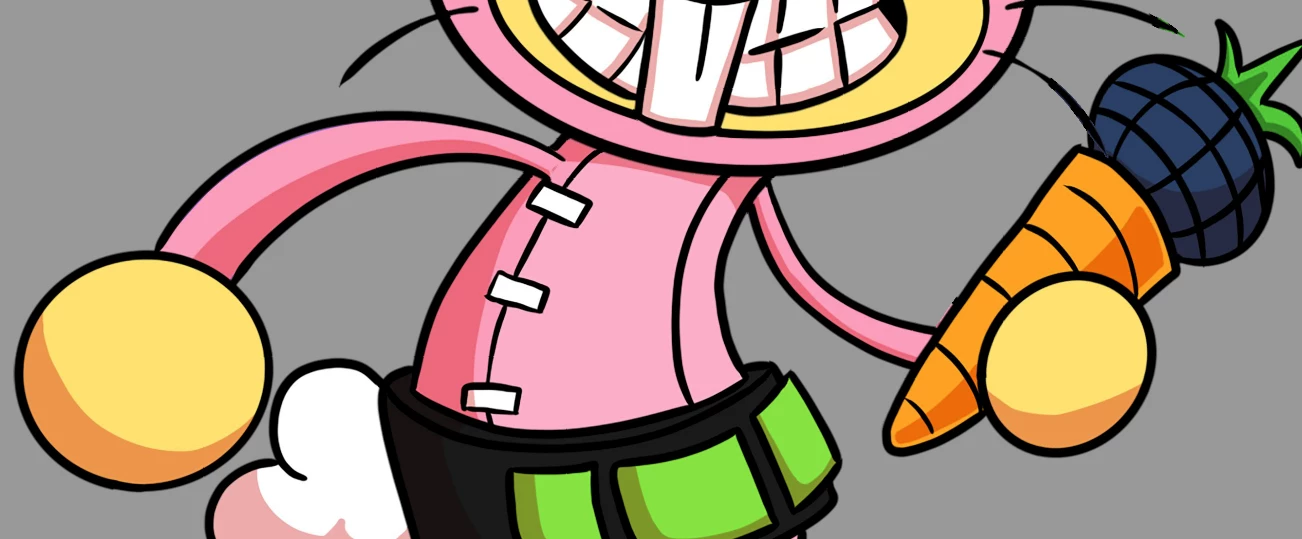
SO the main problem im facing is that everytime I zoom out of the rig it appears pixelated, and everytime I zoom in, it appears fine. Why does this happen? and How do I fix this? 


This topic has been closed for replies.

3 replies

Community Expert
June 3, 2021

check your preview mode. 


Also nice character. 


Legend
June 1, 2021

You don't have your Preview Mode set to Fast, do you?

n. tilcheff
Legend
June 1, 2021

Hi mate,


Nice design!


Animate is a vector program and the support for bitmaps is not that good. Scaling only works well within a certain range.


You can select your bitmaps in the Library, right-click > properties and make sure compression is set to lossless.

You can try to see if enabling 'smoothing' will give better results.


If this is not sufficient, you will have to have two or even three rigs that use small, medium and large body parts, which you will prepare in photoshop.


As a general advice I would suggest to create your character artwork in Animate. Then it will scale well.


Nick - Character Designer and Animator, Flash user since 1998 | Member of the Flanimate Power Tools team - extensions for character animation