Also I only have one layer
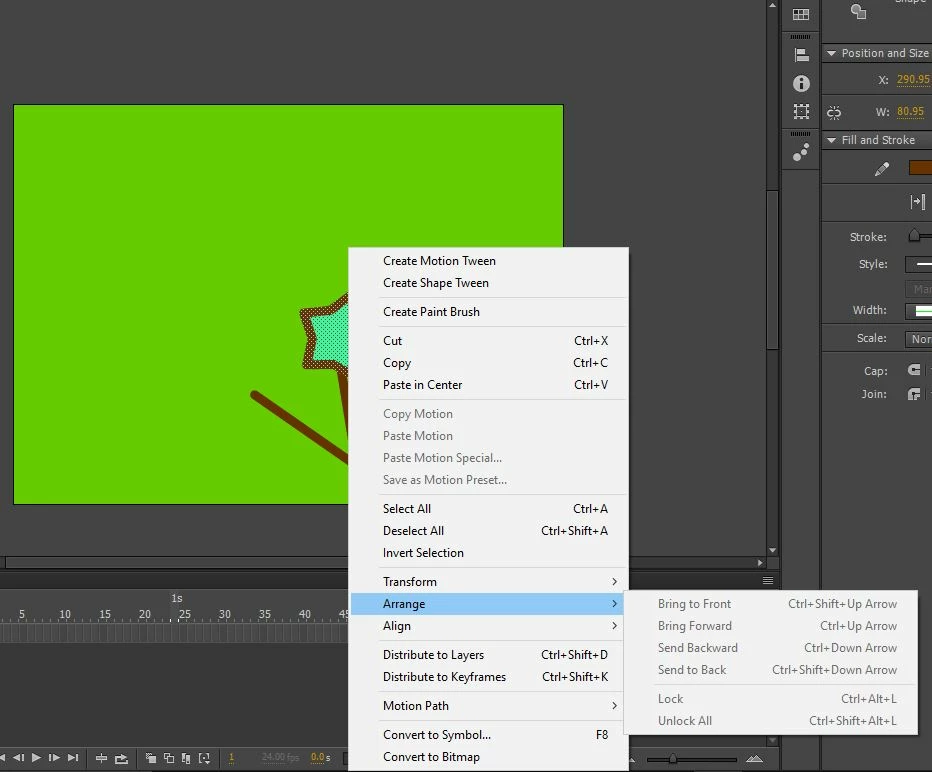
@Mihiru Goonaratne Arrange will not be available for raw shapes like the one you have created (because the intersecting raw shapes get merged). This is enabled only for drawing objects, groups, symbols, bitmaps etc.
You can either -
1. Convert the existing raw shape to object by "clicking on the shape -> followed by clicking on 'Create Object' icon available under 'Fill & Stroke' section of the Properties panel" (second icon in your screenshot).
2. Enable 'Object drawing mode' before you draw: "Choose the drawing tool (rect/oval/brush etc) -> Click on the 'Object drawing mode' button under 'Fill & Stroke' section of the Properties panel" to enable.
Thanks, Sukhesh.



 AdChoices