


Installing Adobe Animate prompts for older Media Encoder version
When installing Adobe Animate 24.0.12 from the Creative Cloud Desktop application, the following popup appears:
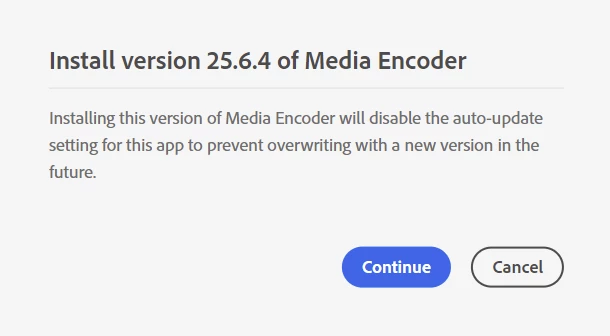
I’m assuming I’m receiving this because I’ve previously installed Premiere 26.0.1, which installs Media Encoder 26.0. If I click Cancel on the above popup, Animate proceeds to install just fine. Likewise, if I open Animate, it doesn’t complain about the version of Media Encoder.
If I actually launch Adobe Animate, create a new project, and then click File > Export > Export Video/Media, and click Export using the default settings, Media Encoder 26.0 fires up and proceeds to export the file no problem.
So… what’s the purpose of this popup in the Creative Cloud Desktop application when installing Animate 24.0.12? It seems to imply that Media Encoder 26.0 isn’t compatible with Media Encoder, but it also doesn’t explicitly say that, and, in testing, appears to work just fine.
 AdChoices