
Jan Meisel
Participating Frequently
July 13, 2019
Answered

Interactive content not responding in browser.

  • July 13, 2019
  • 1 reply
  • 1295 views

Hello

I'm working on a piece of interactive content, but I'm having truble making it work in the browser.

I use the following code:

stage.enableMouseOver(30);

var _this = this;

_this.toej.on('mouseover', function(){

_this.toej.gotoAndPlay(50);

});

When I test the movie from Animate, using "control -> test movie" it works fine, but when I open the published html file from my file manager, it is no longer working.

There are two other interactive scripts in the same animation, and they both work fine when I open the published html file from the file manager on my pc.
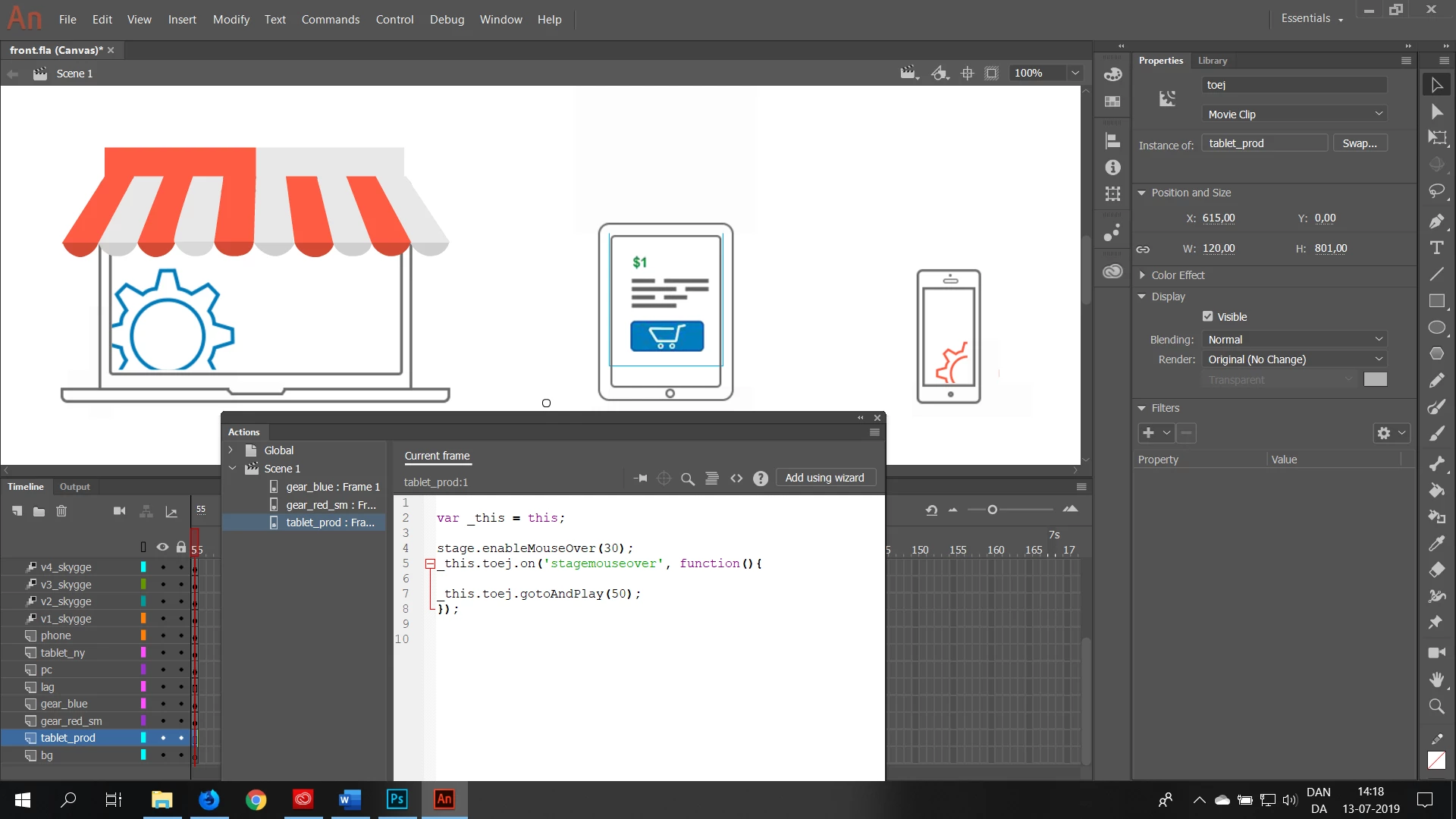
Can anybody tell me where I might go wrong, or point me in the direction of a solution ?

This topic has been closed for replies.
Correct answer JoãoCésar17023019

Hi.

This is a browser security issue.

You're gonna have to run your files from a local or online server.

When you use the test command, Animate automatically setups a server and that's why things work the way we expect it to work.

Regards,

JC

1 reply

JoãoCésar17023019
Community Expert
JoãoCésar17023019Community ExpertCorrect answer
Community Expert
July 13, 2019

Hi.

This is a browser security issue.

You're gonna have to run your files from a local or online server.

When you use the test command, Animate automatically setups a server and that's why things work the way we expect it to work.

Regards,

JC

Jan Meisel
Participating Frequently
July 13, 2019

Hello João

Thanks for the answer, but it still wont work for me.

I have tried to run the composition through DW as an oam file, and through a live site on an a2 server.

But I think the problem is somewhere else, because it is only that one script which does not work, the rest of the interactive content works fine.

Regards.

Jan

JoãoCésar17023019
Community Expert
Community Expert
July 13, 2019

Are you getting any message in the console?